MX49 MX61 MX88 Owner’s Manual
Controls and Functions
7
^ [PERFORMANCE NUMBER] display
Indicates the number of the selected Performance.
& [SELECT] button (page 20)
Calls up the display from which you can select a
Performance.
* LCD (Liquid Crystal Display) (page 10)
The backlit LCD indicates the parameters and values
related to the currently selected operation or function.
( [DATA] dial (page 12)
Changes the selected value in the display.
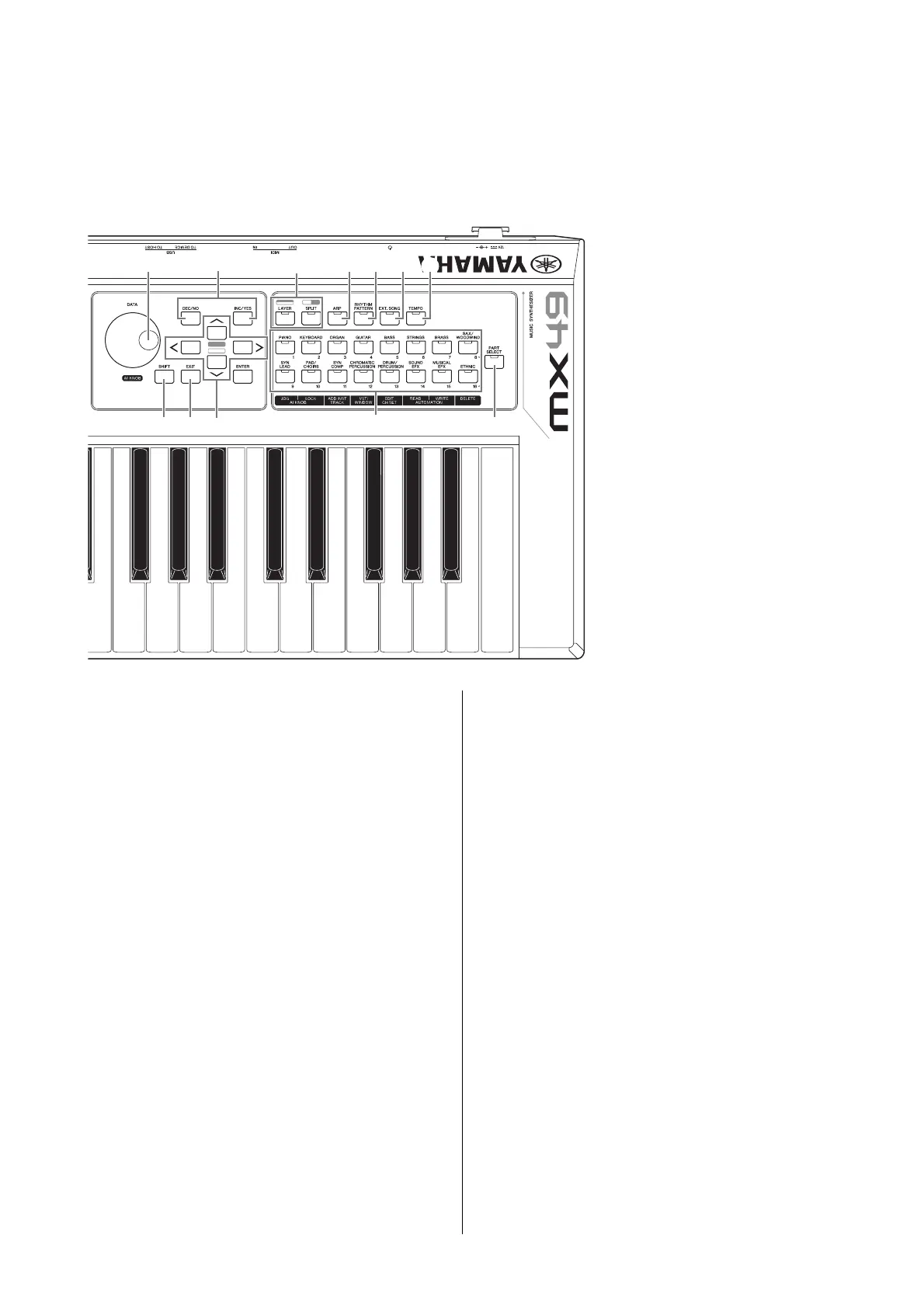
A [SHIFT] button (page 35)
Pressing this button along with another button enables
you to execute various alternate commands of the
respective buttons.
B [INC/YES]/[DEC/NO] buttons (page 12)
For increasing/decreasing the value of the currently
selected parameter.
C Cursor buttons (page 12)
These move the “cursor” around the display, and scroll
through the pages of the edited display.
D [EXIT] button
The menus and displays of the instrument are organized
according to a hierarchical structure. Press this button to
exit from the current display and return to the previous
level in the hierarchy.
E [ENTER] button
Use this button to select the display to be edited, to
define the value, and to execute a Job or a Store
operation.
F [LAYER] button (page 15), [SPLIT] button
(page 16)
These buttons respectively layer different Voices of Parts
1 and 2, and split the keyboard into left and right parts.
G [ARP] button (page 18)
Determines whether the Arpeggio function is applied to
the entire Performance or not.
H [RHYTHM PATTERN] button (page 21)
Calls up the display from which you can select a Rhythm
Pattern.
I [EXT. SONG] (External Song) button (page 23)
Calls up the display from which you can select Song
data of the USB flash memory connected to the USB [TO
DEVICE] terminal.
J [TEMPO] button (pages 19, 22 and 23)
Calls up the display from which you can set the tempo
for the Arpeggio/ Rhythm Pattern/ Song.
K Voice Category button (page 14)
Selects a Voice category for Part 1/Part2.
L [PART SELECT] button
Calls up the display from which you can select a Part
from Parts 1 – 16 and play it.



 To Next Page