EasyManua.ls Logo

Yamaha NS-B40 - User Manual

Yamaha NS-B40
30 pages
Print Icon
To Next Page IconTo Next Page
Loading...
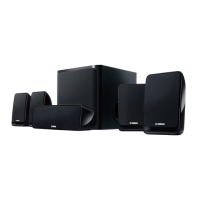
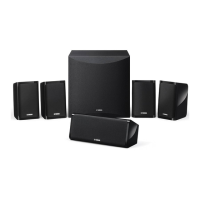
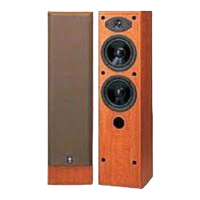
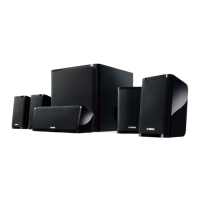
SPEAKER PACKAGE
U
(NS-F40 + NS-C40 + NS-B40 + NS-SW050)
PACKAGE ENCEINTES
FR
EN
OWNER’S MANUAL
MODE D’EMPLOI

Questions and Answers

  • T
    twattsAug 18, 2025
    What to do if Yamaha Speakers have no sound?
    • M
      Mr. Jon BrockAug 18, 2025
      If your Yamaha Speakers have no sound, ensure the speaker cables are properly connected and the subwoofer cable is correctly connected. Also, check that the VOLUME control is not set to 0 and increase it if necessary.
  • A
    Andrew SimsAug 20, 2025
    What to do if my Yamaha Stereo System subwoofer is too quiet?
    • S
      szamoraAug 20, 2025
      If the subwoofer is too quiet, try the following: First, the source material might not contain much bass, so try playing source material that contains more bass. Second, bass sounds might be getting cancelled out by standing waves. Try repositioning the subwoofer, or break up parallel wall surfaces by placing bookshelves or other large objects along the wall.
  • L
    Latoya AndersonAug 22, 2025
    What to do if Yamaha subwoofer doesn't work even when the POWER switch is ON?
    • B
      Brett GrayAug 23, 2025
      If your Yamaha subwoofer isn't working even when the POWER switch is ON, set the POWER switch to OFF, then make sure the power cable is connected properly.
  • R
    Robert VaughanAug 25, 2025
    Why is the sound very quiet on my Yamaha Speakers?
    • R
      Robin TerryAug 26, 2025
      If the sound from your Yamaha Speakers is very quiet, it might be due to improperly connected speaker cables. Ensure the speaker cables are connected properly: L (left) to L, R (right) to R, “+” to “+” and “–” to “–”.
  • D
    Donna ButlerAug 27, 2025
    What to do if Yamaha Speaker System has no sound?
    • C
      Christopher StevensonAug 27, 2025
      If you're not getting any sound from your Yamaha Speaker System, it could be due to a couple of reasons: * The VOLUME control might be set to 0. If so, turn up the VOLUME control. * The subwoofer cable might not be connected properly. In this case, ensure the subwoofer cable is securely connected.
  • C
    Courtney MitchellAug 30, 2025
    How to fix no sound on Yamaha NS-B40?
    • S
      Suzanne LynchAug 30, 2025
      If there is no sound, verify that the speaker cables and the subwoofer cable are correctly connected. Also, check that the VOLUME control is not set to 0.
  • M
    Morgan HughesSep 1, 2025
    What to do if the sound is interrupted on my Yamaha NS-B40 Speaker System?
    • B
      bradley09Sep 1, 2025
      If the sound is being interrupted, the volume might be too loud. Try reducing the volume level.
  • M
    Michael EscobarSep 3, 2025
    Why is the sound so quiet on my Yamaha NS-B40 Speaker System?
    • C
      Cameron VasquezSep 3, 2025
      If the sound is very quiet, ensure the speaker cables are properly connected, matching L to L, R to R, “+” to “+” and “–” to “–”. Also, if the sound is still quiet, set the POWER switch to OFF, then make sure the power cable is connected properly.
  • J
    James EstesSep 6, 2025
    What causes low sound level on Yamaha NS-B40?
    • F
      Frances BrownSep 6, 2025
      If the sound level is too low, it could be due to the source material not containing much bass. Try playing source material that contains more bass. Alternatively, bass sounds might be getting cancelled out by standing waves; reposition the subwoofer, or disrupt parallel wall surfaces by placing bookshelves or other large objects along the wall.
  • P
    Paul EllisonSep 8, 2025
    What to do if there is no sound from my Yamaha Stereo System?
    • L
      Lisa BlackburnSep 8, 2025
      If there is no sound, check the following: Ensure that the speaker cables are connected properly. Also, verify that the VOLUME control is not set to 0. Finally, make sure the subwoofer cable is connected correctly.

Summary

Important Safety Instructions

General Safety Precautions

Covers instructions for safe operation, installation, and maintenance of the apparatus.

Graphical Symbols Explanation

Explains the meaning of symbols like lightning flash and exclamation point for user safety.

Unit Information Recording

Instructions for recording the unit's serial number and model for future reference.

Precautions

Power Supply and Cord Safety

Details risks and precautions related to the power cord, plug, and voltage for user safety.

Unit Handling and Disassembly Restrictions

Warns against disassembling the unit and provides essential handling advice for safe operation.

Environmental and Fire Safety

Covers precautions related to water exposure, fire hazards, ventilation, and installation environment.

Responding to Unit Abnormalities

Instructs users on immediate actions for unit abnormalities like smoke, damage, or unusual smells.

Precautions Continued

Installation and Environmental Considerations

Guidelines for stable installation, ventilation, avoiding corrosive environments, and disaster preparedness.

Health and Handling Safety

Warnings about hearing loss, safe handling of speakers, and preventing injuries from cables or small parts.

Operational Notices and Connectivity

Advises on connecting external units, proper handling, maintenance, and speaker connections.

Precautions Continued

Speaker Information and Warnings

Details about speaker characteristics and crucial warnings regarding stability and safe usage.

Manual Content Overview

Information on the purpose of illustrations and screens within the manual.

Package Contents

Included Components List

Lists all items included in the speaker package for verification.

Assembling the Front Speakers

Front Speaker Assembly Guidance

Provides instructions and cautions for assembling the front speakers, including tool requirements.

Assembling the Front Speakers

Attaching the Base to the Bottom

Step-by-step instructions for attaching the speaker base to the bottom section using screws.

Attaching the Top to the Bottom

Instructions for connecting the top section to the assembled bottom and base, securing with screws.

Installing the Speakers

Subwoofer Placement Guidelines

Advice on positioning the subwoofer for optimal bass response, considering room acoustics.

Main Speaker Placement

Instructions for placing front, center, and surround speakers for best sound imaging.

Wall-Mounting the Speakers

Wall Mounting Procedure

Steps for installing screws and hanging speakers on the wall using keyhole slots.

Wall Mounting Safety Warnings

Critical warnings about secure mounting surfaces, hardware, cable management, and professional consultation.

Connecting the Speakers

Preparing Speaker Cables

Instructions for cutting, stripping, and twisting speaker cables for proper connection.

Connecting Power Cables

Final step to connect power to the subwoofer, amplifier, and other AV components.

Connecting the Speakers Continued

Speaker Terminal Operation

Guides on how to properly insert and secure bare speaker wires into terminals for good contact.

Amplifier and Subwoofer Connection

Details on connecting speakers to the amplifier, ensuring correct polarity, and connecting the subwoofer.

Using the Subwoofer

Subwoofer Components and Controls

Identifies key parts like the Twisted Flare Port, Volume control, Power indicator, and input terminal.

Subwoofer Adjustment Procedure

Steps to adjust subwoofer volume for optimal balance with front speakers for natural bass sound.

Advanced Yamaha Active Servo Technology II

Explanation of YST II Technology

Details Yamaha's YST II technology for powerful, high-quality bass reproduction and improved performance.

Twisted Flare Port Technology

Reducing Noise and Improving Bass

Explains how the Twisted Flare Port design suppresses airflow turbulence to reduce noise and enhance bass clarity.

Troubleshooting

Front, Center, and Surround Speaker Issues

Lists common problems like no sound or quiet sound and their solutions for these speaker types.

Subwoofer Operational Issues

Addresses subwoofer problems like not working, no sound, or low sound level, providing remedies.

Specifications

Speaker System Specifications

Details technical specifications for the front, center, and surround speakers, including drivers and dimensions.

Subwoofer Specifications

Provides technical details for the subwoofer, covering power, frequency response, dimensions, and weight.

Yamaha NS-B40 Specifications

General IconGeneral
BrandYamaha
ModelNS-B40
CategorySpeaker System
LanguageEnglish

Related product manuals