EasyManua.ls Logo

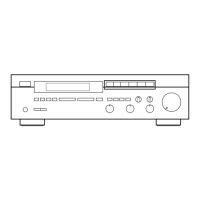
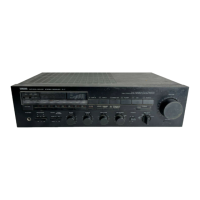
Yamaha R-V701 - User Manual

Yamaha R-V701
31 pages
Print Icon
To Next Page IconTo Next Page
Loading...
IMPORTANT!
Please record the serial number of this
unit in the space below.
Serial No.:
The serial number is located on the rear
of the unit.
Retain this Owner’s Manual in a safe
place for future reference.
WARNING
TO REDUCE THE RISK OF FIRE OR
ELECTRIC SHOCK, DO NOT EXPOSE
THIS UNIT TO RAIN OR MOISTURE.
RISK OF ELECTRIC
SHOCK
CAUTION: TO REDUCE THE RISK OF
ELECTRIC SHOCK, DO NOT REMOVE
COVER (OR BACK), NO USER-SERVICEABLE
PARTS INSIDE, REFER SERVICING TO
QUALIFIED SERVICE PERSONNEL.
The lightning flash with arrowhead
symbol, within an equilateral triangle,
is intended to alert you to the
presence of uninsulated “dangerous
voltage” within the product’s
enclosure that may be of sufficient
magnitude to constitute a risk of
electric shock to persons.
The exclamation point within an
equilateral triangle is intended to alert
you to the presence of important
operating and maintenance
(servicing) instructions in the
literature accompanying the
appliance.
Explanation of Graphical Symbols
CAUTION
OWNER’S MANUAL
CONTENTS
Safety Instructions ................... 2
Features ................................... 4
Supplied Accessories .............. 4
Profile of This Unit .................... 5
Speaker Setup ......................... 6
Connections ............................. 7
Speaker Balance Adjustment
... 11
Basic Operations .................... 14
Tuning Operations .................. 17
Preset Tuning...........................18
Using Digital Sound Field
Processor (DSP) .................... 21
Setting the SLEEP Timer ....... 26
Remote Control Transmitter ... 27
Notes About the Remote Control
Transmitter ...............................28
Troubleshooting ...................... 29
Specifications ......................... 30
Natural Sound Stereo Receiver
Thank you for selecting this YAMAHA stereo receiver.
R-V701/501


Questions and Answers

  • P
    Patricia HansenAug 20, 2025
    What to do if my Yamaha R-V701 has no sound or picture?
    • Y
      youngdanielAug 20, 2025
      If your Yamaha Stereo Receiver isn't producing sound or picture, ensure the output cords are correctly connected. If the problem continues, the cords might be defective. Also, make sure you've selected the appropriate input selector for your source.
  • B
    Brenda BrooksAug 22, 2025
    Why is there no sound from the center speaker on my Yamaha Stereo Receiver?
    • B
      Brandon HansonAug 22, 2025
      If you're not getting sound from the center speaker of your Yamaha Stereo Receiver, check the following: 1. Ensure the sound output level to the center speaker isn't set to 0 by adjusting the CENTER LEVEL control. 2. Verify that the center channel mode is not in PHANTOM mode; select NORMAL or WIDE. 3. Confirm that you've selected an appropriate sound field program.
  • W
    Wayne CarrollAug 25, 2025
    Why is there no sound from the rear speakers on my Yamaha Stereo Receiver?
    • W
      williamsanthonyAug 25, 2025
      If there's no sound coming from the rear speakers of your Yamaha Stereo Receiver, make sure the sound output level to the rear speakers isn't set to 0. Adjust it using the REAR LEVEL control. Also, confirm that you've selected an appropriate sound field program.
  • G
    graywilliamAug 26, 2025
    What to do if my Yamaha R-V701 Stereo Receiver suddenly goes off?
    • R
      robin57Aug 27, 2025
      If the sound from your Yamaha Stereo Receiver suddenly cuts off, it could be due to the activation of the protection circuit because of a short circuit. Try turning the unit off and then on again to reset this circuit. Alternatively, the SLEEP timer may have activated; try canceling the SLEEP timer function.
  • M
    Michael WilsonAug 28, 2025
    Why does my Yamaha R-V701 Stereo Receiver fail to turn on?
    • E
      Eric VillegasAug 28, 2025
      If your Yamaha Stereo Receiver isn't turning on, check that the power cord is fully and firmly plugged into the outlet.
  • N
    Natalie JonesAug 30, 2025
    Why is FM stereo reception noisy on my Yamaha R-V701 Stereo Receiver?
    • P
      Patrick WestAug 30, 2025
      Noisy FM stereo reception on your Yamaha Stereo Receiver can occur if the transmitter is too far away or the antenna input is poor. Check the antenna connections and consider using a multiple element FM antenna.
  • T
    Tammy GreenAug 31, 2025
    What to do if there is distortion and clear reception cannot be obtained even with a good FM antenna on Yamaha R-V701 Stereo Receiver?
    • A
      Anthony CollinsSep 1, 2025
      If you experience distortion even with a good FM antenna on your Yamaha Stereo Receiver, multipath interference might be the cause. Adjust the antenna placement to minimize this interference.
  • D
    david89Sep 3, 2025
    Why does sound 'hum' on my Yamaha R-V701 Stereo Receiver?
    • K
      Keith ReynoldsSep 3, 2025
      If your Yamaha Stereo Receiver is producing a humming sound, make sure the audio plugs are firmly connected. If the hum persists, the cords may be defective. Also, ensure that there is a GND connection between the turntable and the unit, if applicable.
  • Z
    Zachary CollinsSep 4, 2025
    What to do if my Yamaha R-V701 remote control transmitter does not work?
    • T
      Tiffany HesterSep 5, 2025
      If the remote control for your Yamaha Stereo Receiver isn't working, first check if direct sunlight or strong lighting is hitting the unit's remote control sensor; if so, reposition the unit. Also, replace the batteries in the remote with new ones.
  • D
    David MackSep 7, 2025
    Why does only one side speaker output sound on my Yamaha R-V701?
    • C
      Christina ParkerSep 7, 2025
      If sound is only coming from one speaker on your Yamaha Stereo Receiver, check the BALANCE control and adjust it to the correct position. Also, ensure that all cords are properly connected; if the problem continues, the cords may be defective.

Summary

Safety Instructions

General Safety Guidelines

Covers crucial safety and operating instructions for unit usage.

Antenna Grounding Safety

Guidelines for proper grounding of outdoor antennas to prevent surges and static.

Pre-Operation and Safety Precautions

Pre-Operation Checklist

Essential steps to ensure optimal performance and safety before operation.

FCC Information and Compliance

Details FCC requirements, modification warnings, and interference mitigation.

Safe Listening Recommendation

Advises on listening at safe levels to prevent hearing damage.

Product Features and Accessories

Speaker Configuration Details

Specifies speaker configurations for R-V701 and R-V501 models.

Digital Sound Field Processor (DSP) Programs

Lists DSP programs for Dolby Surround Decoding and sound field processing.

Supplied Accessories List

Details the accessories included with the unit upon purchase.

Profile of This Unit

Digital Sound Field Processing Explained

Explains how DSP technology recreates acoustic environments for an immersive experience.

Dolby Pro Logic Surround Decoder

Describes the Dolby Pro Logic Surround system for theater-like movie sound at home.

Dolby Pro Logic Surround + DSP (R-V701 only)

Details the combined use of Dolby Pro Logic Surround and DSP for enhanced movie sound.

Speaker Setup Guide

Recommended Speaker Configurations

Explains 5-speaker and 4-speaker configurations and their requirements.

Speaker Placement Recommendations

Provides guidance on optimal placement of front, center, and rear speakers.

Component Connections

General Connection Guidelines

Emphasizes powering off units and correct polarity for connections.

Front Speaker Connection Options

Details how to connect one or two front speaker systems.

Center and Rear Speaker Connections

Connecting Center and Rear Speakers (R-V701)

Illustrates how to connect center and rear speakers for the R-V701 model.

Connecting Center and Rear Speakers (R-V501)

Illustrates how to connect center and rear speakers for the R-V501 model.

Single Rear Speaker Connection

Shows the method for connecting a single rear speaker.

Speaker Wire and Accessory Terminals

Speaker Wire Connection Method

Detailed steps for connecting speaker wires correctly, including R-V501 specific details.

Switched AC Outlet Usage

Explains the function and power limit of the switched AC outlets.

Turntable Ground Connection

Details how to connect the turntable ground wire to minimize hum.

Antenna Connections

Antenna Connection Diagrams

Illustrates connections for outdoor FM/AM antennas and AM loop antenna.

AM Loop Antenna Setup

Provides instructions for placing and connecting the AM loop antenna.

Ground Terminal for Safety

Explains the importance and method of connecting the GND terminal to earth ground.

Speaker Balance Adjustment Procedure

Initial Setup for Adjustment

Steps to turn on the unit, select speakers, and set initial controls.

DSP and Program Selection

Guide to turning on DSP and selecting the PRO LOGIC program.

Center Channel Mode and Test Tone

Center Channel Mode Selection

Explains how to select NORMAL, WIDE, or PHANTOM center channel modes.

Speaker Balance Test Tone Operation

Describes how the test tone generator works and what the display shows.

Adjusting Speaker Balance

Adjusting Speaker Balance Controls

Details how to adjust BALANCE, CENTER LEVEL, and REAR LEVEL for proper sound balance.

Post-Adjustment Notes

Provides tips on using VOLUME control and adjusting center channel in PHANTOM mode.

Basic Operations: Playing a Source

Source Selection and Speaker Output

Steps for selecting input source and front speakers for playback.

Volume and Tone Adjustments

Guide to adjusting volume, bass, treble, balance, and DSP.

Input Selector Button Notes

Explains how input selectors work and priority orders.

Recording and Dubbing Operations

Source Selection for Recording

Steps to select the source for recording or dubbing.

Recording Notes and Monitoring

Details on dubbing methods, volume control, and monitoring recorded signals.

Speaker System and Tone Control Adjustments

Selecting Speaker Systems

How to select speaker system A or B for the front speakers.

Adjusting Bass and Treble

Explains how to adjust bass and treble for front speakers.

Adjusting Speaker Balance

How to adjust the output volume balance between left and right front speakers.

Headphone Listening

Instructions for listening with headphones, including speaker and DSP settings.

Tuning Operations

Automatic Tuning Method

Guide to using automatic search tuning for FM and AM stations.

Manual Tuning Method

Steps for manually tuning to desired stations and improving signal quality.

Display Information Details

Explains the information displayed during tuning, such as frequency and signal level.

Preset Tuning Operations

Manual Preset Tuning

Step-by-step guide to store desired stations using preset buttons.

Recalling Preset Stations

Instructions on how to select and play back stored preset stations.

Memory Back-up Function

Explains how the memory back-up circuit retains settings.

Automatic Preset Tuning

Storing Stations Automatically

How to perform automatic tuning and store FM stations with strong signals.

Recalling Stations After Auto Tuning

How to recall stations that were automatically stored.

Storing Specific Stations Manually

Guide to store the first received station to a desired preset number.

Exchanging Preset Stations

Using the Digital Sound Field Processor (DSP)

DSP Programs Overview (R-V701 & R-V501)

Lists and describes DSP programs available for both models.

Front Panel DSP Controls

Identifies controls on the front panel related to DSP functions.

Remote Control DSP Functions

Explains the remote control buttons used for DSP operations.

Sound Field Program Descriptions

Program Features (R-V701)

Detailed descriptions of sound field programs for R-V701.

Program Features (R-V501)

Detailed descriptions of sound field programs for R-V501.

Dolby Pro Logic Surround System Explained

Explains the four-channel Dolby Pro Logic Surround system and its encoding.

Playing Sources with DSP

Activating DSP and Selecting Programs

Steps to turn on DSP and select a suitable sound program.

DSP Operation Notes

Notes on canceling DSP, effects of tone controls, and program-specific sound output.

Adjusting Speaker Level Controls

Adjusting Center Speaker Level

How to adjust the center speaker's sound output level independently.

Adjusting Rear Speaker Level

How to adjust the rear speakers' sound output level independently.

Adjusting Delay Time

Delay Time Adjustment Procedure

How to adjust the time difference for rear speaker effects.

Delay Time Adjustment Notes

Tips on experimenting with delay time and memory retention.

Setting the Sleep Timer

How to Set the Sleep Timer

Steps to set the timer for automatic unit turn-off.

How to Cancel the Sleep Timer

Instructions to cancel a previously set sleep timer.

Remote Control Transmitter Functions

Key Functions for Unit Control

Explains buttons for power, tuning, volume, and DSP control.

Key Functions for Component Control

Details how the remote controls other connected Yamaha components.

Remote Control Transmitter Notes

Battery Installation and Replacement

Instructions for installing and replacing batteries in the remote.

Operation Range and Interference

Guidance on optimal operating distance, angle, and avoiding interference.

Troubleshooting Common Issues

Amplifier Section Troubleshooting

Solutions for common amplifier problems like no sound or hum.

FM;AM Section Troubleshooting

Solutions for FM/AM reception issues like noise or tuning problems.

Other Issues Troubleshooting

Troubleshooting for remote control and headphone monitoring issues.

Technical Specifications

Audio Section Specifications

Detailed technical data for audio output, frequency response, and input sensitivity.

FM;AM and Video Section Specs

Technical specifications for FM/AM tuning and video signal handling.

General Specifications

Includes power supply, consumption, weight, dimensions, and accessories.

Yamaha R-V701 Specifications

General IconGeneral
BrandYamaha
ModelR-V701
CategoryStereo Receiver
LanguageEnglish

Related product manuals