RM-CG Reference Manual
5
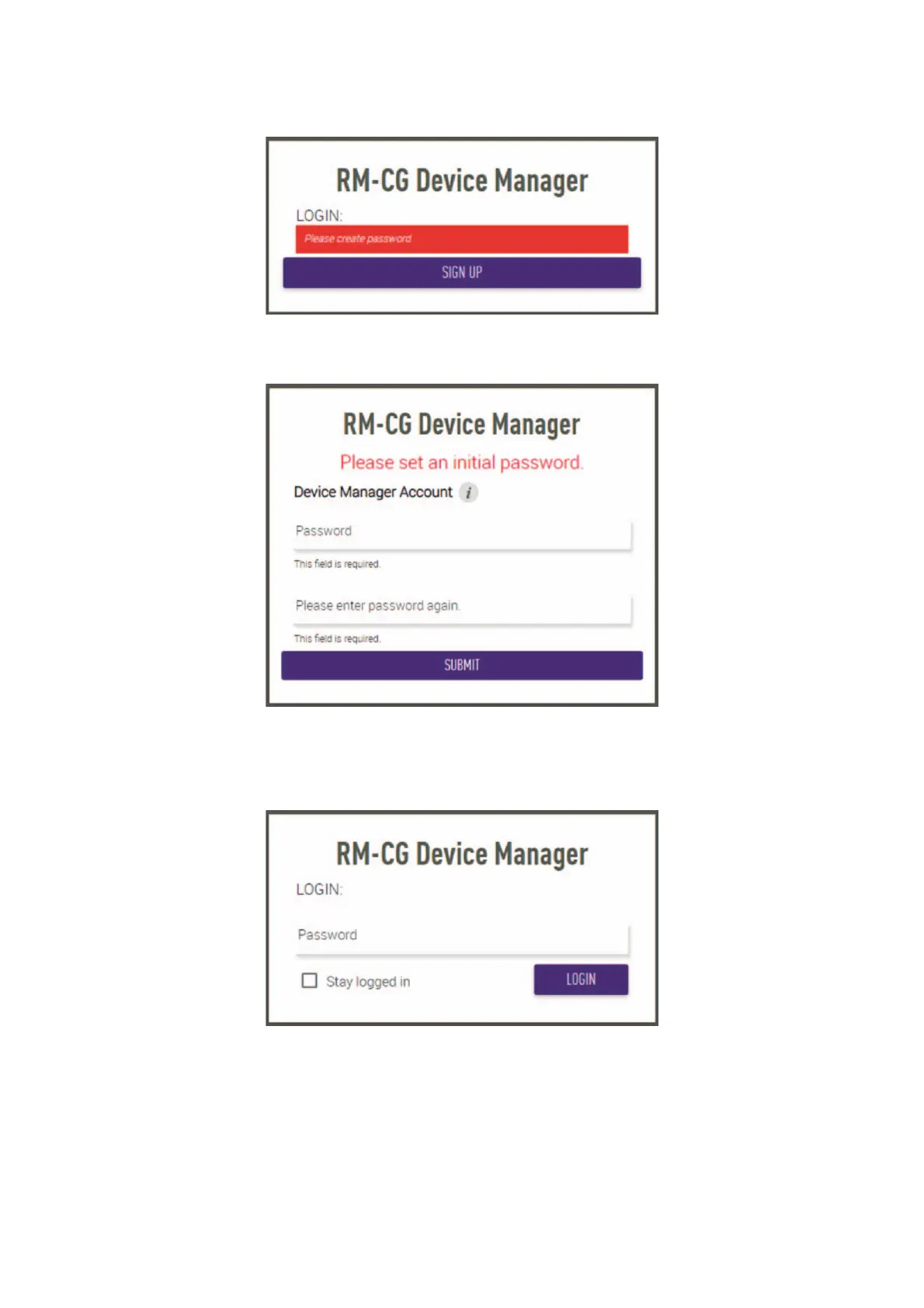
5. Click the [SIGN UP] button in the first login window.
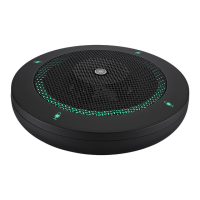
6. Specify a password in the password settings window, and then click the [SUBMIT] button.
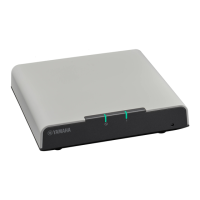
7. Type the password into the login window, and then click the [LOGIN] button.
The [HOME] window appears.
This completes the startup.


 To Next Page