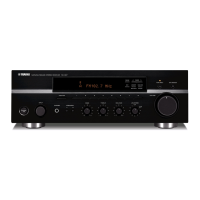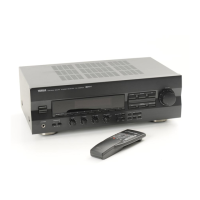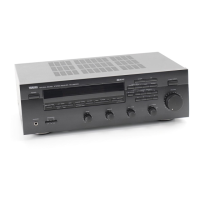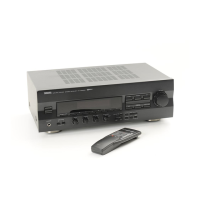
EasyManua.ls Logo

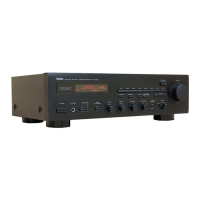
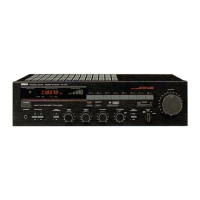
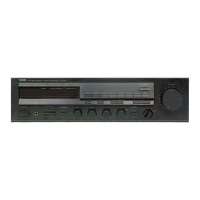
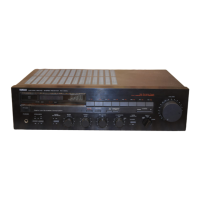
Yamaha RX-396 - User Manual

Yamaha RX-396
136 pages
Print Icon
To Next Page IconTo Next Page
Loading...
OWNER’S MANUAL
MODE D’EMPLOI
BEDIENUNGSANLEITUNG
BRUKSANVISNING
MANUALE DI ISTRUZIONI
MANUAL DE INSTRUCCIONES
GEBRUIKSAANWIJZING
Natural Sound Stereo Receiver
Récepteur stéréo
Natural Sound Stereoreceiver
Ricevitore stereo a suono naturale
Receptor estéreo de Sonido Natural
Natural Sound Stereo Ontvanger
RX-496RDS/496
RX-396RDS/396
G B R

Table of Contents

Questions and Answers

  • R
    Randy PetersSep 9, 2025
    Why can't I tune into a station automatically on my Yamaha RX-396 Stereo Receiver?
    • J
      jeremy69Sep 9, 2025
      If you're unable to tune into a desired station automatically on your Yamaha Stereo Receiver, check the AM loop antenna connections and tighten them, then rotate the antenna for the best possible reception. If that doesn't work, try using the manual tuning method.
  • X
    xclarkSep 12, 2025
    What causes crackling and hissing noises on my Yamaha Stereo Receiver?
    • I
      Ian DaySep 12, 2025
      Continuous crackling and hissing noises on your Yamaha Stereo Receiver can result from interference from lightning, fluorescent lamps, motors, thermostats, and other electrical equipment. Using an outdoor antenna and a ground wire may help reduce these noises, but complete elimination is difficult.
  • J
    Joshua SalinasSep 13, 2025
    What to do if preset stations are lost on my Yamaha Stereo Receiver?
    • J
      Jennifer WatsonSep 13, 2025
      If previously preset stations can no longer be tuned in on your Yamaha Stereo Receiver, it's likely because the unit has been unplugged for an extended period. Repeat the presetting procedure to restore the stations.
  • S
    Shawn PerkinsSep 14, 2025
    Why is my Yamaha Stereo Receiver making buzzing and whining noises?
    • N
      natalienewtonSep 15, 2025
      If your Yamaha Stereo Receiver is producing buzzing and whining noises, especially in the evening, it could be due to interference from a nearby television set. Try relocating the unit away from the TV.
  • C
    Christian ParkSep 17, 2025
    Why is the sound degraded when using headphones with my Yamaha Stereo Receiver?
    • J
      Jacob HernandezSep 17, 2025
      If the sound quality is degraded when listening with headphones connected to a compact disc player or cassette deck through your Yamaha Stereo Receiver, ensure that the receiver is powered on and not in standby mode.

Summary

Important Safety and Operation Precautions

System Connections

Connecting External Components

Guide for connecting the receiver to other audio/video components.

Speaker Connection Guide

Instructions for connecting speaker systems to the receiver.

Controls and Functions Overview

Front Panel Control Details

Detailed explanation of each button, knob, and indicator on the front panel.

Remote Control Transmitter Operation

Remote Control for Receiver Unit

Explains how to use the remote to control the main receiver unit.

Display Panel Information

Understanding Display Panel Indicators

Explains the meaning of various indicators and information shown on the display.

Basic Operation Guide

Playing Audio Sources

Step-by-step guide to playing audio sources through the receiver.

Radio Tuning Operations

Radio Preset Tuning

Manual Station Presetting

How to store and recall radio stations manually.

Automatic Station Presetting

Process for automatically tuning and storing FM stations.

RDS Station Reception

Troubleshooting Common Issues

Technical Specifications

Audio Section Specs

Technical specifications for the audio output and input sections.

Yamaha RX-396 Specifications

General IconGeneral
BrandYamaha
ModelRX-396
CategoryStereo Receiver
LanguageEnglish

Related product manuals