For Service Engineer
Service Information
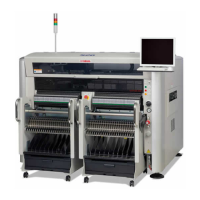
SI1604009E-002= S20, S10, M20, M10 and D10 installation procedures
2/34
Table of contents
1. Machine installation requirements .................................................................................................. 3
2. Confirmations before shipping ........................................................................................................ 4
3. Carry in machines & equipment and level the machine ................................................................ 5
3.1 Confirmations before carrying-in ...................................................................................................... 5
3.2 Unload the machines and equipment ............................................................................................... 5
3.3 Carry in machines and equipment ................................................................................................... 6
3.4 Remove the shipping brackets ......................................................................................................... 6
3.5 Preparation before marking ............................................................................................................ 11
3.6 Install the machines temporarily ..................................................................................................... 12
3.7 Level the machine .......................................................................................................................... 13
3.7.1 Coarse adjustment .................................................................................................................. 13
3.7.2 Jack and sliding paper ............................................................................................................ 14
3.7.3 Jack setting positions of the machine ..................................................................................... 14
3.7.4 Place a jack ............................................................................................................................ 16
3.7.5 Position the machine .............................................................................................................. 17
3.8 Correction and adjustment of levelness ......................................................................................... 18
3.8.1 Check the X-beam torsion ...................................................................................................... 18
3.8.2 Case if the torsion is large ...................................................................................................... 19
3.9 Lock adjuster bolts and support legs .............................................................................................. 20
4. Setup after installing the machine ................................................................................................. 22
4.1 Install accessories .......................................................................................................................... 22
4.2 Install the LCD monitor and the balancer ....................................................................................... 22
4.2.1 Previous LCD monitor ............................................................................................................. 22
4.2.2 Current LCD monitor ............................................................................................................... 23
4.3 Air and power connection ............................................................................................................... 24
4.3.1 Connect the air and power to the machine ............................................................................. 24
4.3.2 Check and adjust the air pressure .......................................................................................... 25
4.4 Confirm the PCB transfer ............................................................................................................... 26
5. Reference ......................................................................................................................................... 27
5.1 Unload the machine by suspending ............................................................................................... 27
5.2 The effects caused by the slanted floor ............................................................................................ 28
5.2.1 The material and the load capacity of the floor ...................................................................... 29
5.3 Condensation on the machine .......................................................................................................... 30
5.3.1 The formation process of condensation on the machine .............................................................. 30
5.3.2 How to prevent condensation from forming on the machine ........................................................ 32
5.3.3 When condensation occurs ........................................................................................................... 32
6. Revision history .............................................................................................................................. 34



 To Next Page