Using Studio Manager
Windows
Getting Started
Keyboard Shortcuts
Index
5
Studio Manager for V2 DM2000 Editor—Owner’s Manual
Using SM Windows
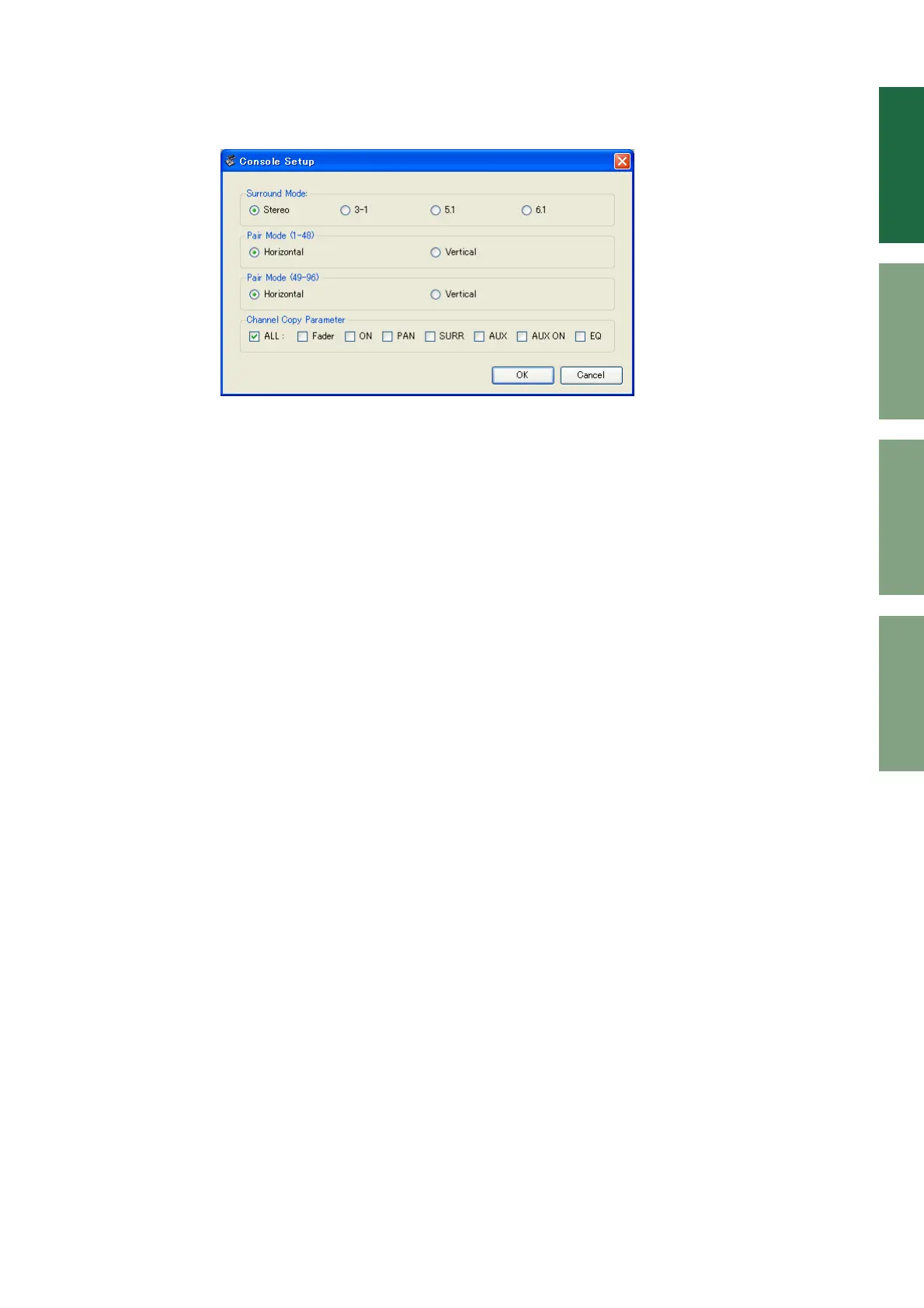
Console Setup
To open the Console Setup window, choose [Console Setup] from the [File] menu.
Surround Mode:
Select a Surround mode from STEREO, 3-1, 5.1, and 6.1.
Pair Mode:
These options determine whether the fader pair is Horizontal or Vertical.
Channel Copy Parameter:
Select desired parameters to copy from channel to channel.
DM2000 Editor window










 To Next Page