After Touch
Range
8
After
1
oucn
ritcn
u
After Touch
Amplitude
After
Touch EG
Bias
Limit Key Lowest
C-2
Limit Key
Highest
G8
Attenuation
7
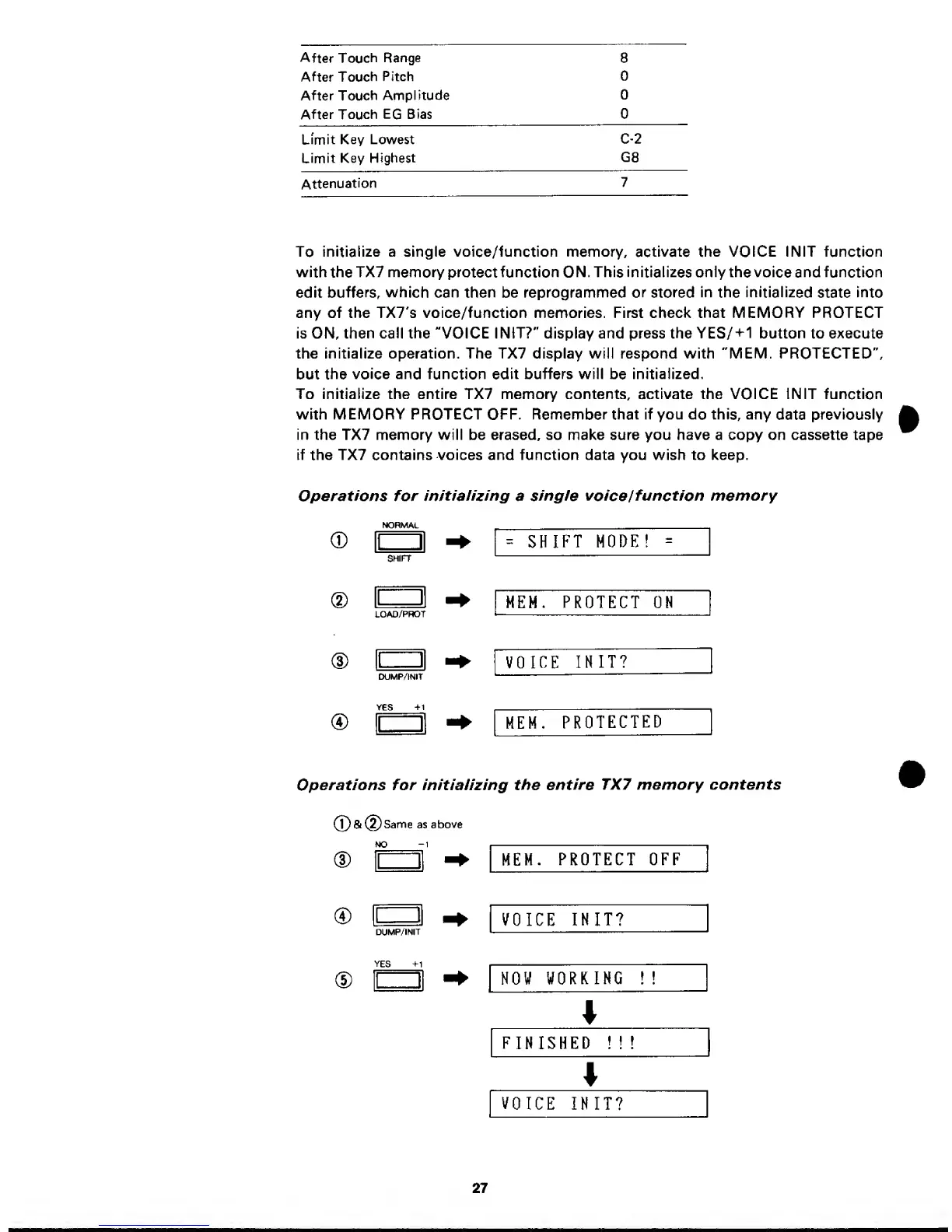
To
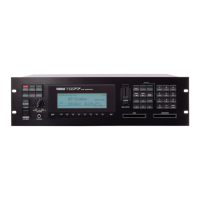
initialize a single voice/function memory,
activate
the VOICE I NIT
function
with the
TX7 memory
protect function ON.
This initializes only
the voice and function
edit
buffers, which
can then be reprogrammed
or stored
in
the
initialized
state
into
any of the TX7's voice/function memories. First check that MEMORY PROTECT
is ON, then call the "VOICE I NIT?" display and press the YES/+1 button to execute
the initialize operation. The TX7 display will respond with "MEM. PROTECTED",
but
the
voice and
function edit
buffers will
be
initialized.
To initialize the entire TX7 memory contents, activate the VOICE IN IT function
with MEMORY PROTECT OFF.
Remember that
if you
do
this, any
data
previously
in the TX7 memory will be erased, so make sure you have a copy on cassette tape
if the TX7 contains voices and function data you wish to keep.
Operations for
in/tialUing
a
single
voice
I
function memory
®
®
®
NORMAL
=
SHIFT
MODE!
=
SHIFT
MEM.
PROTECT
ON
LOAD/PHOT
VOICE
INIT?
CXJMP/INIT
YES
+1
MEM.
PROTECTED
Operations for initializing the
entire
TX7 memory contents
®&(2)Sanne
as
above
NO
1
1 1
MEM.
PROTECT OFF
®
(D
1
1
DUMP/INIT
VOICE
INIT?
YES +1
II
1
NOW
WORKING
!
!
FINISHED
! !
!
VOICE
INIT?
27


 To Next Page