EasyManua.ls Logo

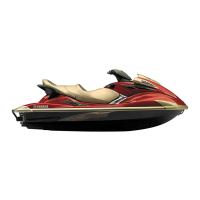
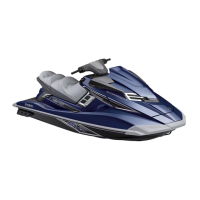
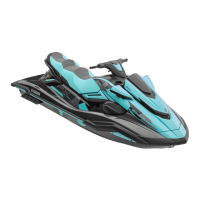
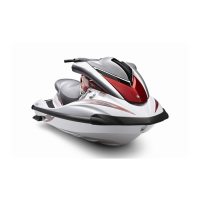
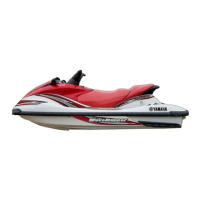
Yamaha WaveRunner FX140 - Service Manual

Yamaha WaveRunner FX140
868 pages
Print Icon
To Next Page IconTo Next Page
Loading...
460079
WaveRunner
FX140
F1B-28197-ZE-C1
SERVICE MANUAL
MANUEL D’ENTRETIEN
WARTUNGSHANDBUCH
MANUAL DE SERVICIO
E
F
D
ES
D

Table of Contents

Other manuals for Yamaha WaveRunner FX140

Questions and Answers

  • M
    martintheresaJul 31, 2025
    What to do if communication cable error occurs on Yamaha WaveRunner FX140?
    • A
      Amanda HudsonJul 31, 2025
      If you encounter a communication cable error on your Yamaha Boat, it could be due to several reasons: the communication cable might be disconnected (connect the communication cable between the computer’s communication port and the 3-pin communication coupler of the watercraft), the battery might be disconnected from the watercraft (connect the battery to the watercraft), or the battery voltage might be below 12V (connect a battery of 12V or higher).
  • D
    drakeerikaAug 5, 2025
    What to do if database error occurs on Yamaha WaveRunner FX140 Boat?
    • T
      Tanya PayneAug 5, 2025
      If a database error occurs on your Yamaha Boat, try updating the database again. If you see the error message “System file not found ######.###.”, it means the database isn't compatible with the ECM. Update the database to match the ECM.
  • S
    Sandra GonzalezAug 10, 2025
    Why Yamaha WaveRunner FX140 Boat application does not start?
    • C
      Carlos MaddoxAug 10, 2025
      Your Yamaha Boat application might not start because the computer hardware doesn't meet the application's requirements. Ensure your computer meets the specified hardware requirements. Another reason could be that YDIS.exe is missing from the application directory; if so, reinstall the application. Finally, ensure that another service tool application isn't already running, as simultaneous operation isn't supported.
  • A
    Alejandro FisherAug 15, 2025
    What to do if application error occurs on Yamaha WaveRunner FX140?
    • V
      victoria22Aug 15, 2025
      If an application error occurs on your Yamaha Boat, reinstall the program file or database file.
  • J
    Jeremy LucasAug 20, 2025
    What to do if stationary test can't be canceled on Yamaha WaveRunner FX140 Boat?
    • Y
      ypaceAug 20, 2025
      If you can't end the stationary or active test on your Yamaha Boat, even after clicking Cancel, it's likely that the Execute and Cancel buttons have been clicked excessively, causing the ECM or PC to malfunction. Turn off your PC, push the engine stop switch, and reset the ECM.
  • J
    James PerkinsAug 26, 2025
    How to fix incorrect fonts on Yamaha WaveRunner FX140 screen?
    • J
      Jason ReedAug 26, 2025
      Incorrect fonts on the Yamaha Boat screen may appear if the computer language doesn't match the application requirements. Use a computer that operates the required operating system.

Summary

CHAPTER 1 GENERAL INFORMATION

IDENTIFICATION NUMBERS

Details regarding primary ID, engine serial, jet pump, and hull identification numbers.

SAFETY WHILE WORKING

Information on fire prevention, ventilation, self-protection, and handling of hazardous materials.

CHAPTER 2 SPECIFICATIONS

TIGHTENING TORQUES

Lists specified torques for fasteners, crucial for correct assembly and preventing damage.

CHAPTER 4 FUEL SYSTEM

FUEL TANK AND FUEL PUMP MODULE

Details exploded view, removal/installation chart, and service points for fuel tank and pump.

FUEL INJECTION SYSTEM

Covers exploded diagrams, removal/installation charts, and service points for fuel injection components.

CHAPTER 5 POWER UNIT

ENGINE UNIT

Provides exploded diagrams, removal/installation charts, and service points for the engine unit.

CHAPTER 6 JET PUMP UNIT

JET PUMP UNIT

Provides exploded diagrams and removal/installation charts for the jet pump unit.

CHAPTER 7 ELECTRICAL SYSTEM

ELECTRICAL BOX AND IGNITION COIL BOX

Details exploded diagram, removal/installation chart, and service points for the electrical box and ignition coil box.

IGNITION SYSTEM

Covers wiring diagrams, spark plug gap, ignition system peak voltage, battery, fuses, spark plugs, and ignition coil.

CHAPTER 8 HULL AND HOOD

CHAPTER 9 TROUBLE ANALYSIS

OPERATING

Explains how to connect the computer, open the diagnostic system, select commands, and perform tests.

TROUBLESHOOTING

Offers a chart to diagnose common problems and their corresponding solutions or reference chapters.

Yamaha WaveRunner FX140 Specifications

General IconGeneral
ManufacturerYamaha
ModelWaveRunner FX140
Fuel Capacity18.5 gallons
Length132.7 inches
Horsepower140 hp
Starter SystemElectric
Lubrication SystemWet Sump
CategoryPersonal Watercraft (PWC)
Engine Type4-Cylinder, 4-Stroke
Displacement1052cc
Fuel TypeGasoline
Seating Capacity3
Fuel DeliveryElectronic Fuel Injection (EFI)
Cooling SystemWater-cooled
Passenger Capacity3

Related product manuals