EasyManua.ls Logo

Yamaha YAS-201 - User Manual

Yamaha YAS-201
16 pages
Print Icon
To Next Page IconTo Next Page
Loading...
Contents
Supplied items .........................................................................................4
Features ....................................................................................................4
Part names and functions (sound bar/subwoofer) ................................5
Installations .............................................................................................6
Connections .............................................................................................7
Operations ...............................................................................................8
Settings ..................................................................................................10
Controlling the sound bar with TV remote control
(TV remote control learning function) .................................................................................. 10
Controlling the TV via the sound bar
(when the TVs remote control sensor is blocked) ............................................................11
Changing the group ID ................................................................................................................11
Initializing the settings of the sound bar ..............................................................................11
Troubleshooting ....................................................................................12
Specications .........................................................................................14
About this manual
This manual explains operations using the supplied remote control.
This manual describes all the “iPod”, “iPhone” and “iPad” as the “iPod”. “iPod” refers to “iPod”, “iPhone” and “iPad”,
unless otherwise specied.
Marks used in this manual
NOTE
This indicates precautions for use of the product and its feature limitations.
HINT
This indicates supplementary explanations for better use.
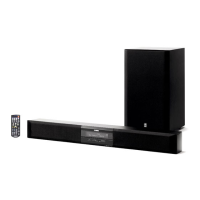
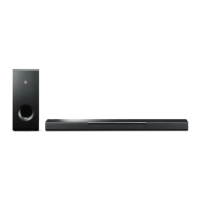
Front Surround System
(YAS-CU201+NS-WSW40)
Owners Manual
PDF versions of this manual can be downloaded from the following website.
http://download.yamaha.com/
U

Questions and Answers

  • L
    Lauren BoyleAug 19, 2025
    What to do if my Yamaha YAS-201 Speaker System sound bar cannot be controlled using the remote control?
    • V
      Vickie PorterAug 20, 2025
      If the sound bar isn't responding to the remote, make sure you are within the operating range. Weak batteries can also be the cause, so try replacing them. Direct sunlight or strong lighting on the remote control sensor of the sound bar might interfere with the signal; adjust the lighting or reposition the sound bar.
  • T
    Thomas ChaneyAug 22, 2025
    What to do if my Yamaha Speaker System sound bar is not reacting?
    • T
      Tabitha MullinsAug 22, 2025
      If the sound bar isn't responding, the internal microcomputer might be frozen. This can happen due to an external electric shock or a drop in the power supply voltage. To fix this, hold down the power button on the front panel of the sound bar for more than 10 seconds to reboot it. If the problem persists, disconnect the power cable from the AC wall outlet and plug it back in.
  • L
    Lindsey JacksonAug 23, 2025
    Why is there no sound coming from my Yamaha YAS-201?
    • T
      Thomas PearsonAug 23, 2025
      There might be several reasons for the lack of sound. The volume could be set too low, so try turning it up. The mute function might be activated; if so, cancel it. Also, ensure that you have selected the appropriate input source.
  • J
    Jared EverettAug 26, 2025
    How to fix the issue of no sound coming from the subwoofer of my Yamaha Speaker System?
    • J
      Jamie EdwardsAug 26, 2025
      If the subwoofer isn't producing sound, first check if the subwoofer volume is turned up. Also, a wireless connection between the sound bar and subwoofer may not be established. In that case, adjust the position of the subwoofer and move any devices using a 2.4-GHz band range (like microwave ovens, cordless phones, and Wi-Fi devices) away from the sound bar and subwoofer. If the LINK indicator on the subwoofer does not light up while the SUBWOOFER indicator on the front panel of the sound bar lights up, hold down INPUT on the front panel of the sound bar until the TV indicator starts flashing to match the group IDs of the sound bar and subwoofer. Alternatively, change the group ID.
  • J
    Jeffrey EvansAug 27, 2025
    Why is there no surround effect on my Yamaha YAS-201 Speaker System?
    • R
      Raymond LewisAug 27, 2025
      If you're not getting a surround sound effect, check if stereo playback is selected and switch to surround playback. Also, ensure the volume isn't too low. The TV or playback device might be set to output only 2-channel audio (like PCM); if so, change the digital audio output setting on the TV or playback device.
  • J
    Jennifer MurilloAug 30, 2025
    What to do if the power turns off immediately on my Yamaha YAS-201?
    • K
      Kimberly MillerAug 30, 2025
      The internal microcomputer might be frozen due to an external electric shock or a drop in the power supply voltage. Try holding down the power button on the front panel of the sound bar for more than 10 seconds to reboot it. If the problem continues, disconnect the power cable from the AC wall outlet and plug it back in. If one of the front panel indicators [TV, BD/DVD or YIT] flashes until the power turns off, the protection circuitry has been activated, contact the nearest authorized Yamaha dealer or service center.
  • Z
    zbassAug 31, 2025
    Why does the volume decrease when my Yamaha Speaker System sound bar is turned on?
    • M
      mitchellmichaelSep 1, 2025
      The automatic volume adjustment function may be the cause. To prevent excessive loudness, the sound bar automatically controls its volume within a certain level when turned on. If necessary, turn up the volume.
  • M
    Miranda KnightSep 2, 2025
    Why is noise heard from my Yamaha YAS-201?
    • J
      Justin WilkinsonSep 2, 2025
      If you're hearing noise, the sound bar may be too close to another digital or high-frequency device. Move those devices away from the sound bar.
  • M
    Mary ChenSep 5, 2025
    How to fix the issue when my Yamaha Speaker System sound bar operates by itself?
    • G
      gwrightSep 5, 2025
      If the sound bar is operating on its own, another Yamaha yAired-compatible product might be in use nearby. Try changing the group ID.
  • B
    Bridget RoseSep 6, 2025
    What to do if TV's 3D glasses do not work with Yamaha Speaker System?
    • T
      Tammy FordSep 7, 2025
      If your TV's 3D glasses aren't working, the sound bar might be blocking the 3D glasses transmitter on your TV. Check the position of the 3D glasses transmitter and adjust the position of the sound bar. If needed, remove the stands of the sound bar.

Summary

Important Safety Instructions

US FCC Compliance Information

Details FCC compliance, warnings, and notices for US users.

FCC Warning and Notice

Covers warnings about modifications and equipment testing compliance.

Operating and Installation Precautions

General Operation Safety

Crucial safety warnings for unit operation, placement, and handling.

Installation Guide

Wall Mounting the Sound Bar

Step-by-step guide for securely mounting the sound bar on a wall.

Connecting the System

Optical Cable Connection

How to connect the TV and sound bar using the optical cable.

Using the Remote Control

Remote Control Operation Keys

Explains the function of input, volume, subwoofer, LEARN, and REPEATER keys.

System Settings

TV Remote Control Learning

Step-by-step guide to program the sound bar to respond to TV remote signals.

Troubleshooting Common Issues

Power and System Problems

Solutions for power-off issues, freezing, and unexpected operation.

Audio Playback Issues

Addresses no sound, subwoofer sound, volume decrease, no surround effect, and noise.

Remote Control Troubleshooting

Remote Control Operation Issues

Solves problems with remote control reception, TV control, and repeater function.

TV Remote Learning Problems

Addresses issues when the sound bar fails to learn TV remote commands.

Yamaha YAS-201 Specifications

General IconGeneral
Audio decodersDolby Digital, Dolby Pro Logic II, DTS
RMS rated power160 W
Audio output channels2.1 channels
Impedance6 Ω
Soundbar speaker RMS power60 W
Number of full-range drivers2
Total Harmonic Distortion (THD)10 %
Full-range driver diameter (imperial)2.2 \
ManualYes
Frequency range35 - 20000 Hz
Docking connector type-
Apple docking compatibilityNot supported
Soundbar dimensions (WxDxH)886 x 121 x 98 mm
Subwoofer dimensions (WxDxH)290 x 316 x 292 mm
Subwoofer typeActive subwoofer
Subwoofer connectivityWireless
Cables includedAC
Receiver includedNo
Product colorWhite
Recommended usageTV
Connectivity technologyWired
Power consumption (standby)2 W
Power consumption (typical)45 W
Weight and Dimensions IconWeight and Dimensions
Soundbar weight3100 g
Subwoofer weight8300 g

Related product manuals