EasyManua.ls Logo

Yamaha YHT-5960U - User Manual

Yamaha YHT-5960U
2 pages
Print Icon
To Next Page IconTo Next Page
Loading...
1
3
WHATS IN THE BOX
CONNECTING SPEAKERS & SUBWOOFER
4
CONNECTING ANTENNAS
EASY SETUP GUIDE
YHT-5960U
Get ready to immerse yourself in exceptional sound.
Use this Easy Setup Guide to help you get started or download the Yamaha AV Setup guide app for your mobile device (available for iOS
®
or Android™). Refer to your owners
manual for advanced use and instructions. You may need the following items, which are not included in the package: wire cutter/stripper, HDMI
®
cables or optional wall-mount-
ing hardware such as brackets, molly anchor screws or sheet metal screws.
The following items are included in the box:
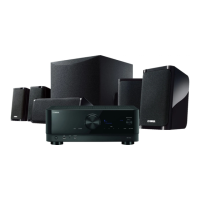
Four surround speakers, one center speaker and one subwoofer
AV Receiver
Remote control and two AAA batteries
Speaker wire, subwoofer cable, YPAO™ microphone
(see receiver manual for more details)
Non-skid pads (for front, center and surround speakers)
AM and FM antennas
Speaker cables have two wires: one for connecting to the negative (-) terminal of the receiver
and speaker, and the other for connecting to the positive (+) terminal.
1 Remove 3/8" of insulation from the end of the speaker cable and twist the bare wires
firmly together.
2 Loosen speaker terminals and attach as shown in diagram.
3 Connect subwoofer with supplied subwoofer cable to connect to the receiver’s preout jack.
Make sure AV receiver is not plued in while connecting speakers.
ANTENNA
FMAM
AUDIO 5AUDIO 4
OPTICAL COAXIAL
HDMI
CENTER FRONT
SURROUND
/ZONE B/BI-AMP
SPEAKERS
PRE OUT
SUBWOOFER
AUDIO 2
(3 MUSIC)
AUDIO 1
AUDIO 3
NETWORK
HDMI OUT
eARC/ARC
( 2 RADIO )
(4 NET RADIO)
1 2 3 4
(1 MOVIE)
1
2
75
FRC FL SR SL
FM antenna (supplied)AM antenna (supplied)
Hold down Insert Release
Assembling the AM antenna
Place the AM
antenna on a
flat surface.
Fix the end of the
FM antenna to a wall.
(Pin/Tack not included)
FR FL
C
SR SWSL
AUDIO 5AUDIO 4
OPTICAL COAXIAL
CENTER FRONT
SURROUND
/ZONE B/BI-AMP
SPEAKERS
PRE OUT
SUBWOOFER
AUDIO 2
(3 MUSIC)
AUDIO 1
AUDIO 3
1
2
FRC FL SR SL
ANTENNA
FMAM
AUDIO 5AUDIO 4
OPTICAL COAXIAL
HDMI
CENTER FRONT
SURROUND
/ZONE B/BI-AMP
SPEAKERS
PRE OUT
SUBWOOFER
AUDIO 2
(3 MUSIC)
AUDIO 1
AUDIO 3
NETWORK
HDMI OUT
eARC/ARC
( 2 RADIO )
(4 NET RADIO)
1 2 3 4
(1 MOVIE)
1
2
75
FRC FL SR SL
21 3 4
10 mm
(3/8")
2
10° to 30° 10° to 30°
SW SW
FL FLSLFR
SR
C
FR SR
C
SL
10° to 30° 10° to 30°
SW SW
FL FLSLFR
SR
C
FR SR
C
SL
Set up the speakers in the room
using the diagram as a reference.
The subwoofer may be placed on
either side of the front speakers
depending on the room layout
and personal preference.
FL
Front speaker (L)
FR
Front speaker (R)
C
Center speaker
SL
Surround speaker (L)
SR
Surround speaker (R)
SW
Subwoofer
*Speaker stands not included
Optional Speaker Placement
Place all speakers at the front to enjoy virtual
5-channel surround sound when rear speaker installation
is not possible. Select this feature in “Settings.
5.1-Channel System 5.1-Virtual CINEMA FRONT

Question and Answer IconNeed help?

Do you have a question about the Yamaha YHT-5960U and is the answer not in the manual?

Summary

Whats In The Box

Speaker Placement Guide

5.1-Channel System Setup

Guide for standard 5.1 speaker configuration.

5.1-Virtual CINEMA FRONT Setup

Guidance for virtual surround sound setup.

Optional Speaker Placement

Alternative speaker placement for virtual surround.

Connecting Speakers and Subwoofer

Connecting Antennas

Connecting TV and Other Sources

Connecting Power

Network Connection Setup

MusicCast Setup Guide

Using the MusicCast Controller App

Guide to using the dedicated mobile control application.

Adding Receiver to MusicCast Network

Steps to integrate the receiver into the MusicCast network.

Automatic Speaker Optimization with YPAO

YPAO Measurement Preparation

Steps to prepare for acoustic optimization measurement.

Performing YPAO Automatic Optimization

Guide to the automatic speaker tuning process.

Summary

Whats In The Box

Speaker Placement Guide

5.1-Channel System Setup

Guide for standard 5.1 speaker configuration.

5.1-Virtual CINEMA FRONT Setup

Guidance for virtual surround sound setup.

Optional Speaker Placement

Alternative speaker placement for virtual surround.

Connecting Speakers and Subwoofer

Connecting Antennas

Connecting TV and Other Sources

Connecting Power

Network Connection Setup

MusicCast Setup Guide

Using the MusicCast Controller App

Guide to using the dedicated mobile control application.

Adding Receiver to MusicCast Network

Steps to integrate the receiver into the MusicCast network.

Automatic Speaker Optimization with YPAO

YPAO Measurement Preparation

Steps to prepare for acoustic optimization measurement.

Performing YPAO Automatic Optimization

Guide to the automatic speaker tuning process.

Overview

This document is an Easy Setup Guide for the Yamaha YHT-5960U Home Theater System, designed to help users quickly set up their device for an immersive sound experience.

The YHT-5960U is a comprehensive home theater system that includes an AV receiver, four surround speakers, one center speaker, and one subwoofer. It supports 5.1-channel audio and offers features like MusicCast for wireless multi-room audio and YPAO (Yamaha Parametric room Acoustic Optimizer) for automatic speaker calibration.

Key Components and Specifications:

  • AV Receiver: The central processing unit for audio and video signals. It features multiple HDMI inputs for connecting various sources like video devices, satellite/cable set-top boxes, BD/DVD players, or video game consoles. It also includes an HDMI OUT jack for connecting to a TV. The receiver supports both wired and wireless network connections (Wi-Fi and Bluetooth®).
  • Speakers:
    • Four Surround Speakers: Designed to create an immersive surround sound field.
    • One Center Speaker: Primarily for dialogue, ensuring clear vocal reproduction.
    • One Subwoofer: Provides deep bass frequencies for impactful low-end sound.
  • Accessories Included: Remote control with two AAA batteries, speaker wire, subwoofer cable, YPAO™ microphone, non-skid pads (for front, center, and surround speakers), and AM/FM antennas.
  • Connectivity:
    • HDMI: For high-quality audio and video transmission between the receiver, TV, and other sources.
    • Speaker Terminals: For connecting the passive speakers (front, center, surround) using speaker wire.
    • Subwoofer Preout Jack: For connecting the active subwoofer using the supplied subwoofer cable.
    • Network: Both wired (Ethernet) and wireless (Wi-Fi) options are available for internet connectivity and MusicCast features.
    • Antennas: Dedicated AM and FM antennas for radio reception.
  • Power: The receiver connects to a standard AC wall outlet.

Usage Features:

  • Speaker Placement: The guide provides diagrams for optimal 5.1-channel speaker placement, suggesting front left (FL), front right (FR), center (C), surround left (SL), surround right (SR), and subwoofer (SW) positions. The subwoofer can be placed on either side of the front speakers based on room layout and personal preference.
  • Virtual CINEMA FRONT: An optional speaker placement feature that allows users to enjoy virtual 5-channel surround sound even when rear speaker installation is not possible. All speakers are placed at the front, and this feature can be selected in the receiver's settings.
  • Speaker Connection: Detailed instructions are provided for connecting speakers:
    1. Remove 3/8" (10 mm) of insulation from speaker cable ends and twist bare wires.
    2. Loosen speaker terminals, insert the bare wires, and tighten. Ensure correct polarity (+ to + and - to -).
    3. Connect the subwoofer to the receiver's preout jack using the supplied subwoofer cable.
    • Safety Note: Ensure the AV receiver is unplugged while connecting speakers.
  • Antenna Connection: Instructions for assembling the AM antenna (placing it on a flat surface) and fixing the FM antenna to a wall.
  • Network Connection:
    • Wireless: Raise the wireless antennas straight up. The guide refers to the owner's manual for detailed connection procedures to a wireless router.
    • Wired: Connect an Ethernet cable from the receiver to a network switch or router.
  • MusicCast: Yamaha's wireless multi-room audio solution.
    • MusicCast CONTROLLER App: Users need to download the free "MusicCast CONTROLLER" app (available on App Store or Google Play) to use network features.
    • Adding Receiver to MusicCast Network:
      1. Tap "Setup" in the app (or "Settings" then "Add New Device" if other MusicCast devices are connected).
      2. Follow in-app instructions.
      3. Press and hold the CONNECT button on the receiver's front panel for five seconds when instructed by the app.
      4. Follow remaining in-app instructions to configure network settings.
  • YPAO (Yamaha Parametric room Acoustic Optimizer): An automatic speaker calibration function.
    • Function: Detects speaker connections, measures distances to listening positions, and optimizes speaker settings (volume balance, acoustic parameters) for the room.
    • Preparation:
      1. Power on the receiver and switch the TV input to display video from the unit.
      2. Turn on the subwoofer and set its volume to half.
      3. Place the YPAO microphone at the main listening position (ear height) and connect it to the YPAO MIC jack on the front panel. A tripod is recommended for stability.
    • Measurement Process:
      1. Press ENTER on the remote to start the measurement (takes about three minutes).
      2. After measurement, use cursor keys to select "SAVE" and press ENTER.
      3. Confirm results and press ENTER.
      4. Disconnect the YPAO microphone.
    • Important Notes for YPAO:
      • Do not expose the YPAO microphone to high temperatures for extended periods.
      • Test tones are output at high volume; keep children away and ensure the room is quiet.
      • Avoid obstructing the path between speakers and the microphone.
      • Do not connect headphones during YPAO.

Maintenance Features:

  • Antenna Care: The guide implies careful handling of antennas, particularly the wireless antennas, warning against excessive force to prevent damage.
  • General Safety: Unplugging the AV receiver before connecting speakers is a crucial safety measure.

This guide emphasizes ease of use, providing clear, step-by-step instructions to get the YHT-5960U system up and running quickly, leveraging its advanced audio and network capabilities. For more detailed information and advanced settings, users are directed to the owner's manual.

Yamaha YHT-5960U Specifications

General IconGeneral
BrandYamaha
ModelYHT-5960U
CategorySpeaker System
LanguageEnglish

Videos

How to Connect Bluetooth Headphones to Yamaha YHT-5960U Home Cinema Set

Related product manuals