EasyManua.ls Logo

Yamaha YRS-1000 - User Manual

Yamaha YRS-1000
684 pages
Print Icon
To Next Page IconTo Next Page
Loading...
OWNER'S MANUAL
MODE D'EMPLOI
BEDIENUNGSANLEITUNG
BRUKSANVISNING
MANUALE DI ISTRUZIONI
MANUAL DE INSTRUCCIONES
GEBRUIKSAANWIJZING
YRS-1000
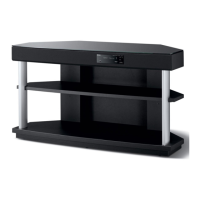
SURROUND SOUND TV STAND
MEUBLE TV SURROUND
G

Table of Contents

Questions and Answers

  • J
    Joshua HartSep 18, 2025
    What does HDCP Error mean on Yamaha Racks & Stands?
    • D
      Deanna HoganSep 18, 2025
      An 'HDCP Error' indicates that HDCP authentication has failed. Verify that the connected HDMI components support the HDCP copy protection standards.
  • C
    Charlotte TurnerSep 13, 2025
    Why is there no sound from the subwoofer of Yamaha Racks & Stands?
    • A
      Alexandra HoSep 13, 2025
      If there is no sound from the subwoofer, check if BASS OUT in SUBWOOFER SET is set to FRONT. If so, select SWFR.
  • D
    Diane MartinezSep 10, 2025
    Why is there no sound from the center channel on Yamaha Racks & Stands?
    • G
      Gregory OneillSep 10, 2025
      If there is no sound from the center channel, the output level of the center channel may be set to minimum. Try raising the level of the center channel.
  • J
    Jose BrownAug 27, 2025
    What to do if my Yamaha Racks & Stands suddenly enters standby mode?
    • D
      Dalton ShepardAug 27, 2025
      If your unit unexpectedly enters standby mode, it might be because: * The internal temperature has become too high, activating the overheat protection circuitry. Allow the unit to cool down for about one hour before turning it back on. * The sleep timer has turned the unit off. Turn the power back on and resume playback.
  • R
    Rebecca WilkinsAug 27, 2025
    Why does the sound on my Yamaha Racks & Stands suddenly go off?
    • Y
      yrangelAug 28, 2025
      If the sound suddenly cuts off, it might be due to: * The sleep timer turning the unit off. In this case, turn the power back on and play the source again. * The sound being muted. Press MUTE or VOLUME +/– to resume audio output and adjust the volume level.
  • D
    Dalton GreenAug 29, 2025
    How to operate external components with Yamaha Racks & Stands remote control?
    • J
      Jill JuarezAug 29, 2025
      If you cannot operate external components with the unit's remote control: * Ensure the external component is selected as the input source by pressing INPUT on the front panel or the input selector buttons on the remote. * Verify that the remote control code is correctly set. If not, set the remote control code correctly or try another code for the same manufacturer using the “List of remote control codes” at the end of this manual.
  • F
    fletcherkaylaAug 31, 2025
    Why is there no sound from TV connected via HDMI to Yamaha Racks & Stands?
    • E
      Elizabeth FreemanAug 31, 2025
      If you're not getting sound from a TV connected via HDMI: * The TV may not support multi-channel audio signals. Convert multi-channel audio signals to 2-channel audio signals at the source component. * “SUPPORT AUDIO” may be set to “YRS-1000”. Set “SUPPORT AUDIO” to “OTHER.”
  • M
    Michael ScottSep 2, 2025
    What to do if Yamaha Racks & Stands does not operate properly?
    • B
      Bryan YoungSep 2, 2025
      If the unit is not operating correctly, it may be due to the internal microcomputer freezing because of an external electric shock or a low voltage power supply. Disconnect the AC power supply cable from the outlet and plug it in again after about 30 seconds.
  • K
    kathleen44Sep 15, 2025
    Why don't the cursor buttons work during SET MENU operation on Yamaha Racks & Stands?
    • H
      Harry LawrenceSep 15, 2025
      If the cursor buttons are not working during SET MENU operation, the operation mode selector might be set to TV/AV. Set the operation mode selector to YSP.
  • V
    Victor WalkerSep 12, 2025
    Why is there no sound from the surround channels on Yamaha Racks & Stands?
    • J
      John RussellSep 12, 2025
      If you are not getting any sound from the surround channels, it could be that the output level of the surround channels is set to minimum. Try raising the output level of the surround channels.

Yamaha YRS-1000 Specifications

General IconGeneral
BrandYamaha
ModelYRS-1000
CategoryRacks & Stands
LanguageEnglish

Related product manuals