EasyManua.ls Logo

Yamaha YVC-1000MS - User Manual

Yamaha YVC-1000MS
47 pages
Print Icon
To Next Page IconTo Next Page
Loading...
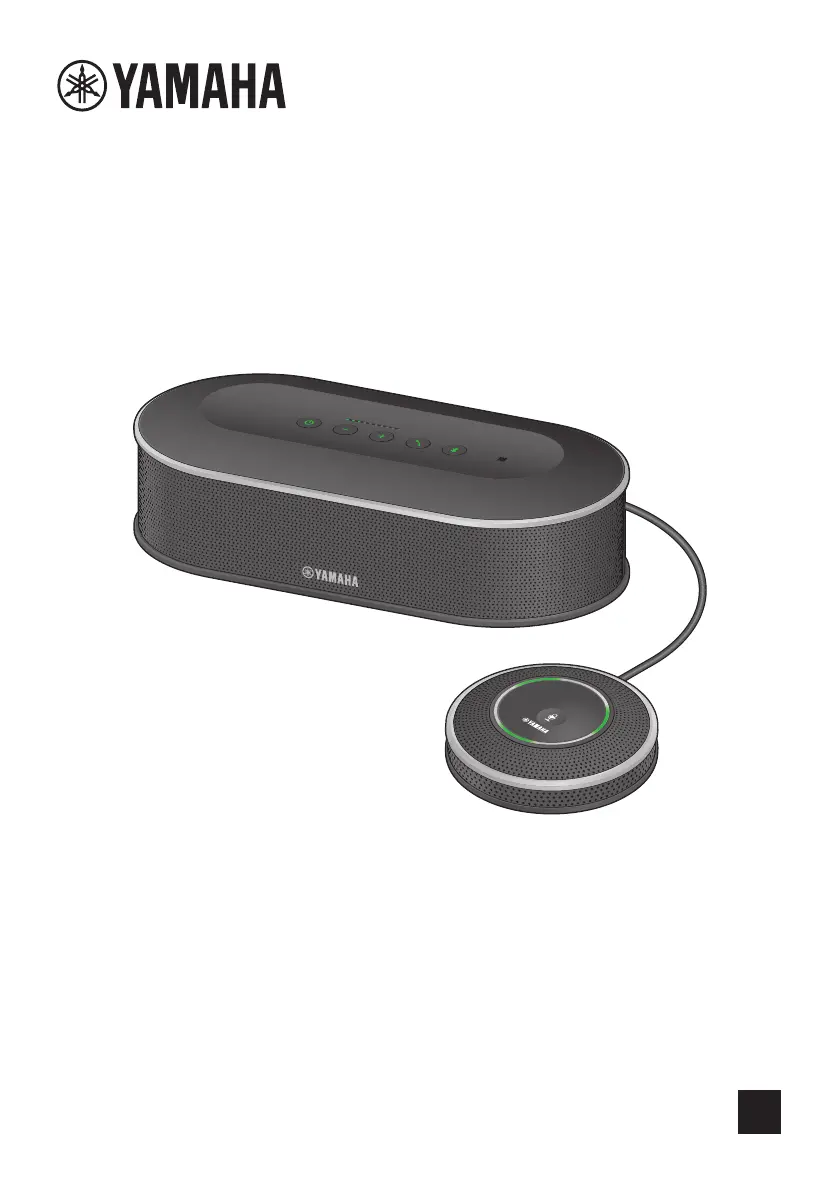
YVC-1000MS
EN
Unified Communications Microphone & Speaker System
Update the firmware and use the latest features.
You can download the latest firmware and user's manual from the following website:
https://uc.yamaha.com/support/
User’s Manual
manual cover

Other manuals for Yamaha YVC-1000MS

Questions and Answers

  • L
    Lydia WarrenAug 9, 2025
    Why no sounds are output in the remote location from Yamaha Speakers?
    • K
      Kimberly HaydenAug 9, 2025
      If you're not getting any sound in the remote location, it could be due to a few reasons. Check if microphone muting is enabled and disable it. If you're using a PC or Mac connected via USB, ensure the microphone sensitivity isn't set to the minimum, and increase it if needed. Also, make sure the speaker volume in the remote location isn't set too low; increase it if necessary.
  • M
    Mark AndersonAug 13, 2025
    Why the Bluetooth button is not lit on Yamaha Speakers?
    • S
      Steve GibsonAug 13, 2025
      If the Bluetooth button on your Yamaha speakers isn't lit, it means the Bluetooth function is disabled. To resolve this, enable the Bluetooth function.
  • M
    Melissa CrossAug 18, 2025
    What to do if Yamaha Speakers power button is turned off?
    • S
      Stephanie MitchellAug 18, 2025
      If the power button is off, it could be due to a disconnected or insecurely connected power cable. Make sure to securely connect the power cable to an outlet or the Control Unit.
  • B
    Brittney MorrisAug 23, 2025
    What to do if Yamaha Speakers power button is flashing red?
    • S
      Sandy Tran PhDAug 25, 2025
      If the power button on your Yamaha speakers is flashing red, it indicates that the product is damaged. In this case, you should request to repair the product.
  • P
    pwadeAug 28, 2025
    What to do if Yamaha Speakers power button is lit up orange?
    • W
      walterschadAug 28, 2025
      If the power button on your Yamaha speakers is lit up orange, it means the product firmware is damaged. (The power button is flashing orange during a firmware update.) You should request to repair the product.
  • J
    James SullivanSep 2, 2025
    What to do if the microphone status indicator flashes red at high speed on Yamaha Speakers?
    • J
      Joshua ThomasSep 3, 2025
      If the microphone status indicator is flashing red at high speed, it indicates that the product firmware is version 1.00 or earlier. To fix this, update the product firmware to version 1.01 or later.

Yamaha YVC-1000MS Specifications

General IconGeneral
BrandYamaha
ModelYVC-1000MS
CategoryMicrophone system
LanguageEnglish

Related product manuals