EasyManua.ls Logo

Yamato IC103C - User Manual

Yamato IC103C
45 pages
Print Icon
To Next Page IconTo Next Page
Loading...
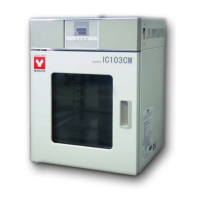
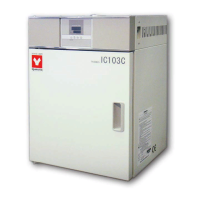
ECONOMY INCUBATOR
Model: IC103C/103CW/403C/403CW/603C/803C
IC113C/113CW/413C/413CW/613C/813C
Fifth edition
Thank you very much for purchasing this Yamato IC
series incubator.
Please read the “Operating Instructions” and
“Warranty” before operating this unit to assure
proper operation. After reading these documents,
be sure to store them securely together with the
“Warranty” in a handy place for future reference.
Warning
Before operating the unit, be sure to
read carefully and fully understand
important warnings in the operating
instructions.
Yamato Scientific America Inc

Questions and Answers

  • K
    Kenneth ButlerAug 7, 2025
    What to do if my Yamato Laboratory Equipment shows a sensor error?
    • B
      Billy WattsAug 7, 2025
      If your Yamato Laboratory Equipment displays a sensor error, it could be due to an error in the temperature input circuit, a disconnection or other errors in the temperature sensor, or because the measured temperature is outside the displayable range. In any of these cases, you should contact our service department.
  • D
    darlenerochaAug 11, 2025
    Why does my Yamato Laboratory Equipment show a memory error?
    • R
      Robert BaldwinAug 12, 2025
      A memory error in your Yamato Laboratory Equipment indicates a memory setting error. In this case, you should contact our service department.
  • K
    Kristine SmithAug 15, 2025
    What to do if my Yamato Laboratory Equipment has a measured temperature error?
    • S
      sherryrussoAug 15, 2025
      If your Yamato Laboratory Equipment indicates a measured temperature error, you should contact our service department.
  • A
    Amy WileyAug 20, 2025
    What to do if turning the MCB on doesn't activate my Yamato Accessories unit?
    • S
      Stephanie BakerAug 20, 2025
      If turning the MCB to 'on' doesn't activate your Yamato Accessories unit, first ensure the power cord is securely connected. Then, check for any power outages in your area. Finally, verify that the standalone overheat prevention device is working correctly.
  • D
    danielle24Aug 25, 2025
    Why temperature does not rise in my Yamato IC103C?
    • J
      Jennifer PughAug 26, 2025
      If the temperature isn't rising in your Yamato Accessories device, verify that the set temperature is higher than the current temperature inside the device. Also, check if the power supply voltage has declined. Ensure that the ambient temperature isn't too low and that the cooling load inside the chamber isn't excessively large.
  • S
    stewartmatthewAug 29, 2025
    What to do if temperature fluctuates during operation of my Yamato Accessories?
    • J
      Jason HallAug 29, 2025
      If the temperature fluctuates during operation of your Yamato Accessories, check that the set temperature is appropriate for your needs. Also, verify the power supply voltage and ensure that the ambient temperature isn't fluctuating widely. Finally, make sure the cooling load inside the chamber isn't too large.
  • P
    penaashleySep 2, 2025
    Why displayed temperature differs from the measurement on my Yamato Accessories?
    • A
      Andrew WatsonSep 2, 2025
      If the displayed temperature differs from the actual measurement on your Yamato Accessories, the calibration offset setting might not be set to “0.” Set it to “0” to resolve this issue.

Yamato IC103C Specifications

General IconGeneral
BrandYamato
ModelIC103C
CategoryAccessories
LanguageEnglish

Related product manuals