EasyManua.ls Logo

Yardworks YF8010 - User Manual

Yardworks YF8010
23 pages
Print Icon
To Next Page IconTo Next Page
Loading...
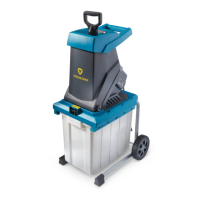
Garden Shredder
Déchiqueteuse de jardin
model number / n
º
de modèle 060-1744-0 | contact us / communiquez avec nous au: 1.866.523.5218
IMPORTANT:
Read and understand all safety rules and operating
instructions before using this product.
Instruction
Manual
IMPORTANT:
Lisez et comprenez toutes les règles de sécurité et les
instructions de fonctionnement avant d'utiliser ce produit.
Guide
d’utilisation

Questions and Answers

  • J
    Joshua GarciaJul 25, 2025
    Why is my Yardworks YF8010 Paper Shredder motor not running?
    • B
      brianmurrayJul 25, 2025
      The motor may not be running due to several reasons: * There may be no mains voltage. Check the cable, plug, socket, and fuse. * The cable might be faulty, in which case you should contact your local repair agent. * The motor protection may have been triggered. Remove any chipped pieces and press the reset button. * The safety switch could be triggered. Inspect the hopper-motor housing connection.
  • C
    Christopher FloresAug 9, 2025
    What to do if my Yardworks YF8010 material is not pulled in?
    • B
      Bethany OdomAug 9, 2025
      If the material isn't being pulled into your Yardworks Paper Shredder, it could be due to: * A material blockage. Clear all chipped pieces from the blades. * Blocked blades. Remove any chipped pieces and press the reset button. * Worn blades. If necessary, replace the blades.

Summary

Know Your Garden Shredder

Symbols and Explanations

Safety Symbols and Warnings

Explains safety symbols like CAUTION, DANGER, and WARNING for safe operation.

General Safety Rules

Double-Insulated Appliances Safety

Specific safety rules for double-insulated appliances to reduce electric shock risks.

General Appliance Safety

Broad safety rules applicable to all appliances including use in wet locations.

Electrical Information

Extension Cord Guidelines

Proper usage, selection, and safety tips for extension cords.

Assembly

Fitting the Transportation Wheels

Instructions on how to attach the wheels to the shredder unit.

Fitting the Collection Box

Steps to securely attach the collection box to the shredder.

Operation

Start;Stop the Shredder

How to turn the shredder on and off using the power switch.

Clearing Obstructions

Procedure for unblocking jams in the shredder safely.

Blade Maintenance

Instructions for maintaining and replacing the shredder blades.

Maintenance

General Maintenance

Tips for keeping the shredder clean and in good working condition.

Cleaning

How to clean the exterior and interior parts of the shredder safely.

Troubleshooting

Motor Not Running; Material Not Pulled In

Common problems and their solutions for the shredder.

Disposal and Recycling

Recycling Unwanted Materials

Guidance on environmentally friendly disposal of the product and packaging.

Warranty Information

2-Year Limited Warranty

Details of the limited warranty coverage, exclusions, and how to obtain service.

Yardworks YF8010 Specifications

General IconGeneral
Auto Start/StopYes
Overload ProtectionYes
Thermal ProtectionYes
Throat Width220 mm
Can ShredPaper, Credit Cards, Staples
Bin Capacity4.2 gal (16 L)

Related product manuals