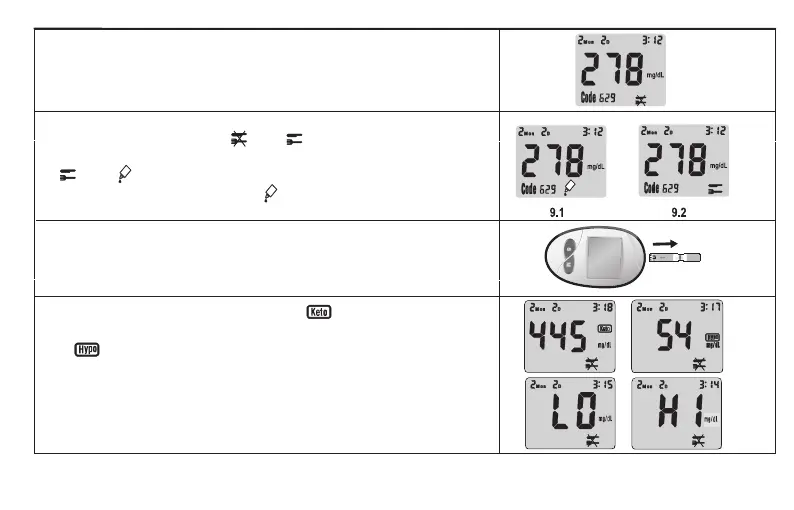
6. Your result will show up in 8 seconds, and it is automatically
recorded in the meter’s memory. You may also want to record the
result in your logbook.
7. If the test is being done within 2 hours after meal, press“S”button to
change the setting from AC to PC (9.2).If the test is a control
solution test, press“S”button again to change the setting from PC
to QC (9.1).
NOTE: IF A TEST IS SET AS “QC ”, THE RESULT WILL NOT BE
CALCULATED INTO AVERAGES.
8. After testing completed, remove the test strip from the meter.
Discard the strip and lancet safely in a puncture resistant container.
9. The meter has risk indicator function. If is displayed, your
blood glucose result may be higher than 320 mg/dL (17.8mmol/L
).
If is displayed, your blood glucose result may be lower than 70
mg/dL(3.9mmol/L). The testing range of the meter is from 20 to 600
mg/dL(1.1-33.3mmol/L). If HI is displayed, your blood glucose result
may be higher than 600 mg/dL(33.3mmol/L). If LO is displayed,
your blood glucose result may be lower than 20 mg/dL(1.1mmol/L)
.
10



 To Next Page