EasyManua.ls Logo

YAUFEY HD163A - User Manual

YAUFEY HD163A
22 pages
Print Icon
To Next Page IconTo Next Page
Loading...
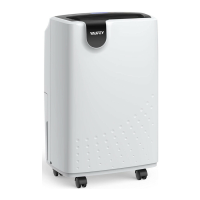
Home Dehumidifier
HD163A
Please read the manual carefully
before using the product
USER MANUAL
www.yaufey.com

Other manuals for YAUFEY HD163A

Questions and Answers

  • W
    William HarrisonAug 6, 2025
    What to do if my YAUFEY HD163A Dehumidifier does not start?
    • A
      Abigail WrightAug 6, 2025
      If your YAUFEY Dehumidifier isn't starting, several factors could be at play. First, ensure the dehumidifier's plug is completely inserted into the outlet. Check your house's fuse or circuit breaker box. Also, the dehumidifier might have reached its preset level, or the bucket could be full. Make sure the bucket is correctly positioned. Lastly, if the room temperature is between 41°F (5°C) and 68°F (20°C), auto-defrost may be in progress, temporarily preventing the unit from starting.
  • J
    Justin HughesAug 16, 2025
    Why is my YAUFEY HD163A Dehumidifier not drying the air properly?
    • D
      Debbie LeeAug 16, 2025
      If your YAUFEY Dehumidifier isn't drying the air effectively, several factors could be responsible. Ensure you've allowed sufficient time for moisture removal. Check that curtains, blinds, or furniture aren't blocking the front or back of the unit. Verify that the humidity selector is set low enough. Confirm that all doors, windows, and other openings are securely closed. Rule out extreme room temperatures, whether above 100°F (38°C) or below 41°F (5°C). Finally, make sure there isn't a kerosene heater or any source emitting water vapor in the room.
  • T
    Thomas MooreAug 26, 2025
    How to fix a YAUFEY HD163A Dehumidifier that is making a loud noise?
    • J
      Jacob RogersAug 27, 2025
      A loud noise from your YAUFEY Dehumidifier could stem from a few causes. Start by checking if the air filter is clogged. Then, ensure the dehumidifier is upright and not tilted. Finally, confirm that the floor surface is level.

Summary

FOR CUSTOMERS

REQUESTING CUSTOMER SERVICE

How to contact customer service for product issues.

BEFORE FIRST USE

IMPORTANT SAFETY INSTRUCTIONS

IMPORTANT NOTICE FOR FIRST USE

Crucial instructions for initial setup and safe operation.

CAUTIONS

Specific warnings and precautions to avoid hazards.

PARTS DESCRIPTION

FRONT

Identification of components on the front of the dehumidifier.

BACK

Identification of components on the back of the dehumidifier.

OPERATIONS

PLACE CORRECTLY

Instructions on proper placement for optimal dehumidifier function.

CONTROL PANEL

Explanation of the buttons and indicators on the control panel.

Power Button

How to turn the dehumidifier on and off using the power button.

Setting Button

How to adjust humidity levels and use continuous dehumidifying mode.

Timer Button

How to set delay start or delay stop timers for the unit.

Speed Button

How to select fan speeds for optimal moisture removal or quiet operation.

WATER FULL Indicator Light

What the water full indicator light signifies and actions to take.

Auto Defrost Feature

How the dehumidifier automatically defrosts when temperatures are low.

Dehumidifier Does Not Work

Diagnosing and resolving issues when the dehumidifier does not operate.

Dehumidifier Does Not Dry Air Properly

Addressing common causes for reduced dehumidifying performance.

Loud Noise During Operation

Identifying and fixing causes of excessive noise during operation.

Continuous Operation Issues

Resolving issues where the dehumidifier runs constantly.

REMOVING THE COLLECTED WATER

Instructions on how to remove collected water using the bucket.

Use the bucket

Step-by-step guide for emptying the water bucket.

Continuous draining

How to set up continuous water drainage using a drain hose.

CARE AND CLEANING

CARE AND CLEANING OF THE DEHUMIDIFIER

Comprehensive guide for cleaning and maintaining the dehumidifier.

Clean the bucket

How frequently and how to clean the water bucket.

Clean the air filter

Instructions for cleaning the air filter.

Storing the dehumidifier

Proper procedures for storing the dehumidifier for long periods.

TROUBLESHOOTING

Dehumidifier Does Not Work

Detailed troubleshooting for common non-operation issues.

Dehumidifier Does Not Dry Air Properly

Detailed troubleshooting for reduced drying performance.

Loud Noise During Operation

Detailed troubleshooting for operational noise issues.

Continuous Operation Issues

Detailed troubleshooting for continuous operation.

Overflow of water on floor

Solutions for water overflow issues on the floor.

SPECIFICATIONS

WARRANTY AND CONTACT US

Warranty

Details of the Yaufey product warranty terms and conditions.

Extend Your Warranty by 1 Year

Information on how to extend the product warranty by an additional year.

Customer Support

Contact information and support hours for Yaufey customer service.

YAUFEY HD163A Specifications

General IconGeneral
ColorWhite
MaterialPlastic
Special FeaturePortable
Capacity16L/Day
Tank Volume2.5L
Dehumidification Capacity16L/Day
Water Tank Capacity2.5L
Operating Temperature5°C - 35°C

Related product manuals