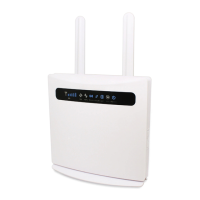
Yeacomm YF-P11 LTE Wireless Terminal User manual
Thanks for choosing Yeacomm 4G wireless router, please read and keep the user’s manual carefully. It is more convenient for you to use our router.
We reserve the right to amend the technical parameters of the user’s manual. We will improve the user’s manual and adjust the printing errors in time without notification
in advance. All rights are reserved.
1. Main Technology Parameters
Working temps : -30℃ -- +60℃
Relative humidity : 5%--95%S
Working frequency could be customized.
Frequency : FDD: B1/B2/B3/B5/B7/B8/B12/B17/B20, B4/B28 (Optional)
TDD Band 38/39/40/41, B42/B43(optional)
WCDMA: 900/2100Mhz, 850/900/1900/2100Mhz(Optional)
GSM: 850/900/1800/1900Mhz
Frequency can be customized according to your requirements
Power supply : input AC :100V~240V,50Hz~60Hz
Rate of uplink and downlink :
LTE(Category 4): DL 150Mb/s;UL 50Mb/s
2.1.
Picture shows below. When you hear a “click” sound, it means that the USIM card has been installed successfully.
2.2. Use Cate5e cable to connect the POE’s CPE port and outdoor router LAN port.
2.3. placed the set outside at open space, the front direction toward the base station and fixed well .
2.4. Use POE Power supply connect External power outlet, the system will automatically power on after connected, about 1~2 minutes.
1) Please do not insert USIM card when connecting with the external power supply
2) Please do not contact with the mental surface when removing the USIM card, it will damage the card.
3) Please use the original standard power adapter.
The terminal can work under the LTE network, only supports data and SMS service and doesn’t support voice business.
3.1. Equipment connection diagram。
3.1.1. interface introduction
Install USIM card interface, please
follow the instructions install USIM
card, stick the waterproof stickers
after installed card
Please do not insert or take out the SIM card when the power
on.
Ethernet port, Use to connect
router WAN/POE port
PC and outdoor router should use Cate5 connect, and the
distance should within 50 meters.
no signal (the signal status can be checked
by terminal configuration page)
Power abnormal, the router power off
Power normal, the router power on
No SIM or Can not read SIM
Terminal read the SIM normally
Terminal doesn't link with PC
Terminal have link with PC
Terminal is doesn't running
The router support standard internet cable to connect computer, do not need any driver; Support Windows XP, Windows 7,Windows 8,MAC OS, Linux, Android and so on;
Please confirm the set has been installed well ad the manual before access the internet.
The router support standard internet cable to connect computer, No matter what way to connect, please make sure to set the mode: obtain IP address as automatically.
Please enter”192.168.0.1” in the IE browser after the computer obtain the IP address .Then input the “user name” and “password" to access the router
configuration page. Default “user name” and “password“both are admin.
Log into the device configuration page below browsers are recommended:
● at least IE 7.0 ● at least Firefox 3.0
● at least Safari 4.0 ● at least Opera 10.0
● at least Chrome 10.0
Please make sure that the router is in normal running and is connected with the computer when configure router. A part of the configure parameters have to set under
operators advise, if take the error parameters, the internet would be out of service. Long press “reset” button restore to factory settings.
Home gateway
information status
You can check the router running status info, such as running hours, LTE
network info, SIM info, WAN, LAN info, WLAN info and so on .
Check the user’s info who has connected with the terminal, including MAC
address, IP address and so on
Check all the traffic status since the first running time, specific traffic
information is according to the operator’s data.
Check the router's software and hardware version number.
Check LTE details info, including frequency, cell, RSRP, SINR, RSRQ etc.
Network selection: wireless network and PLMN mode optional
User can select 4G/3G/2G networks. 4G is the fastest, 3G medium, 2G slowest. If
in multiple selection can set the priority network, the router could register to
the priority network once it is the fastest. Default setting is in multiple
selections, 4G preferred.
PLMN is the default setting. User can activated manual option if necessary.
Manual option needs searching the available PLMN in advance.
IPV4 / IPV6: Set router IP stack support model. The default setting is IPV4 /
IPV6 dual stack.
APN: Set the access name when you dial. The setting needs follow operator’s
requirement, any change may lead to being unable to access to the internet .
Not recommend changing it.
PIN code: Set USIM card PIN1 and PUK. If the USIM card enable PINI code or
PUK code, then you need to fill in the appropriate PINI code .Otherwise, the
router will not dial .
MTU: Set the MTU parameters of the router network port. Do not recommend
to change, otherwise it will cause abnormal network. It needs professional

 Need help?
 General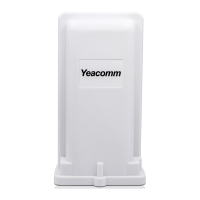

 To Next Page