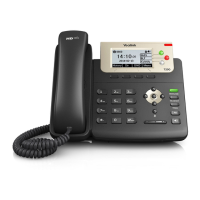
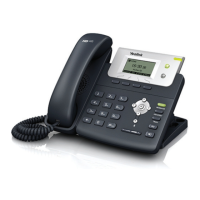
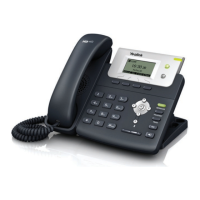
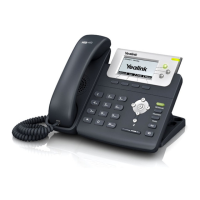
The Yealink T23P is a cost-effective IP business phone designed for small and large office environments, offering an intuitive user interface, secure provisioning, and HD audio for excellent voice quality. It features Gigabit Ethernet and a variety of enhanced functionalities.
Function Description:
The phone's primary function is to facilitate voice communication over an IP network. It supports up to three accounts and various features assigned to line keys. The LCD screen displays crucial information such as call details (caller ID, duration), messages, soft key functions, time, and date. A Power Indicator LED shows the phone's power and operational status.
Important Technical Specifications:
- Connectivity: Gigabit Ethernet.
- Accounts: Supports up to three accounts.
- Audio: HD audio for voice quality, with a speaker for ringer and hands-free audio output.
- Display: LCD screen for information display.
- LED Indicators:
- Power Indicator LED:
- Solid red: Phone initializing.
- Fast flashing red (300ms): Phone ringing.
- Slow flashing red: Phone receives a text message or voice mail.
- Off: Phone powered off, idle, busy, call muted, or call placed on hold/held.
- Line Key LED:
- Solid green: Line in conversation, seized, or call muted.
- Fast flashing green: Line receives an incoming call.
- Slow flashing green: Call placed on hold.
- Off: Line inactive.
Usage Features:
The Yealink T23P offers a comprehensive set of features for call management and user interaction:
- Call Management:
- Making a Call: Pick up the handset, dial the number directly, and press the # key.
- Redial: Dial the RD button to redial the last called number.
- Answering a Call: Lift the handset, press the Hold key (if on another call), or press the Mute button to deny.
- Muting a Call: Press the Mute button during a conversation to mute/unmute the microphone.
- Volume Adjustment: During a call, use the volume adjustment bars to modify the volume.
- Putting a Call on Hold: Press the HOLD button to place an active call on hold. Press again to retrieve a single held call. For multiple held calls, pressing HOLD will place the current call on hold and retrieve the third party.
- Call Transfer:
- Blind Transfer: Press TRAN, dial the destination extension, and press TRAN again. Replace the receiver.
- Announced Transfer: Press TRAN, dial the destination extension and press #. Announce the call to the receiving party, then press TRAN or replace the receiver.
- Semi-Announced Transfer: Press TRAN, dial the destination extension and press #. When the ringing tone is heard, hang up or press TRAN.
- Conference Call: During an active call, press the Hold key. The first call is placed on hold. Dial the third number, press #. Once answered, press Redial to establish a three-party conference. Hang up to disconnect.
- Messaging:
- Voice Mail: Indicated by the LED. Users can pick up the handset and dial the concatenated code to access voicemail.
- Text Message: Indicated by the slow flashing red power indicator LED.
- Keypad: Provides digits, letters, and special characters for context-sensitive applications.
- Soft Keys: Label automatically to identify context-sensitive features. Scroll through displayed information.
- Confirmation/Rejection:
- Confirm: Confirms actions or answers incoming calls.
- Cancel: Cancels actions, rejects incoming calls, mutes/unmutes calls.
- Headset Mode: Toggles headset mode using the HEADSET key.
- Speakerphone Mode: Toggles hands-free speakerphone mode using the Speakerphone key.
- Hookswitch: Picking up the handset connects the phone to the line; laying it down disconnects. The Hookswitch Tab secures the handset when mounted vertically.
- Icons: A variety of icons provide visual cues for phone status and features:
- Network unavailable
- Private line registers successfully
- Register failed/Registering
- Hands-free speakerphone mode
- Handset mode
- Headset mode
- Multi-lingual lowercase/uppercase/alphanumeric/numeric input modes
- Voice Mail
- Text Message
- Auto Answer
- Do Not Disturb
- Call Forwarded/Forwarded Calls
- Call Hold
- Call Mute
- Ringer volume is 0
- Keypad Lock
- Received Calls
- Placed Calls
- Missed Calls
- Recording box is full
- A call cannot be recorded
- Recording starts successfully
- Recording cannot be started
- Recording cannot be stopped
Maintenance Features:
The manual does not explicitly detail maintenance features. However, the secure provisioning mentioned in the general description implies that the device can be remotely managed and updated, which contributes to its long-term usability and security. The intuitive user interface also simplifies troubleshooting and configuration for end-users.

 Need help?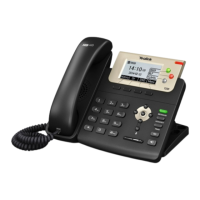

 To Next Page
 General