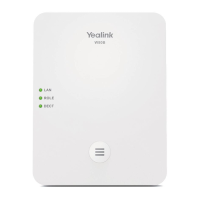
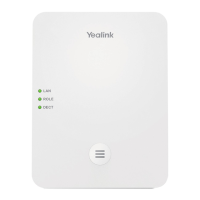
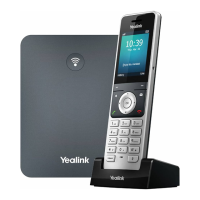
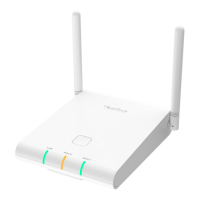
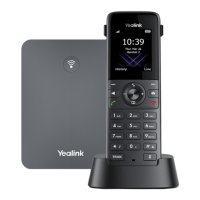
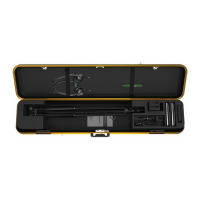
The Yealink W56P & W56H IP DECT Phone system offers a robust and flexible communication solution, designed for ease of use and reliable performance in various environments. This system comprises a base station (W52P/W56P) and a W56H handset, providing users with a cordless telephony experience that integrates with IP networks.
Function Description
The Yealink W56P & W56H system functions as an IP DECT phone, enabling voice communication over an internet protocol network. The base station connects to the network and acts as a central hub, supporting up to five W56H handsets. Each handset can be registered to up to four different base stations, offering flexibility in larger deployments or multi-base environments. This setup allows for internal calls between registered handsets, as well as external calls through the configured IP lines. The system supports both IPv4 and IPv6 address modes, although IPv6 is disabled by default, ensuring compatibility with modern network infrastructures.
The core function of the handset is to facilitate calls, offering features such as direct dialing, call history access, and directory-based calling. It supports various call management functions including answering, ending, muting, holding, resuming, and transferring calls. The system also incorporates call forwarding capabilities, allowing users to redirect incoming calls based on different conditions like "Always," "Busy," or "No Answer." This comprehensive suite of call features ensures efficient and adaptable communication for users.
Usage Features
The Yealink W56P & W56H system is designed with user-friendly features to enhance the communication experience.
Handset Operation:
- Turning On/Off: The handset can be turned on by pressing the power button or by placing it in the charger cradle. To turn it off, a long press of the power button is required.
- Keypad Locking/Unlocking: Users can lock the keypad by long-pressing the '#' key when the handset is idle, preventing accidental presses. The same action unlocks the keypad.
- Silent Mode: A long press of the '*' key toggles silent mode on or off, useful for environments where ringing is undesirable.
- Volume Adjustment: Ringer volume can be adjusted when the handset is idle using the navigation keys. During a call, the same keys adjust the speakerphone or earpiece volume.
Call Management:
- Placing Calls: Calls can be placed directly by entering a number, from the local directory, call history, or redial list. The system allows selection of outgoing lines if multiple are configured. Speed dial keys provide quick access to frequently called numbers.
- Answering Calls: Incoming calls can be answered using the 'Accept' soft key, the green call button, or the 'OK' button.
- Ending Calls: Calls are ended by pressing the red hang-up button.
- Call Mute: During a call, the mute button allows users to mute and un-mute their microphone.
- Call Hold and Resume: Calls can be placed on hold via the 'Options' menu. If multiple calls are on hold, users can swap between them.
- Call Transfer: The system supports three types of call transfer:
- Blind Transfer: Transfers a call directly to another number without prior consultation.
- Semi-Attended Transfer: Transfers a call after hearing the ring-back tone from the recipient.
- Attended Transfer: Transfers a call after the recipient has answered and a brief consultation has occurred.
- Call Forward: Users can enable call forwarding for specific lines, choosing between "Always," "Busy," or "No Answer" conditions. The target number and ring time (for "No Answer") can be configured.
Data Entry and Editing:
- Input Modes: The '#' key switches between input modes and enters the '#' character.
- Special Characters: The '' key selects special characters and enters the '' character.
- Character/Digit Entry: Digit keys enter characters or digits based on the input mode.
- Editing: The 'Del' soft key deletes entered characters, while the 'Save' soft key accepts changes, and the 'Cancel' soft key discards them.
System Configuration:
- Handset Registration: Handsets can be manually registered to the base station by initiating registration on the base (long press of the registration LED button) and then selecting 'Register Handset' from the handset's menu. A base PIN (default: 0000) is required.
- Network Settings: The base station can obtain network settings via DHCP (default) or be manually configured with a static IP address. PPPoE mode is also supported for xDSL modem connections. Manual configuration involves accessing 'Settings -> System Settings -> Network' from the handset, entering the system PIN, and adjusting IP mode and other parameters.
- Handset Name: The handset's name can be customized via 'Settings -> Handset Name'.
- Ring Tones: Users can select desired ring tones for intercom calls or specific lines from 'Settings -> Audio -> Ring Tones -> Melodies'.
- Local Directory: Contacts can be added, edited, and deleted in the local directory. Each contact can store a name, number, and mobile number.
- Speed Dial: Speed dial numbers can be assigned to digit keys for quick dialing.
Maintenance Features
The Yealink W56P & W56H system incorporates several aspects that contribute to its maintenance and longevity, primarily through proper setup and accessory usage.
Power and Connectivity:
- Power Options: The base station can be powered via an AC adapter or Power over Ethernet (PoE). If PoE is available, a separate power adapter is not needed, simplifying cable management and reducing power outlets required. It is crucial to use the original power adapter (5V/600mA) if not using PoE, as third-party adapters can damage the base station.
- Network Connection: The base station connects to the network via an Ethernet cable. Ensuring a stable network connection is fundamental for the phone's operation.
- Battery Management: The W56H handset uses a rechargeable battery. Proper insertion and charging in the cradle are essential for continuous operation. The charging status is indicated on the handset's LCD screen.
Accessory Management:
- Approved Accessories: The manual strongly recommends using only accessories provided or approved by Yealink. This includes power adapters, charger cradles, and batteries. Using unapproved third-party accessories may lead to reduced performance or damage to the device.
- Optional Protective Case: An optional protective case for the W56P Handset is available for purchase separately, offering an additional layer of protection against physical damage.
Installation and Physical Setup:
- Charger Cradle: The charger cradle can be placed on a flat surface or optionally mounted on a wall, providing flexibility in placement. The manual provides dimensions for wall mounting.
- Belt Clip: A belt clip can be attached to the handset, allowing for convenient carrying and accessibility.
Software and Configuration:
- Firmware Updates: The system's functionality is tied to its firmware version (V80.15 or later). While the manual doesn't detail the update process, maintaining up-to-date firmware is generally a key aspect of device maintenance, ensuring optimal performance, security, and access to new features.
- Network Settings Validation: Users are cautioned that incorrect network settings can lead to inaccessibility of the DECT phone and impact network performance. Consulting a system administrator for complex network configurations is advised.
By adhering to the recommended setup procedures, using approved accessories, and understanding the configuration options, users can ensure the reliable and efficient operation of their Yealink W56P & W56H IP DECT Phone system.

 Need help?
 General

 To Next Page