Installation_Guide | 1 - Installation Guide | 37
3.
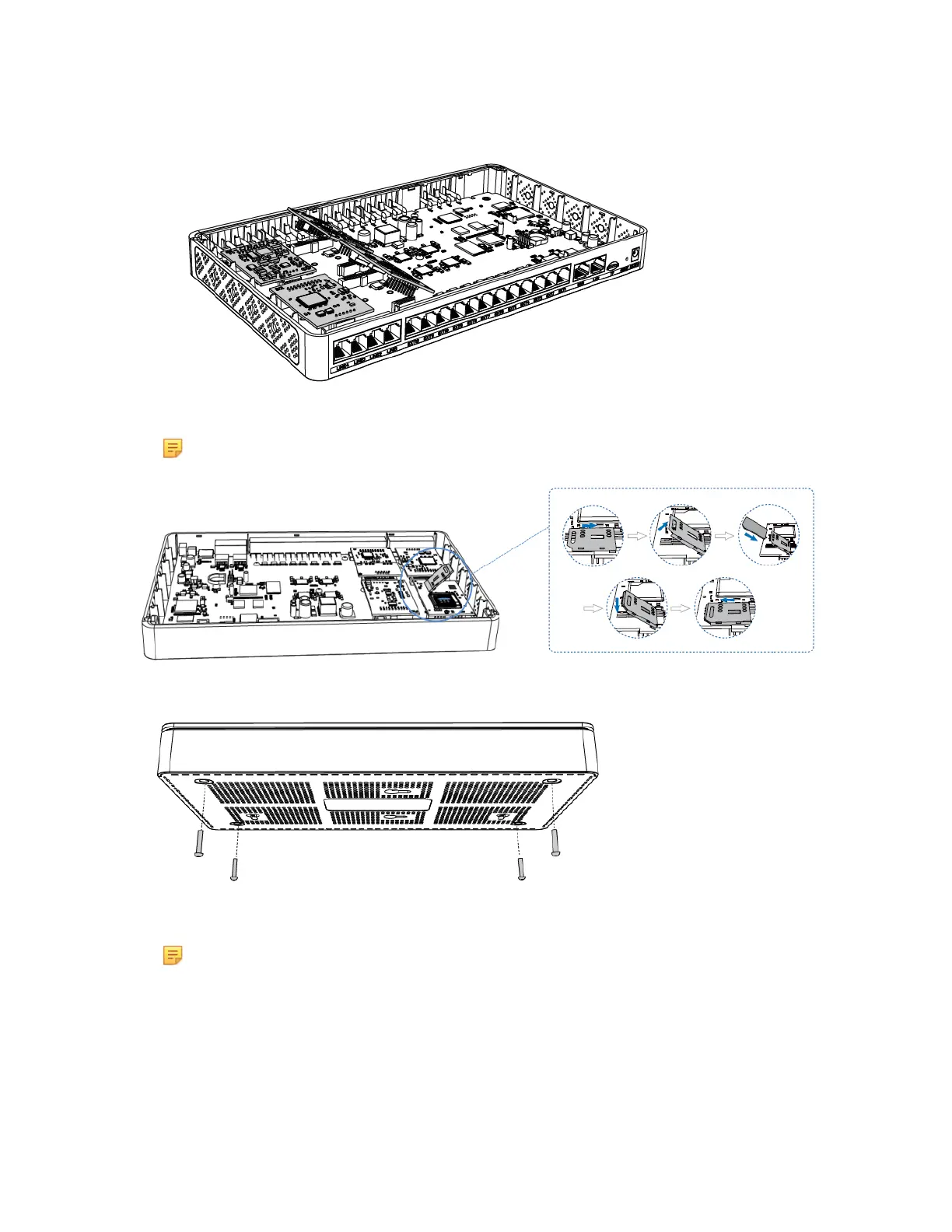
Follow the instructions to insert a SIM card on the GSM/3G/4G module.
Note: Skip this step if no GSM/3G/4G module is installed.
4.
Close the cover and fix the screws.
5.
Rotate the antenna into the Antenna Socket.
Note: Skip this step if no GSM/3G/4G module installed.


 To Next Page
 Loading...








