20
EN
2
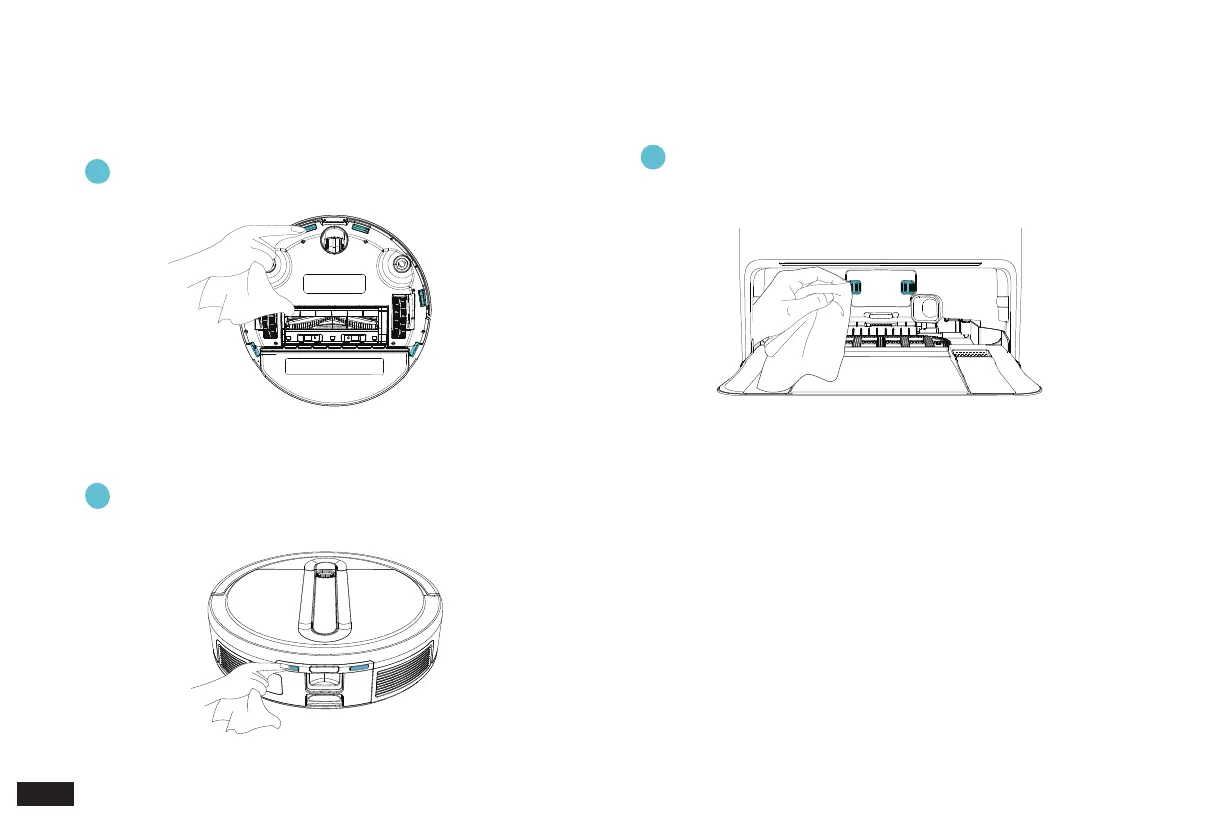
Wipe Robot Charging Contacts
Wipe Anti-Drop Sensors
1
Wipe Station Charging Contacts Pins
3
Note:
1. Sensitive electronic components are contained in the Charging
Contacts. Please use dry cloth when cleaning. Do not use wet cloth
to prevent damage.
2. Before cleaning the Robot Charging Contacts and Station Charging
Contacts Pins, turn the Robot OFF and unplug the Cube Station.
3. Maintenance/3.4 Anti-Drop Sensors and Charging Contacts Pins
Please wipe with a clean soft cloth, and do not use detergent.



 To Next Page