16
EN
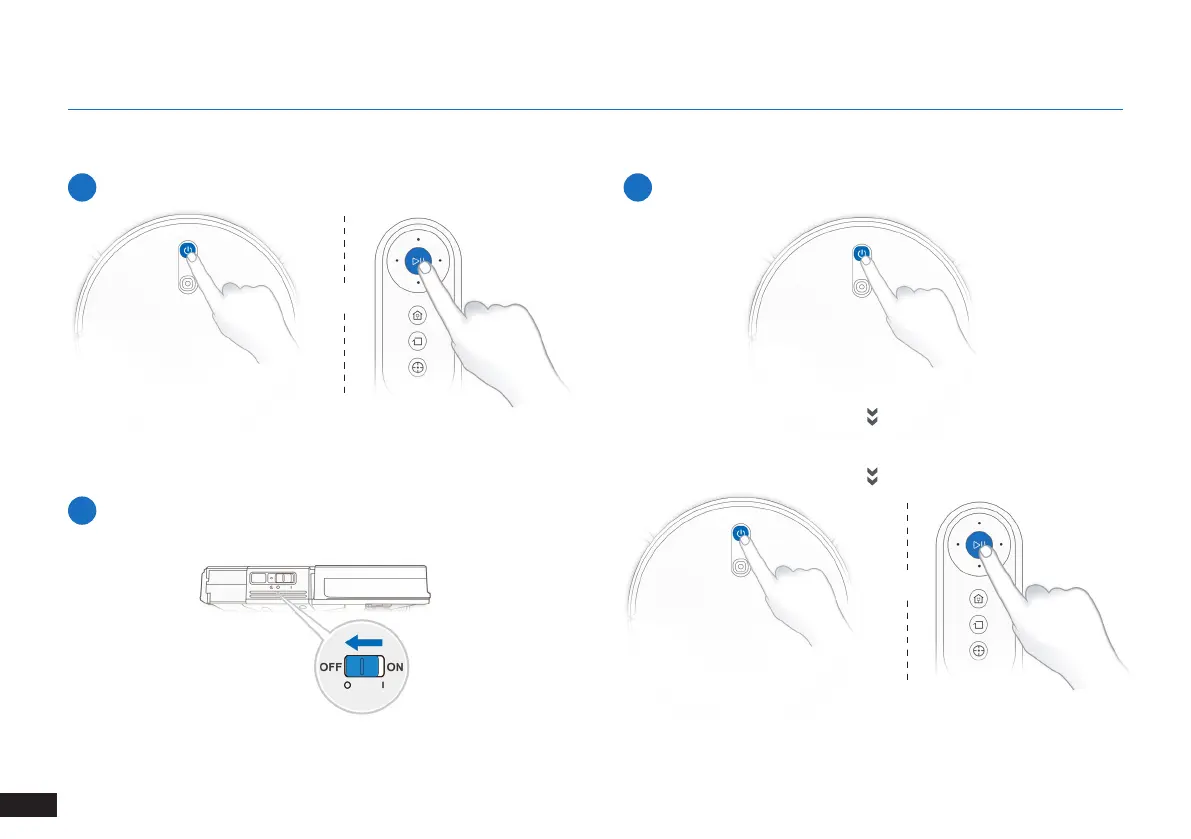
3.5 Pause, Wake Up, Power Off
1
Pause
2
Wake Up
Note: The robot’s Control Panel stops glowing after the robot is
paused for a few minutes� Press the AUTO Mode Button on the robot
to wake up the robot�
Press the AUTO button on the robot to wake it up
3
Power OFF
Note: When the robot is not working, it is recommended to keep it
switched ON and charging�
OR
OR
3. Operating and Programming


 To Next Page