6
Declaration of Conformity for m!ka Studio Light:
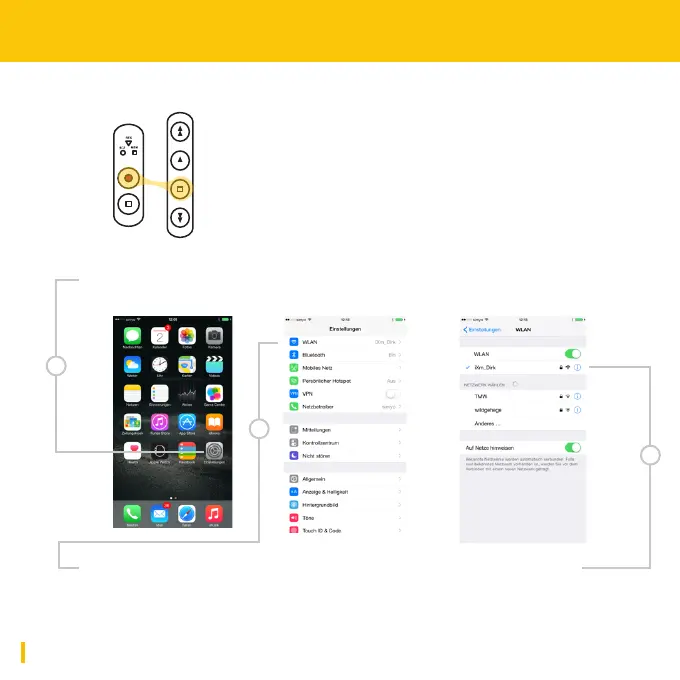
7. Switch on your iXm Microphone:
8. Open system settings on your iOS Device and open WLAN settings.
9. Open WLAN settings, select the iXm SSID and enter your password.
10. Start using your iXm Uplink App!
Press and hold the RECORD Button and simultaneously
press the STOP Button on the Playback Keypad.
8
9
9


 To Next Page