iXm Getting Started.
Yellowtec 10
-
2009.
Page
5
of
6
PC connection
Connect the device to th
e PC
by plugging
-
in
the USB
-
Cable. The
BAT
indicator
will start
blinking
slowly
yellow
indicating that the internal Li
-
Ion
accumulator
b
attery
will
be charged.
Note
:
the physical
USB
connection does not
cause any data transfer between device and
PC. Ther
e are
two
different modes of
establishing
a data connection between device and
PC.
iXm
in
flash
mode
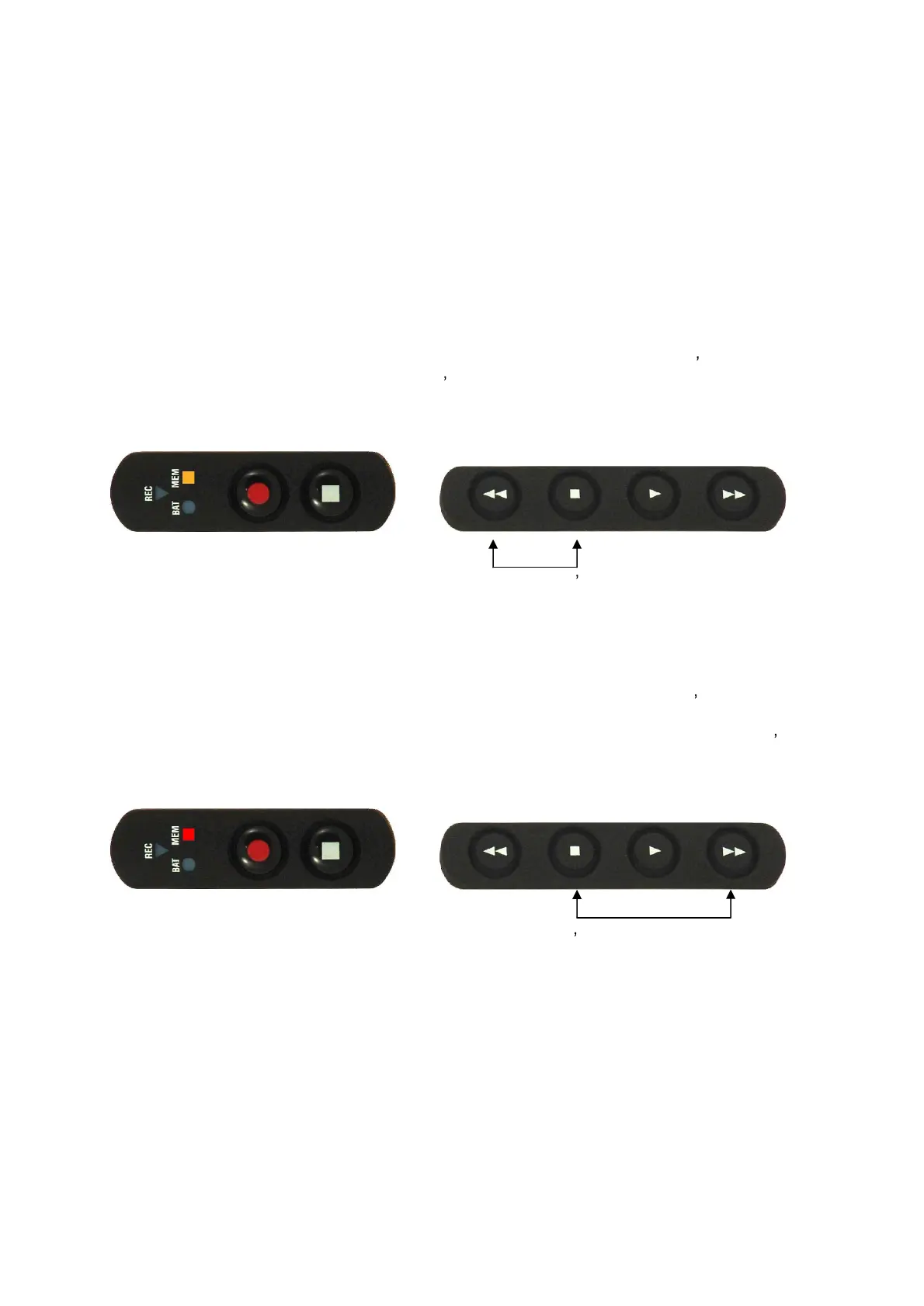
Press and hold RWD
and STOP
buttons
on the playback keypad to enter iXm
s
flash mode
indicated by a yellow
MEM LED. The device s memory (SD c
ard
)
can
n
ow
be accessed as
external flash memory
from the PC.
Press and hold RWD
and STOP buttons again t
o release
iXm s flash mode until the
MEM
indicator switches off
.
iXm
in setup mode
Press and hold FWD
and STOP buttons on the playback keypad to
enter iXm s setup m
ode
indicated by a red MEM LED. This mode will be
used for configuration of
iXm or
to
obtain
status information
running
admin and
respectively
use
r
software that both
belong to iXm s
scope of delivery
.
Press and hold FWD
a
nd STOP buttons again to release iXm s setup mode until the
MEM
indicator switches off.
Note
: t
he device will perform a memory check ind
icated by red blinking MEM LED
when
releasing
flash or setup mode
.


 To Next Page
 Loading...