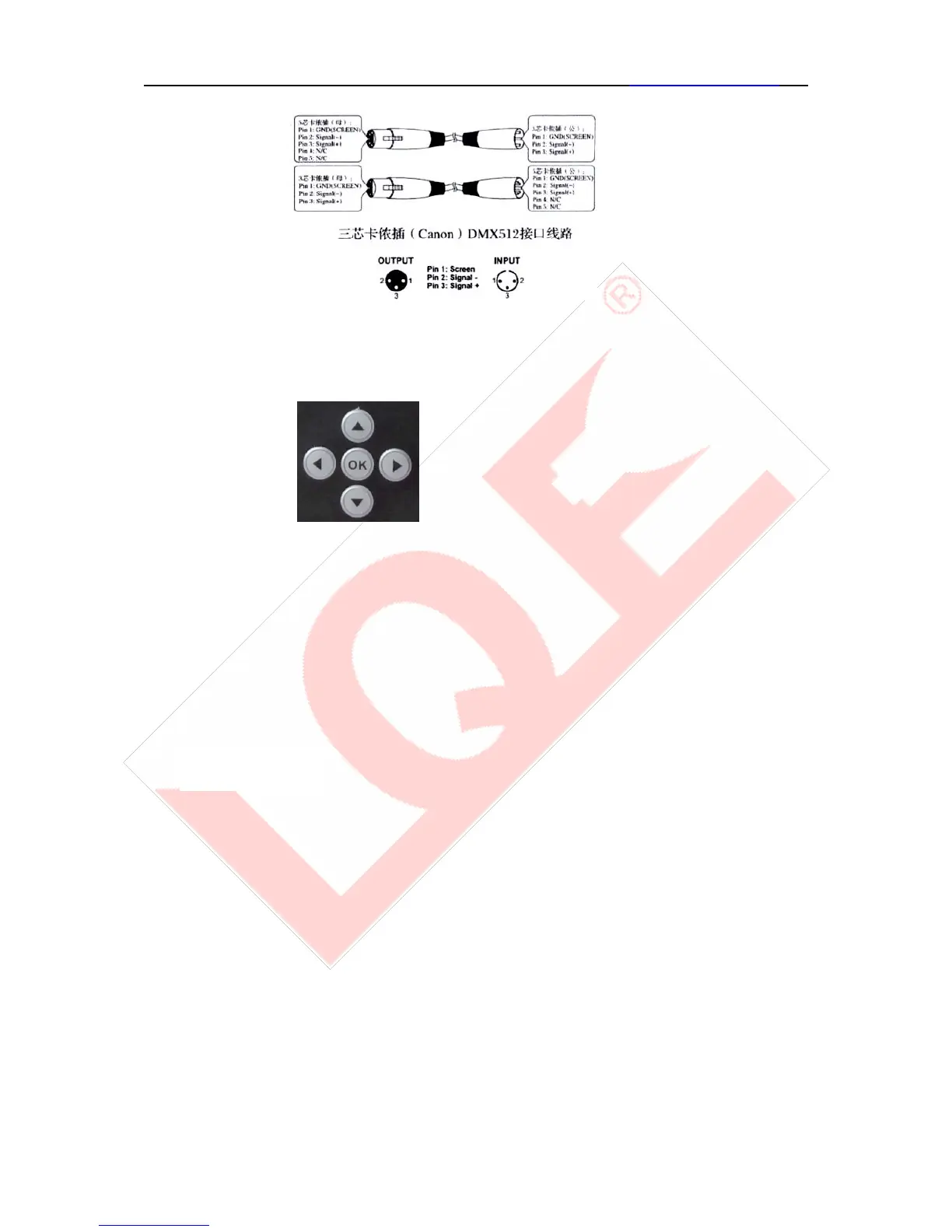
The “LEFT”, “RIGHT” button have the same function:
Return to the last interface
“UP”, “DOWN” button:
Select, Edit
“ENTER” button (the “OK”button):
8、
Executive function and start editing, exit editor
Below take “modify DMX address code”as an example, tell the use of the button:
1. If the current is not the main interface, press the “LEFT”button(one or multiple) can come
back to the main interface.
2. In the main interface, press“UP”button of “DOWN”button and select the “set”button
3. Press “ENTER”button , come to the “setting”interface
4. In the “set”interface, press “UP”or”DOWN” button and select “DMX ADD”
5. Press “ENTER” button come to the editing state
6. Press “UP”or “DOWN” button to modify the DMX address code.
7. Press “ENTER”button quit the editing stage.
If use touch scree, the process is more convenient:


 To Next Page