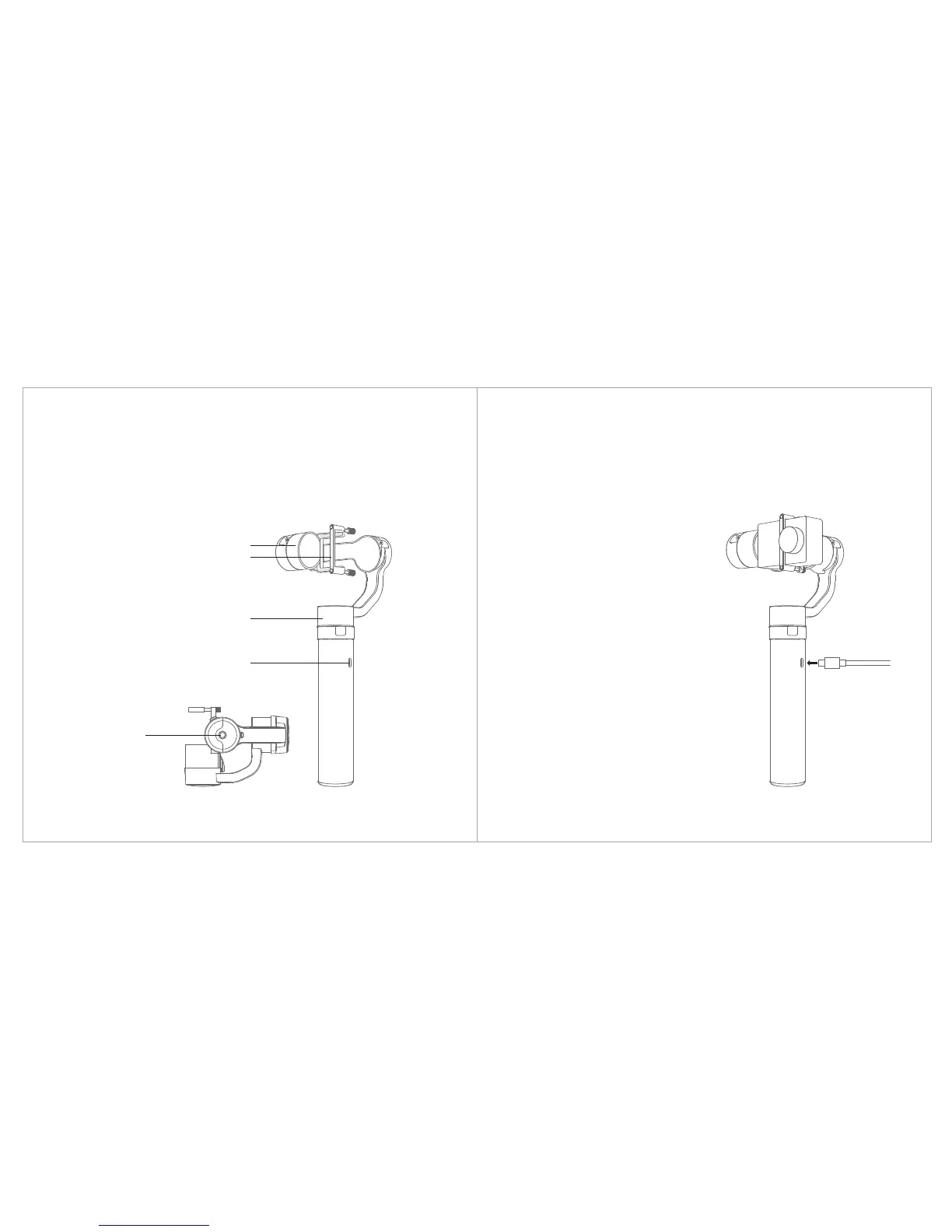
You can charge YI Action Gimbal through the Micro USB port, the standard
charger output should be 5V/ 2A.
2) Indicator
1. When charging with gimbal powered ON, the LED will
flash, when charging is complete, the LED will remain
on.
2. When charging with gimbal powered OFF, the LED will
flash red, when charging is complete, the LED will turn
green.
3. We don’t advise charging the gimbal through PC, it is
too slow.
4. The gimbal has a built-in battery that should not be
removed.
1) Charging
Tilt Motor
Securing Bracket
Pan Motor
Micro USB Port
1/4" Thread
2. How to use the gimbal


 To Next Page