Display PC
DC REGULATED P OW ER S UP PLY
C.V
C.C
Memo ry
Mem
V
A
11
Port communication:
1. Turn on the device’s power switch, turn on the master computer interface; the
power supply will automatically handshake with the computer to communicate.
2. After successful handshaking, the master computer will indicate a successful
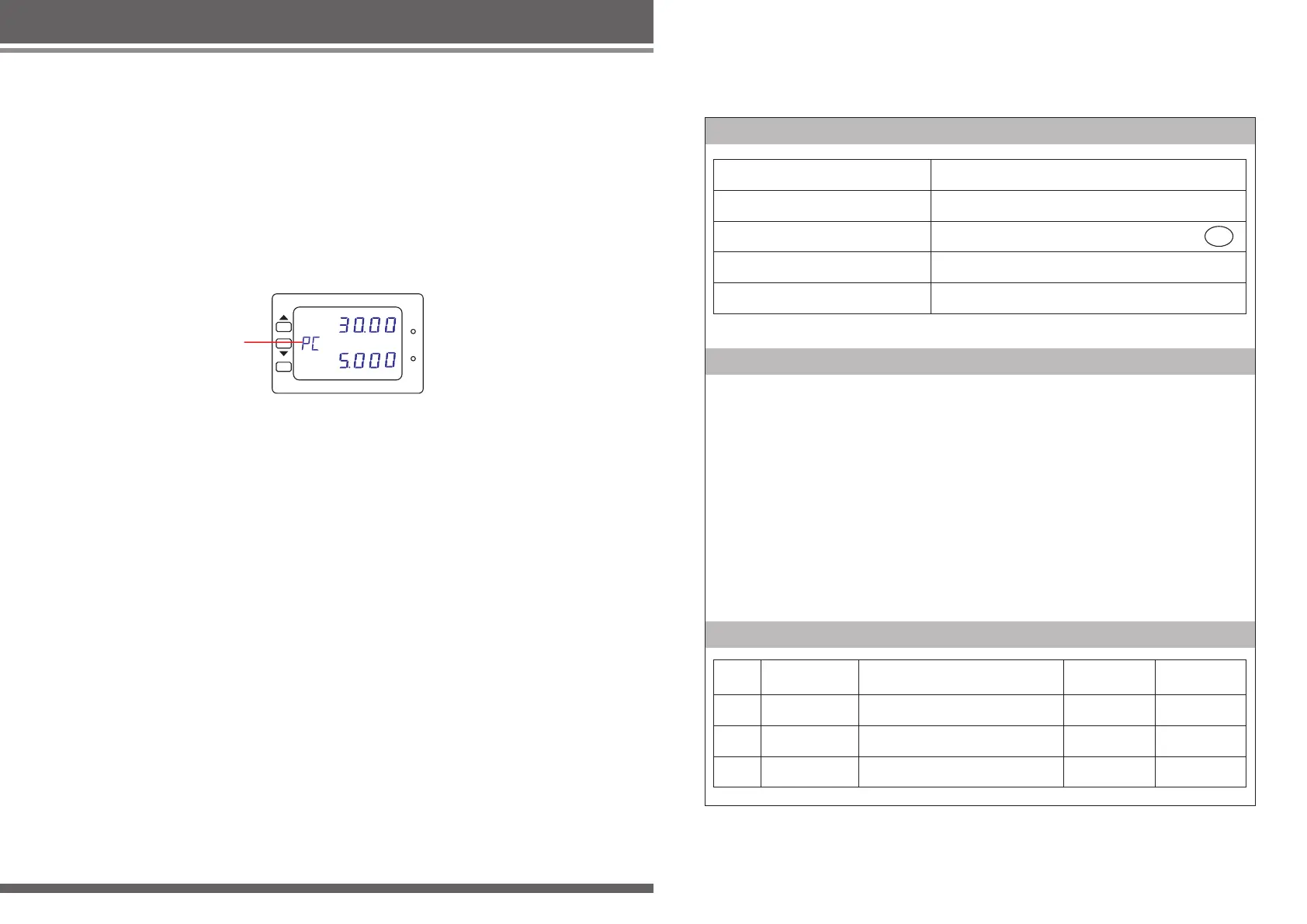
connection and the slave will display “PC,” as shown in Figure 10.
3. Once the connection is established, the power supply device can be controlled
only from the master computer interface and will not respond to operations from
the power supply control panel aside from turning the main power and on and
off.
4. After use, turn off the master computer interface and the machine will return to
the state prior to the connection.
Product certification
Maintenance records
Thank you for choosing this type of products, please read the following terms
before using:
1. From purchasing date within 7 days, under normal use(Artificial damage),new
package, not be disassemble and repaired ,enjoy replacement service.
2. From purchasing date within one year, under normal use, if there are quality
problem, not be disassemble and repaired ,enjoy free repair service.
3. For more than warranty, we provide a lifetime warranty service, free of labor
costs, charge only spare parts costs.
4. Failure to present warranty card during warranty period, the company will not be
a free service.
5. Users need warranty service, please contact your original sales unit.
6. When users need warranty service, please provide warranty card and purchase
invoice, or receipt of the certificate of the company seal.
7. Warranty does not include transportation costs and provide on-site service.
Warranty Card
Date of manufacture
Sales Date
Model NO.
Product ID
Examine
QC
PASS
Upon examination products meet technical
standards
NO.
Date for repair
Cause
Fix date
Repairer



 To Previous Page