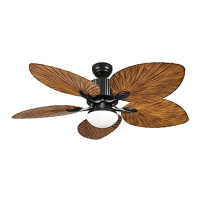
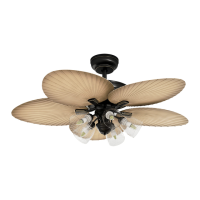
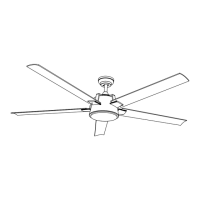
This document describes the YITAHOME ZSWY-V1 Ceiling Fan, model TLCFLS-0011, providing assembly instructions, safety guidelines, operational features, and maintenance information.
Function Description:
The YITAHOME ZSWY-V1 is a ceiling fan designed to provide air circulation and lighting in a room. It features multiple blades for air movement and an integrated light kit for illumination. The fan can operate in two modes: "Warm Weather" (forward, downward airflow for cooling) and "Cool Weather" (reverse, upward airflow to circulate warm air). The fan's operation, including speed settings and light control, is managed via a remote control. The remote also includes a timer function, allowing the fan to automatically turn off after 1, 2, 4, or 8 hours.
Important Technical Specifications:
- Mounting: The fan must be securely mounted to an outlet box and ceiling support joist capable of supporting at least 100 pounds (45 kgs). For concrete ceilings, expansion screws are used; for wood ceilings, long mounting screws are required. The outlet box must be a UL-listed metal box, not plastic, and secured directly to the building structure.
- Clearance: A minimum of seven (7) feet of clearance is required between the floor and the fan blade tips. The fan should also be mounted at least thirty (30) inches from walls or other upright structures.
- Angled Ceilings: The fan can be mounted on angled ceilings up to a maximum of 15 degrees. The hanger must withstand 100lbs (45kg) or more after installation.
- Electrical Connections: All electrical connections must comply with local codes, ordinances, and the National Electrical Code. A qualified and licensed electrician should be consulted if unfamiliar with electrical wiring. The fan is not to be used with any solid-state fan speed control device or rheostat.
- Remote Control: The remote control operates on a 12V battery (replacement recommended with a 12V battery). It supports a maximum lighting load of 200W.
- Power Disconnection: A switch or circuit breaker that disconnects all power poles of at least 3 mm between each pole must be installed.
- Blade Balancing: A balancing kit is included to address any wobbling issues, ensuring smooth operation. The distance deviation between blade tips and the ceiling should be equal within 1/8" (0.32cm).
Usage Features:
- Remote Control Operation: The fan and light functions are controlled by a dedicated remote.
- LIGHT ON/OFF: Toggles the light on or off.
- Fan Speed: Offers three speed settings: L (Lowest speed), M (Medium speed), and H (Highest speed).
- FAN STOP: Turns off the fan.
- Timer: Allows setting the fan to automatically turn off after 1H, 2H, 4H, or 8H.
- Directional Airflow: A slide switch on the fan motor allows changing the blade rotation direction for seasonal comfort:
- Warm Weather (Forward/Switch Down): Creates a downward airflow for a cooling effect, allowing for higher air conditioner settings.
- Cool Weather (Reverse/Switch Up): Moves warm air upward off the ceiling, allowing for lower heating unit settings.
- Pairing: The remote control must be paired with the fan's receiver within 30 seconds of turning on the power supply by pressing the "FAN ON/OFF" buttons for 5 seconds. When pairing multiple fans, each fan should be paired individually by ensuring the isolation switch or power supply to other fans is off.
- Installation Flexibility: The downrod design allows for secure attachment to the mounting bracket, with a notch on the downrod ball engaging a ridge on the bracket for hands-free wiring.
Maintenance Features:
- Cleaning: Periodic cleaning is the only required maintenance. Use a soft brush or lint-free cloth to avoid scratching the paint. Always turn off the electricity before cleaning. Do not use water or detergent, as it can damage the motor or blades and cause electrical shock.
- Lubrication: The motor has permanently lubricated ball bearings, so no oiling is needed.
- Troubleshooting: The manual provides a comprehensive troubleshooting guide for common issues such as the fan not spinning, the light not working, noise and wobbling, or automatic turning on/off. Solutions include checking power, connections, battery levels, and blade alignment.
- Battery Replacement: If the remote control's functions are disabled or the signal reception is poor, check and replace the 12V battery. Remove the battery if the remote is not used for a long period to prevent damage from leaks, excess heat, or humidity.
- Noise Reduction: Occasional small noises are normal, especially in quiet environments. A 24-hour "breaking-in" period is suggested, during which most new fan noises typically disappear.
- Safety Precautions: Emphasizes not bending blade arms during assembly, balancing, or cleaning, and not inserting objects between rotating fan blades to prevent personal injury. Always ensure the fan is powered off before any cleaning or repairs.



 To Next Page
 General