ENGLISH
34
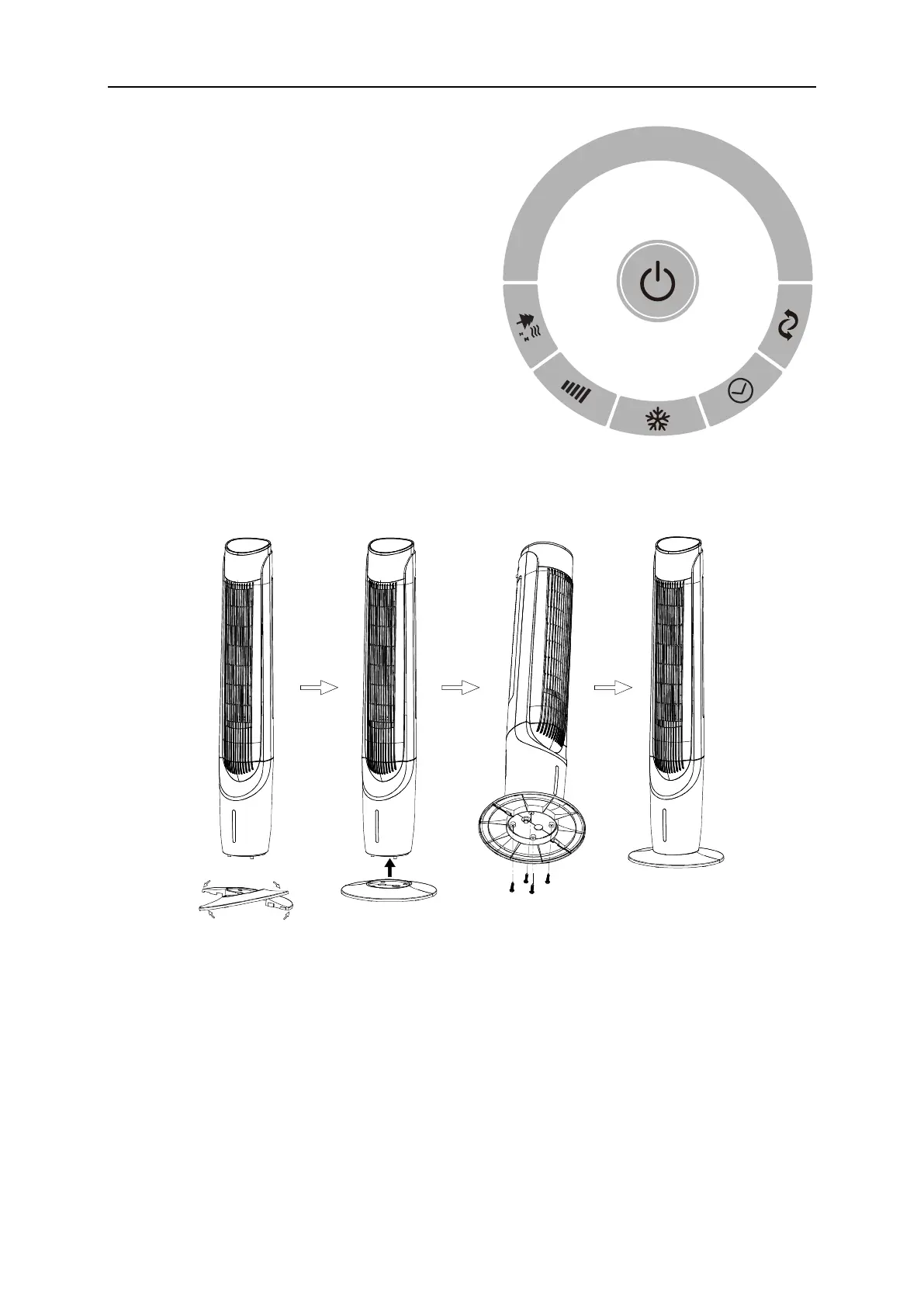
CONTROL PANEL
1. ON/OFF button / Silent mode
2. Mode selection
3. Speed adjustment / Display switch
4. Cooler functionality
5. Timer
6. Oscillation functionality
DEVICE ASSEMBLY
1. Take the product out of the packaging and take off the poly-bag.
2. Put together the two halves of the base at a slight angle so as to fit the connecting insets
to the grooves.
3. Connect the two parts so that the connecting insets are fully inserted into the grooves.
Push them in until they are evenly joined.
4. Install the base using the four screws.


 To Next Page