
 Need help?
Do you have a question about the Yottamaster Y-Defender Series and is the answer not in the manual?
Step-by-step guide for installing hard drives into the enclosure.
Instructions for connecting the enclosure and preparing hard drives for use.
Detailed steps for configuring and modifying RAID modes.
Overview and descriptions of available RAID modes and their configurations.
Procedures for safely removing hard drives on Windows and macOS.
Guidance on replacing or adding drives in different RAID/PM modes.
Instructions to download firmware for managing device sleep settings.
Step-by-step guide for initializing and formatting drives in Windows.
Step-by-step guide for initializing and formatting drives in macOS.
This document provides a comprehensive quick installation guide for the Yottamaster Y-Defender Series, including models DF4U3, DF4RU3, DF5U3, and DF5RU3. It covers essential aspects from physical appearance and hard drive installation to advanced RAID configurations and troubleshooting, ensuring users can effectively set up and maintain their hard drive enclosures.
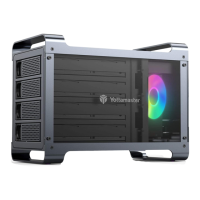
The Yottamaster Y-Defender Series enclosures are designed to house multiple SATA hard drives, providing external storage solutions with various RAID capabilities. These devices allow users to combine multiple hard drives into a single logical unit, enhancing data performance, redundancy, or capacity depending on the chosen RAID mode. The enclosures support both 2.5" and 3.5" SATA hard drives, making them versatile for different storage needs. They connect to a computer via a USB3.0 interface, ensuring high-speed data transfer. The primary function is to provide a robust and flexible external storage system for data backup, archiving, and high-performance applications.
The enclosures come in two main configurations: 4-bay (DF4U3, DF4RU3) and 5-bay (DF5U3, DF5RU3), allowing for scalable storage solutions. Each bay is equipped with an LED indicator to show the status of the individual hard drives. A power switch controls the device's operation, and a SET button is used in conjunction with RAID switches for configuring different RAID modes. Cooling holes are integrated into the design to ensure optimal operating temperatures for the enclosed hard drives, contributing to their longevity and stable performance.
Hard Drive Installation: The installation process is straightforward, demonstrated with the DF4RU3 model. It involves sliding a black button to release the tray door, pulling out the tray, inserting either a 2.5" or 3.5" SATA hard drive, and securing it with screws. For 2.5" drives, four smaller screws are used at the bottom, while 3.5" drives are fixed with four screws on both sides. Once the drive is secured, the tray is reinserted into the enclosure, and the door is closed to complete the physical installation.
Connection: The enclosure requires a direct connection to a computer or laptop using the provided data cable (avoiding USB hubs) and an effective power supply via the power cable. This ensures stable operation and data transfer.
Hard Drive Formatting: New hard drives must be initialized and formatted before they can be recognized and used by the computer. The guide provides detailed steps for both Microsoft Windows and Mac OS.
RAID Configuration: The Y-Defender Series supports various RAID modes, which are configured using physical switches and the SET button. It's crucial to prepare at least two hard drives for RAID setup and to back up all data before changing RAID modes, as this will erase all files.
RAID Modes and Descriptions:
Auto-sleep Function: The device automatically enters sleep mode if there's no data processing for ten minutes, stopping hard drive operation. Users can adjust or cancel this auto-sleep time by downloading specific firmware from the Yottamaster website and following the provided instructions. Note that firmware updates are not supported on Mac OS and Linux systems.
Removing Hard Drives: Proper removal of hard drives is essential to prevent data loss.
Replacing a Hard Drive: The guide outlines procedures for replacing a hard drive, whether due to damage or an upgrade.
Adding a New Hard Drive: Steps vary depending on whether the enclosure is in PM (Normal) or RAID mode.
Tech Support and Official Web: For any issues or further assistance, users can contact Yottamaster tech support at supports@yottamaster.com or visit their official website at www.yottamaster.com for additional resources and software downloads.
 General
| Product Series | Y-Defender Series |
|---|---|
| Material | Aluminum Alloy |
| UASP Support | Yes |
| Hot-Swappable | Yes |
| Tool-free Installation | Yes |
| Supported Drive Type | HDD, SSD |
| Power Supply | 12V |
| Cooling | Built-in Fan |
| Operating System Compatibility | Windows, macOS, Linux |

 To Next Page
