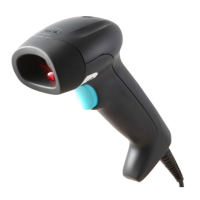
YJ5900
Bar Code Scanner
Quick Start Guide
YJ5900-QS Rev A
8/13
Getting Started
Turn off the computer’s power before connecting the scanner, then
power up the computer once the scanner is fully connected.
Connecting the Scanner
USB:
RS232:
Adapter Rating:
Input: 100-240V AC, 50-60Hz, 0.3A
Output: 5VDC, 1A
Model: 3A-052WP05
Default Primary Scan Pattern
The primary default scan pattern is omnidirectional and is active
when the scanner starts.
Recall Defaults
The following bar code resets all standard product default settings.
Interface Selections
Notice:
Warning: Do not loosen the metallic pin until cable released.
USB Keyboard
Emulation
Enable RS232
Beeper Tones
Scan one of the following bar codes to program your beeper tones.
Normal Tone
Optional Tone 1
Normal Tone
Optional Tone 2
Optional Tone 3
Optional Tone 4
Optional Tone 5
Optional Tone 6
No Beep
Prefix
Scan one of the following bar codes to program your scanner to add
or remove a start of text character, or AIM or Nixdorf identification
characters before each bar code.
STX Prefix On
STX Prefix Off
AIM ID Prefix On
AIM ID Prefix Off
Suffix
Scan one of the following bar codes to program your scanner to add
or remove a carriage return, line feed, tab, or end of text after each
bar code.
CR Suffix On
CR Suffix Off
ETX Suffix On
ETX Suffix Off
User Configurable Prefix/Suffix
One or two prefix or suffix characters can be added and assigned for
data transmission. Use one of the codes with a 3 code byte
sequence that represents the desired character (see Technical
Assistance, end of document) for your prefix or suffix.
Scan the Enter/Exit Programming bar code to begin. Then scan
the 3 digit decimal equivalent of the ASCII character into the
appropriate character location with the code byte bar codes (see
Code Bytes, end of document). To save, scan the Enter/Exit
Programming bar code again.
Example: To add an asterisk (*) as a prefix, scan the bar codes:
1. Enter/Exit Programming
2. Configurable Prefix #1
3. Code Byte 0
4. Code Byte 4
5. Code Byte 2
6. Enter/Exit Programming
Supplements
Scan one of the bar codes below to program your scanner for 2 or 5
digit bar code supplements.
977 (2 Digit) Supplement Required: Turn on this feature when a 2
digit supplement is required for EAN-13 codes that begin with 977.
5 Digit Supplements Off
5 Digit Supplements
On

 Need help?
 General

 To Next Page