18
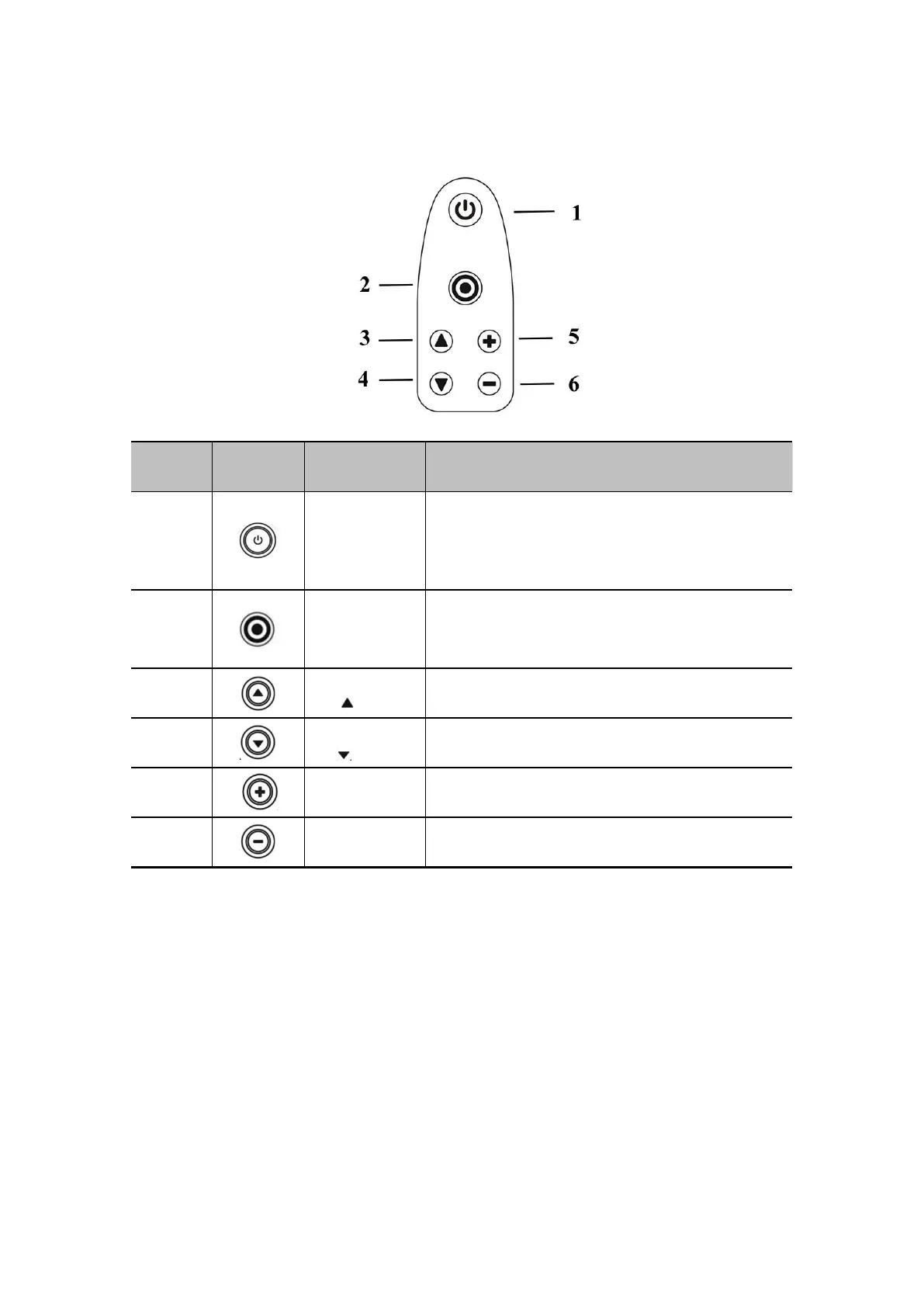
2.7 Control panel
2.7.1 Control area schematic
Power switch /
freeze / thaw
button
1. Short press: power on / freeze / unfreeze scanner
2. Long press >=3s: power off the scanner.
3. Blue blinking, the scanner is in freezing status.
4. Blue solid, the scanner is in scanning status.
1. Change scan mode.
2. Save image in freezing status
3. Battery light indication
Increase Depth / Switch Parameters.
Decrease Depth / Switch Parameters.
Increase Gain and Parameters
Decrease Gain and Parameters


 To Next Page