20
System time
Displays the current system time. Check time as the image freezes when the system
freezes.
Menu and Image Parameter display area
The areas can be divided into two parts : image mode switching area and image
parameter adjustment area.
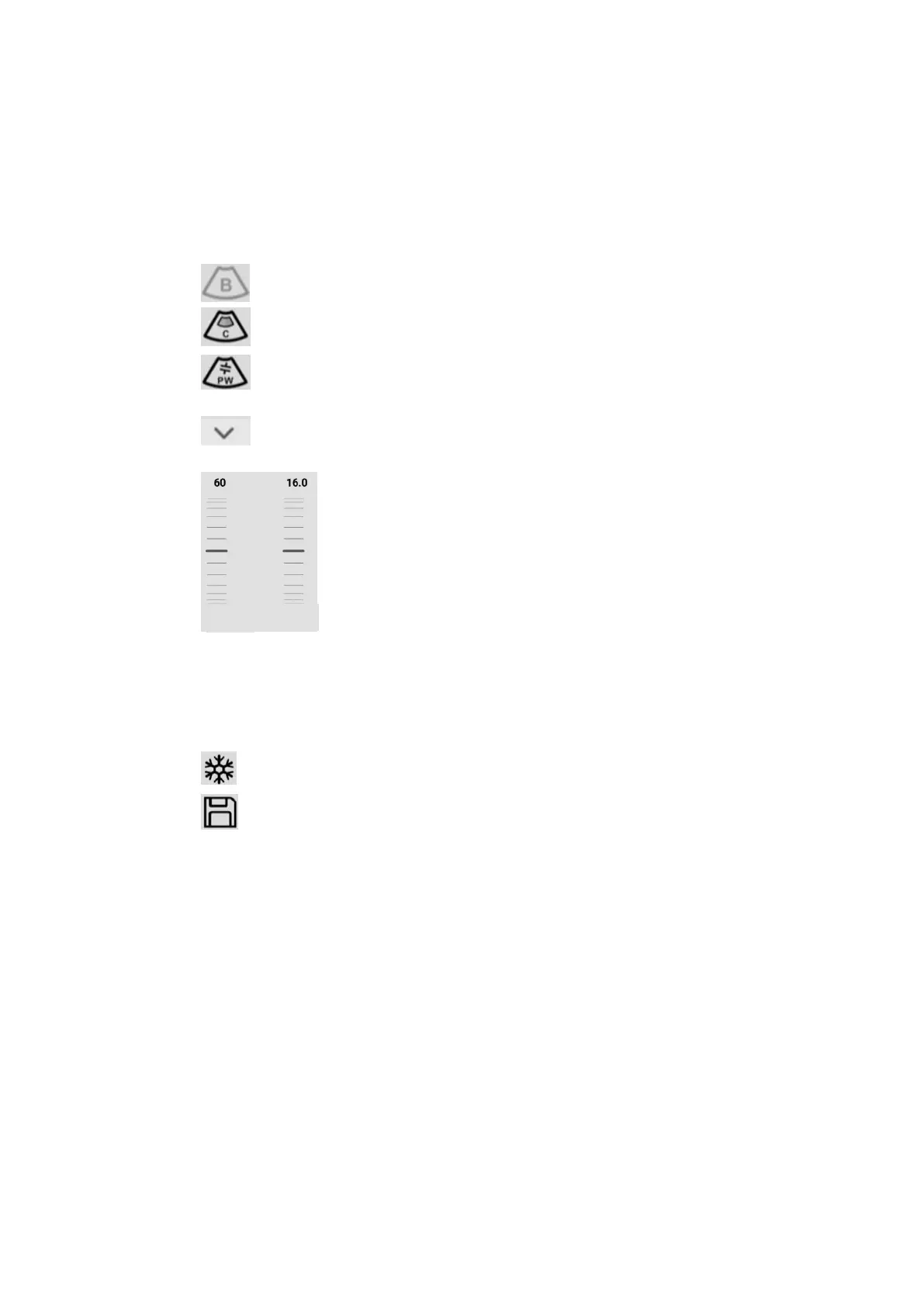
B mode,click to switch to M mode, click back to B mode;
Color mode,Click to enter Color mode, click again to enter Power mode;
PW mode,Click to enter the pre-startup status of PW mode and click again to
start / pause to get the spectrum.. It's the same function as update.
Drop-down menu flag, click to enter the corresponding image mode of all
parameters adjustment.
Image parameter adjusting pulley:Slide up and down or click on the pulley to adjust the
corresponding parameters.
Function shortcut key area
Contains freeze/unfreeze /saves image buttons
Freeze and unfreeze the clinical images
Save image button.
Image area
The image area displays images of each mode and probe direction markers, time lines (in
M mode), PW sampling lines (PW mode), axes (including depth axes, time axes), etc.,
while annotating information and measuring, The gray bar also appears here


 To Next Page