• '2 position' '3 position' rocking start position mode switching
When the number
of
digIts is set to '2 digits'
or
'3 digits', switch the
licensing mode, press the key
Q).to the display interface shown below,
and press the key
®8
to select the mode.
swing left and right single direction rotation
@ pause button
When the machine is running, touch the key ® to suspend the work,
press the key
® to continue to work, the symbol on the display
screen flashes during
~II
the pause, short press the key @ to stop
and continue to work.
~11
pause sign
It is always on when it is standing still, it is not on when
it
is working,
and it is flashing when it is paused. Short press the key
@ to cancel
the flashing state
of
the key
~Il
• Card counting function
Long press the button 8 to quickly enter the card counting function
or
adjust the 'number
of
people' to '0' and press the start button to
count the cards.
• single playing card dealt
Short press the key ®
or
key 8 to deal a single playing card
4
•••
5
8;'5-
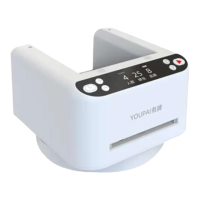
product name: poker machine Product number:
MAX=-tt
material: ABS/POM battery capacity:
l.4V
2500mAh
Product Size:
12cmX12.5cmX8.5cm
Product weight: =650g
Display mode: LED digital tube Input: Type-C interface 5V
Number
of
supported players: 1-8
The
maximum
number
of
cards
dealt:
792
cards
"This information is
for
reference only
and
does
not
constitute
any
form
of
commitment. Products
(including but
not
limited to color, size, screen display, etc.) piease refer tothe actual product


 To Next Page
 Loading...