BOOMBOX - 60W weatherproof Bluetooth
®
/Mic/FM/Guitar speaker
Page 7
English
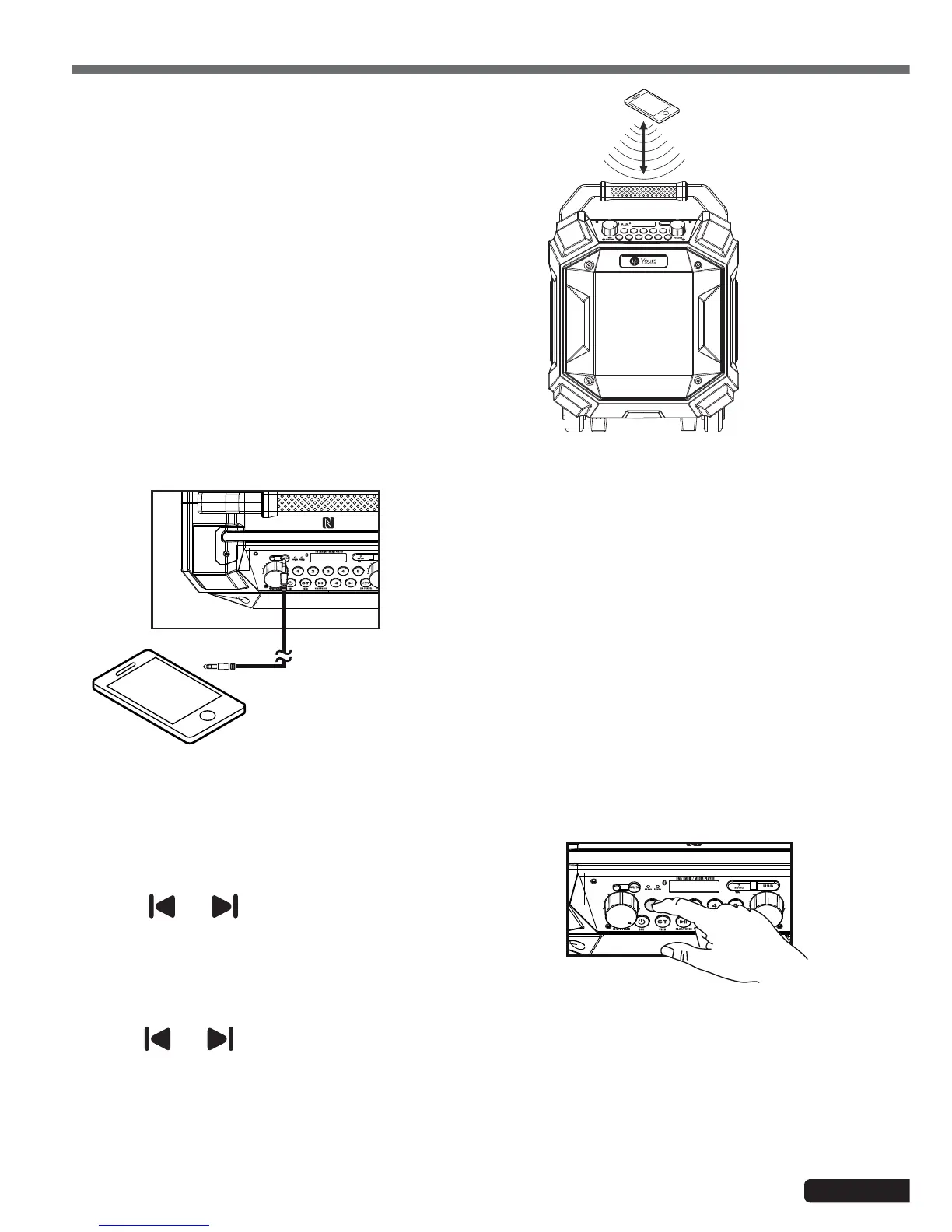
5.4 - Connection using AUX input
5.5 - Using the radio
NFC pairing
Select stations
Save stations
• Use a Jack 3.5 stereo cable to connect your device to the
AUX (21) input of your BOOMBOX.
• Use the source selection button (9) to select AUX.
• You are now connected and can play files from your device.
• Use the source selection button (9) to select FM.
The radio frequency will then be displayed via the
LCD screen.
• Use the and buttons to search for
stations.
• Hold these buttons to automatically search
stations.
• Use the
and buttons to search stations.
• Press and hold one of the 1 - 5 buttons (17) until the corresponding number flashes on the display (P01 to
P05).
• You can save up to 5 stations.
• Enter FM mode and press one of the 1 - 5 buttons to play your favourite stations.
• Activate the NFC function of your device.
• Position your device a few centimeters away from
the top panel.
• Confirm the connection to your device. The Blue
display will then stop flashing.


 To Next Page
 Loading...