• If the subject to be viewed is in a completely dark area, including lowlight shadow areas,
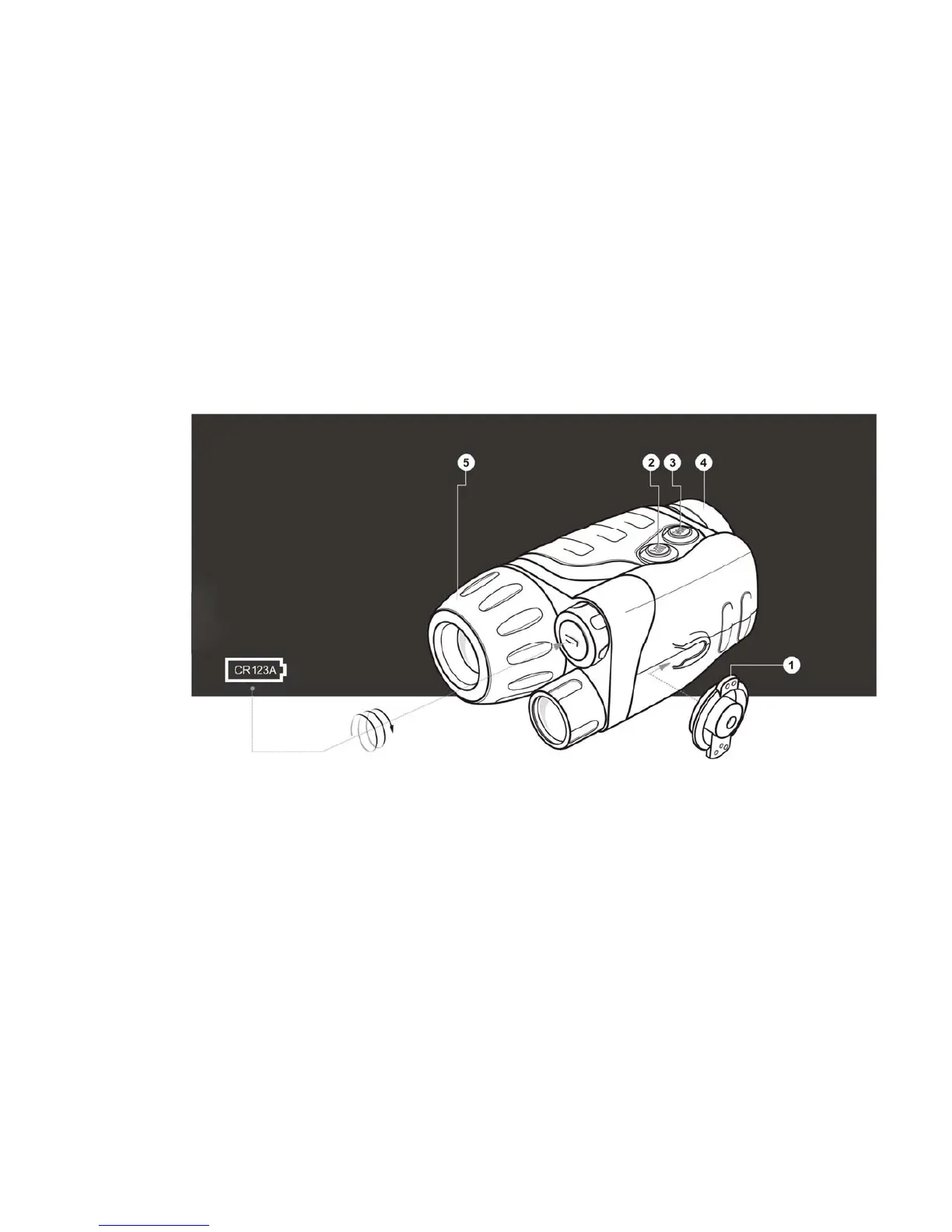
activate the infrared illuminator by pressing the “IR” Button (2) located next to "ON"
button.
• Direct your NVMT device at an object at a distance approximately 100 yds. Adjust the
eyepiece and objective lens diopter setting to focus the unit by rotating the eyepiece (4) and
objective lens (5).
• After the adjustment, do not rotate the eyepiece irrespective of the distance and other
conditions.
• Direct your NVMT device at the subject to be viewed and adjust the final focus by rotating
the objective lens (5) focusing ring until the image quality is optimal.
• The green LED indicates that the light amplifier unit is on. The red LED indicates that the
IR illuminator is on.
• Do not store your NVMT when any of the indicators are lit. When you finish using your
NVMT device, turn off the entire unit including the IR illuminator and light amplifier.
Return the lens cap to the objective lens.
CAUTION!
Your NVMT can be used in extreme cold. However, when the unit is brought back into a warm
environment, you MUST wait approximately 2-3 HOURS before using the unit again. Failure to do
so may result in damage as a result of condensation accumulating on the internal circuitry of the
unit.
MAINTENANCE
Maintaining the NVMT is simple:
• Clean the lens with professional lens cleaning supplies intended for use with multicoated
optics.
• Blow any dust or dirt off the lenses using dry, compressed air.
• Clean the NVMT housing with a soft, clean cloth.


 To Next Page