Indoor flight
When fly the drone without GPS signal, please switch to the indoor flight mode first then start
the motors
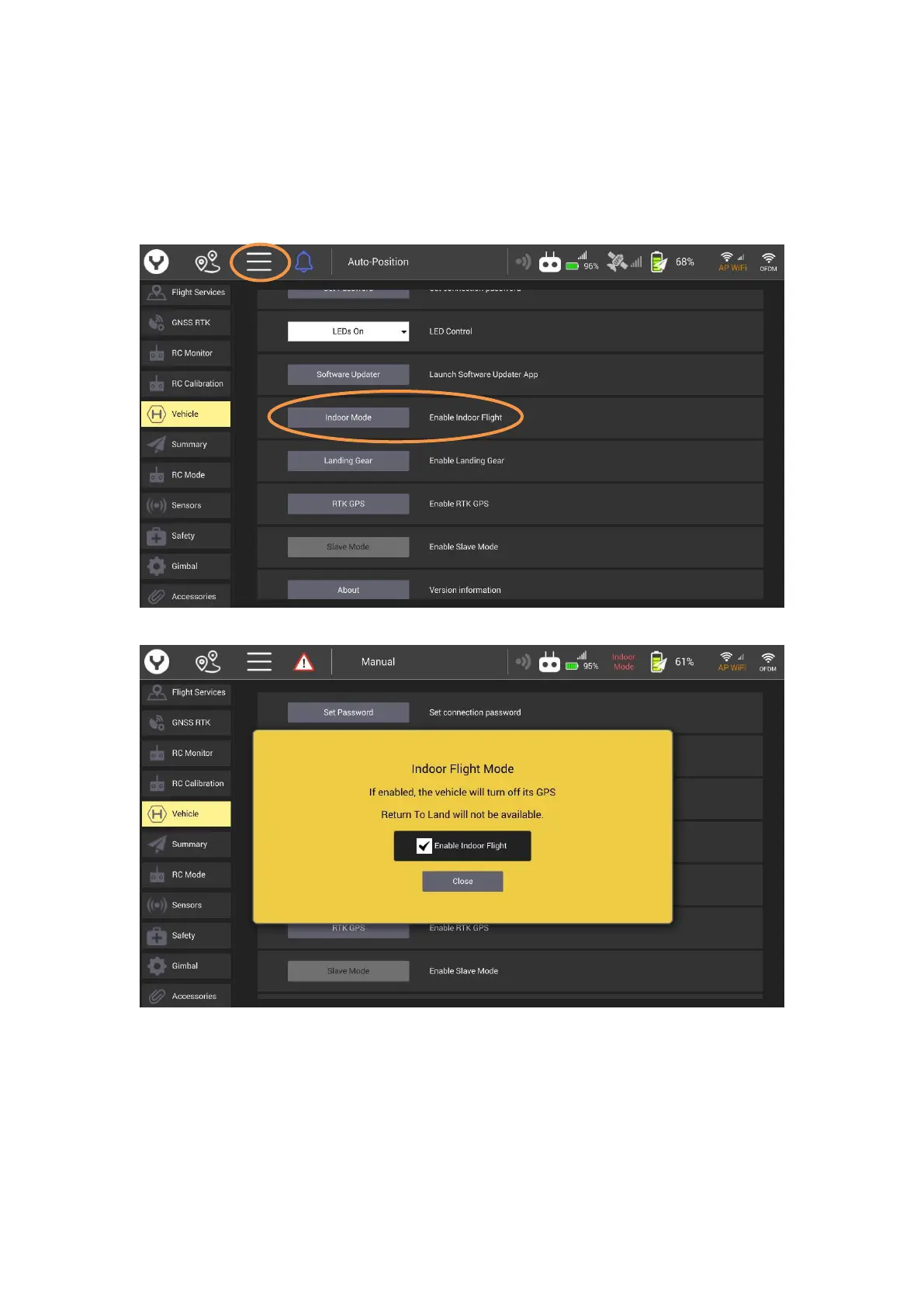
Step 1: After the drone and ST16E was connected tap the system setting button then select the
Vehicle item, tap the Indoor Mode button.
Step2: Tick the Enable Indoor Flight
Step 3: Push the Flight Mode Selection Switch to the Manual Flight Mode then press and hold the
START/STOP button for about 3 seconds to start the motors.
Notice: Please switch back to outdoor flight mode after each indoor flight; otherwise the drone
won’t get GPS lock when flying outdoor next time.



 To Next Page