Control the drone
Normal Flight Control
Out door flight
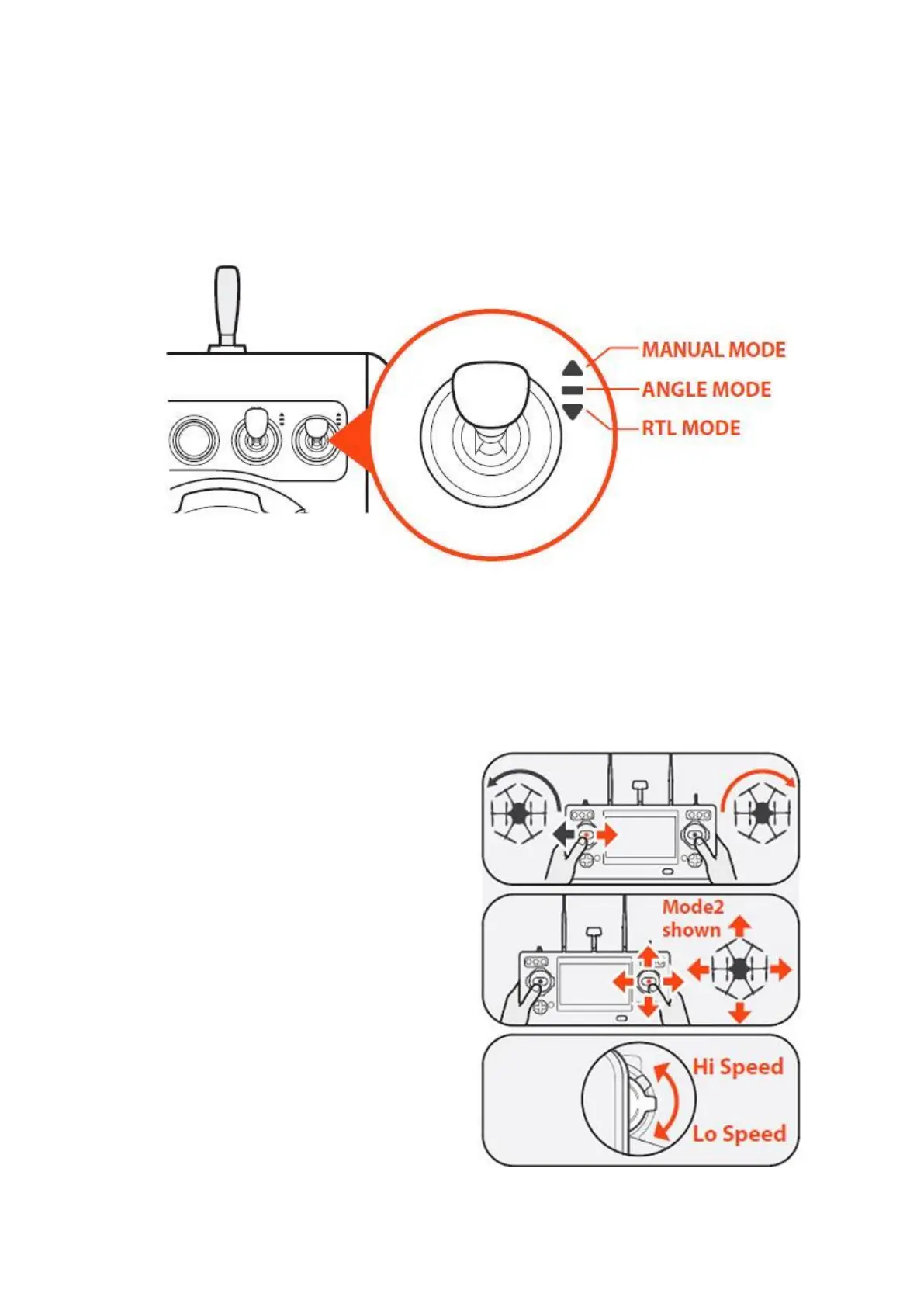
Flight Mode Switch Overview
ANGLE MODE
When in Angle Mode and GPS is available, the
drone will respond according to the ST16E
remote controller.
Tips: Fly low and slowly initially.
Slow (Lo Speed) position is ideal for precision
fight. High-speed (Hi Speed) position is used
when transiting broad areas.
RTL MODE
When in RTL Mode, the drone will return to
the home point and automatically lower the
retractable gear to land.
MANUAL MODE
When in Manual Mode, GPS will be
deactivated. The aircraft will only use its
barometer for positioning to control the
altitude. In the Manual Mode, the maximum
horizontal speed of the drone can reach
33.6mph (15m/s).
Tips: Manual mode is not recommended for
first-time pilots. Without GPS, the aircraft will
drift in slight winds and will not maintain
position.



 To Next Page