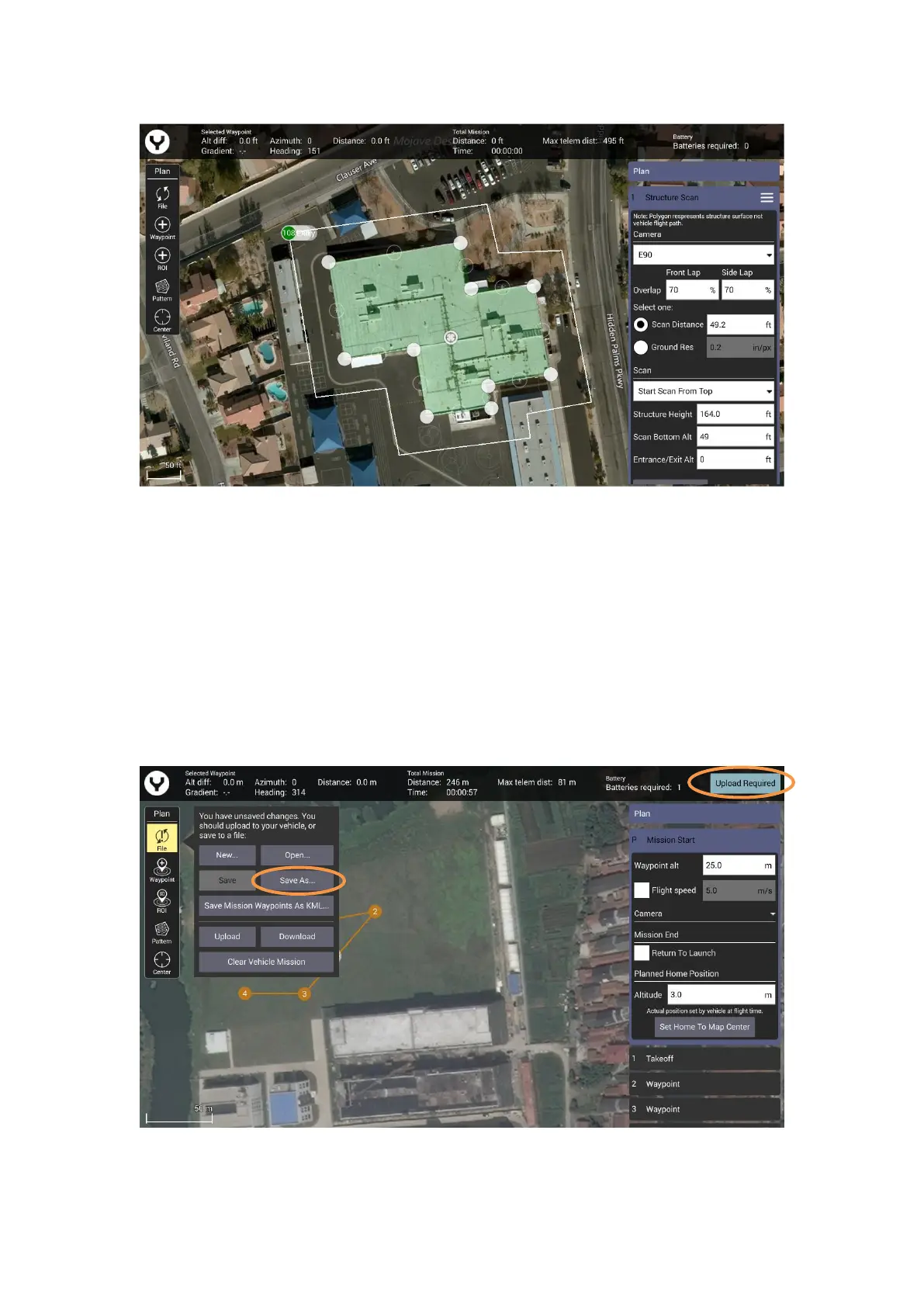
• Drag the opaque vertices on the map to the edge of the structure.
• If the structure footprint is more than a simple square, click the semi-transparent circles
between the vertices to create a new vertex. This allows for complex shapes such as the one seen
above.
Update/Save the Flight Mission
No matter what kind of the flight mission function you are using, after the flight path has been
set, tap the file button to save the mission in the ST16E or upload the mission to the drone
directly if the controller is connected with drone.



 To Next Page