
 Need help?
Do you have a question about the Yupiteru MVT-3300EU and is the answer not in the manual?
Scans/searches up to 40 channels/50 steps per second for efficient operation.
Prioritizes important transmissions while monitoring lower priority ones.
Unit includes circuitry for deciphering and restoring scrambled transmissions.
Allows simple operation once channels and modes are preset.
Searches up to 10 bands, with 5 major bands pre-stored for easy tuning.
Stores up to 200 channels for quick retrieval via memory or bank scanning.
Supports dry cells, Ni-Cd batteries, AC adapter, and car adapter for versatile use.
Identifies dangers of personal injury or loss of life if warnings are not observed.
Highlights possibilities of minor personal injury or property damage if cautions are ignored.
Explains symbols used for cautionary advice, prohibitions, and instructions.
Guidelines for cleaning, placement, and environmental factors affecting receiver performance.
Details on using Ni-Cd batteries, alkaline dry cells, and their operational duration.
Notes that the receiver cannot decode some encrypted information like digital data.
Explains how operating configuration is stored when the unit is turned off.
Information on antenna sensitivity, connection, and avoiding boosters.
Legal notes on listening to transmissions and consulting local distributors for issues.
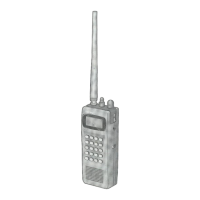
Detailed description of the unit's physical controls like knobs and buttons.
Explains keypad functions, including direct input and function modes.
Lists all accessories that come with the MVT-3300EU receiver.
Step-by-step guide on how to properly attach the flexible antenna.
Instructions on how to attach the included hand strap to the unit.
Guide on how to prop up the unit using its built-in stand.
Instructions for connecting AC adapter or cigarette lighter plug for external power.
Details on installing and using alkaline or Ni-Cd batteries.
Explains the "[BATT]" display and what to do when battery power is low.
Initial step to turn the squelch knob counterclockwise to mute static.
How to turn on the unit by turning the PWR/VOL knob clockwise.
Guide to adjusting the audio level using the PWR/VOL knob.
Steps to adjust squelch for optimal reception and static muting.
Describes four ways to select VFO mode from other modes.
Information on reception modes and frequency steps, including a band preset list.
Detailed steps and examples for entering frequencies using the numeric keypad.
How to use the SCR key to descramble transmissions and tune with the DIAL knob.
How to initiate a search in VFO mode and abort it.
Instructions for upward and downward search using the DIAL knob or keys.
How to enter the band number using numeric keys to select bands for searching.
How to mark unwanted frequencies to bypass them during scanning.
How to retrieve and verify designated search pass frequencies.
Method to select frequencies from the search pass memory using controls.
Steps to find a frequency and store it into the channel memory.
Overview of sequential and bank scanning capabilities and storage limits.
How the unit scans sequentially from lowest to highest channel and locks onto signals.
How to designate a frequency as a priority channel for sequential scanning.
Method to specify up to 4 channels for priority scanning using numeric keys.
Function to resume search/scan after a delay when a frequency is located.
Automatically stores found frequencies into channel memory bank 0.
How to change the reception mode (e.g., FM, AM) in VFO or search mode.
How to adjust the frequency step (e.g., 5kHz, 10kHz) for tuning.
Procedure for entering or changing the frequency ranges for search bands.
Enables clearer reception of fading or interrupted signals by pressing MONI button.
Illuminates the display and keys, with options for short-term or lasting illumination.
Improves reception by reducing interference from strong signals like TV stations.
Clears memory and returns the unit to its default configuration settings.
Lists the default parameters for various functions upon initialization.
Visual guides for priority scanning and optional search/scan functions.
Visual guides for convenient features like key lock, muting beeps, and lamp.
Diagrams for band selection and entering/changing band ranges.
 General
| Type | Receiver |
|---|---|
| Frequency Range | 25-1300 MHz |
| Channels | 100 |
| Output Power | 100 mW |
| Modulation Types | AM, FM |
| Power Supply | DC 6V |

 To Next Page
