EasyManua.ls Logo

Z-Wave RTZW-01 - User Manual

Z-Wave RTZW-01
5 pages
Print Icon
To Next Page IconTo Next Page
Loading...
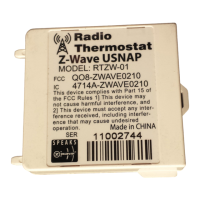
Radio Thermostat Z-Wave U-Snap Module
RTZW-01 User's Manual CTxx series
The RTZW-01 U-Snap module is a plug in module that adds ZWave functionality to a
CTxx series thermostat.
A CTxx series thermostat with an RTZW-01 module is compatible with a broad range
of Z-Wave® certified devices from other manufacturers and can be controlled
wirelessly with Z-Wave controllers supporting the Thermostat General V2 Device
Class. Please consult the user manual and your controller supplier for more details.
The RTZW-01 provides two-way communication as part of a Z-Wave® network.
When it receives commands from Controller device, it sends back confirmation that
the command was received and implemented. Each module in a Z-Wave network
communicates with every other module, acting as a “repeater” and routing your
commands to their destination by the most reliable pathway. When Z-Wave devices
regardless of manufacturer) are installed throughout the house, signals are
automatically routed around obstacles or dead spots, strengthening the network as
more devices are added.
The Basics:
The RTZW-01 U-snap module is designed to be inserted into an empty U-snap
receptacle in any CTxx series thermostat. (Follow the instructions that come with
your CTxx series thermostat and install it to your HVAC system before installing the
RTZW-01 U-snap module.)
Note: Some models of the CTxx series are capable of operating in battery only mode
(i.e. without C-wire from HVAC system), yet some other models of the CTxx series
(like the CT-80) are only capable of working in your HVAC system with the C-wire
present.
The RTZW-01 U-Snap module is designed to work with either constant present power
in the thermostat (ie C-wire), or it can run only on batteries when no C-wire is
present. Depending on which module CTxx you have, and how your CTxx
thermostat is powered will determine which functionality the RTZW-01 module will
have when added to a Z-wave network.
Question and Answer IconNeed help?

Do you have a question about the Z-Wave RTZW-01 and is the answer not in the manual?

Z-Wave RTZW-01 Specifications

General IconGeneral
ProtocolZ-Wave
Z-Wave VersionZ-Wave Plus
SecurityS2 Security
Wireless TechnologyZ-Wave
Frequency908.42 MHz
CompatibilityZ-Wave devices
RangeUp to 100 meters
Power SourceBattery
Operating Temperature-10°C to 40°C
Weight150 g

Summary

The Basics of RTZW-01 Module

Getting Started with Z-Wave Module

Network Inclusion and Exclusion

Remote Thermostat Operation

Temperature Control

Allows remote adjustment of the thermostat's set temperature.

Mode Switching

Enables remote switching between heating and cooling operational modes.

Read Current Temperature

Provides remote access to the thermostat's current ambient temperature reading.

Indicator Status

Allows reading or setting the status indicator on the thermostat.

Fan Mode Control

Enables remote control and reading of the thermostat's fan operation mode.

Clock and Display Settings

Allows setting and reading the clock and user display areas.

Power Modes

Battery Power Operation

Z-Wave radio turns off to conserve battery life; supports Z-Wave beaming.

C-Wire Power Operation

Z-Wave radio stays on and aids in routing network messages.

Thermostat Operating Modes

Simple Mode vs. Normal Mode

Explains Normal mode for standalone use and Simple mode for automation systems.

Advanced Z-Wave Command Mapping

Basic Set Command Mapping

Maps Basic Set values to Energy Saving or Comfort Mode on the thermostat.

Indicator Command Class Mapping

Maps Indicator Set values to control thermostat LEDs (Off, Green, Yellow, Red).

Regulatory Statements

FCC Regulatory Information

Details FCC compliance for the digital device, including interference guidelines and corrective measures.

IC Regulatory Information

Outlines Canadian interference regulations and conditions for Class B digital apparatus compliance.

Related product manuals