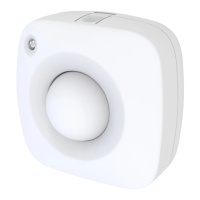
Depending on your Z-Wave gateway's home automation software capabilities, you may be able to
associate your Z-Wave 4-in-1 sensor in groups with other Z-Wave devices to schedule scenes and create
events.
Zooz 4-in-1 sensor supports Group 1 with up to five devices for lifeline communication. To associate the
sensor with other devices, simply put your Z-Wave controller in Association mode by sending the
appropriate command and put the 4-in-1 sensor in wake-up mode by pressing and releasing its Z-Wave
button.
Please refer to your controller's user guide for advanced programming instructions as they are a little
different for every software.
TEMPERATURE SENSOR
Use Parameter 1 (size 1 byte dec) to switch from Celsius (value 0x00) to Fahrenheit (value 0x01) scale.
HUMIDITY SENSOR
Reports relative humidity. Use Parameter 3 (size 1 byte dec) to configure setting (value from 1 to 50).
Default set to 10%.
LIGHT SENSOR
Use Parameter 4 (size 1 byte dec) to configure setting (value from 1 to 50). Default set to 10%.
MOTION SENSOR
Use Parameter 5 (size 1 byte dec) to set the trigger interval - the time when motion is reported again after
initial trigger (value from 1 to 255). Default set to 3 minutes.
NOTE: Small interval will increase activity and affect battery life.
Use Parameter 6 (size 1 byte dec) to adjust PIR sensor sensitivity (value from 1 to 7). 1 = very high
sensitivity. 7 = very low sensitivity. Default set to 4.
LED NOTIFICATIONS
Led indicator will flash every 3 minutes or whenever you press the Z-Wave button to indicate temperature
level.
How to read led indicator colors?
Green = under 60°F
Blue = 60°-75°F
Yellow = 75°-83°F
Purple = 83°-97°F
Red = over 97°F / motion detected / tamper switch triggered
Use Parameter 7 (size 1 byte dec) to choose between led indicator modes (value from 1 to 3).
Mode 1 = led indicator is turned off (no visual notifications).
Mode 2 = temperature indicated with pulsing light. Motion indicated with flashing light.
Mode 3 = Temperature and motion indicated with flashing light.


 To Next Page
 Loading...