Control Pad
1. To select a pre-set program, keep pressing the PROG key to switch between programs.
2. Now change the TIME by using the Speed + and Speed – keys then press the START key
to start the treadmill and a 3 second countdown will begin.
Note, a 3 second countdown will begin each time the program is ready to change speeds.
and pull the Safety Key to stop the treadmill if you feel unstable or fall.
Note
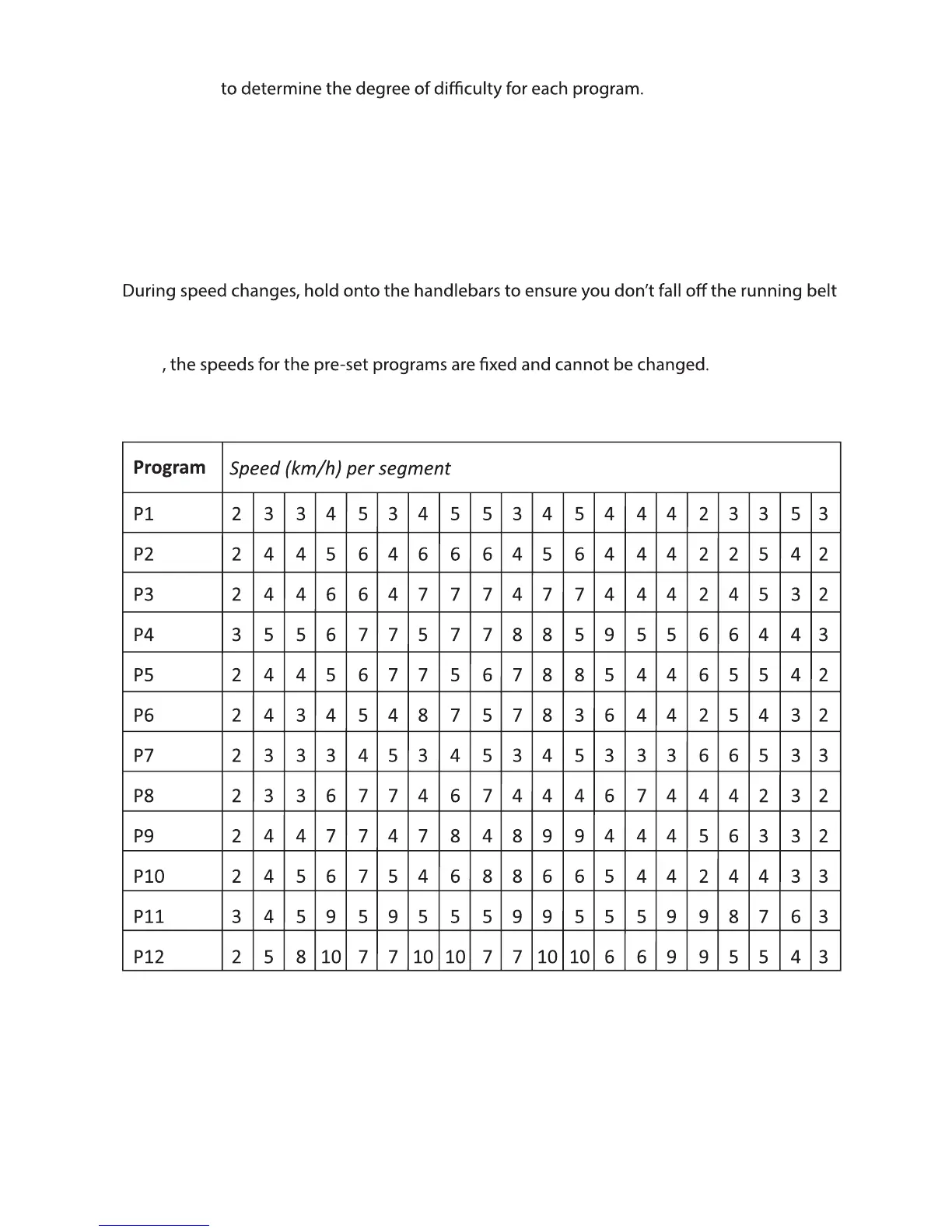
The speed changes every minute as per the table below –
Manual Mode
To select the Manual Mode, press the MODE key.
Use the Speed + and Speed – keys to change the default TIME or DISTANCE.


 To Next Page