ZAAZMOVEMENT.COM 11
OPERATION
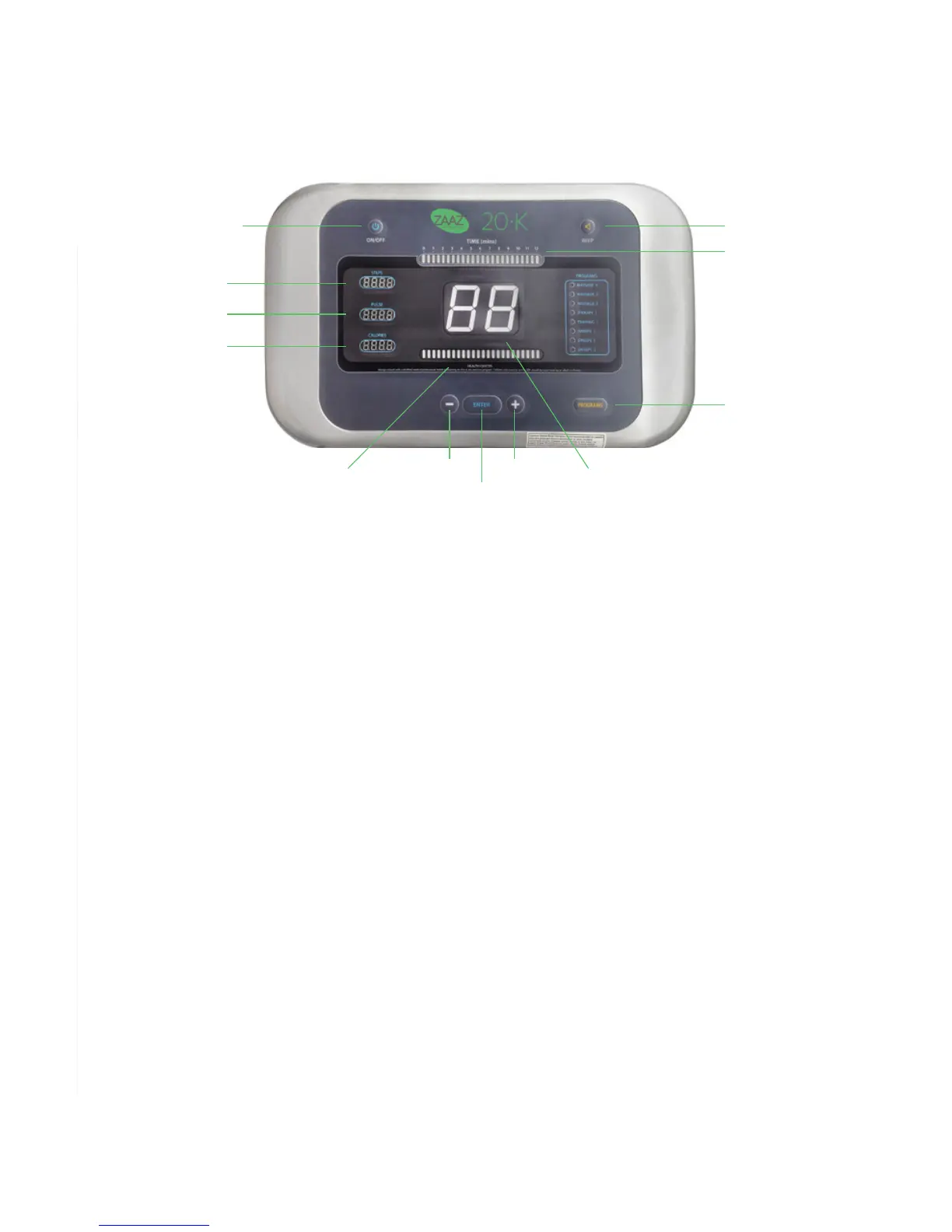
BUTTON AND CONSOLE DESCRIPTION
ON/OFF Powers the machine on/off
STEP COUNTER Displays the representative number of steps taken by the platform
PULSE MONITOR Displays pulse; grip both pulse sensors on arms of machine for
15 seconds to initiate reading
CALORIE COUNTER Displays estimated calories burned
HEALTH CENTER Depicts plate movement and rhythm
SPEED - Push to decrease selected speed
ENTER Initiates selected preset program
SPEED + Push to increase selected speed
SPEED INDICATOR Displays the selected speed of the vibrating platform
SELECT PROGRAM Toggles through preset programs to enable selection
TIME Reflects the time remaining in the 12-minute session or preset program
BEEP ON/OFF Turns beeping sounds associated with console buttons on/off
OPERATING INSTRUCTIONS
Manual Mode (12 Minute Session)
1. Press the “ON/OFF” button to power the machine.
2. Select the desired speed level using the "SPEED +" and "SPEED –" buttons to
increase and decrease speed, respectively.
3. To discontinue the session at any time, press the “ON/OFF” button to power off
the machine.
ON/OFF
BEEP ON/OFF
TIME
SELECT PROGRAM
SPEED +
SPEED INDICATOR
SPEED -
ENTER
STEP COUNTER
PULSE MONITOR
CALORIE COUNTER
HEALTH CENTER


 To Next Page