EasyManua.ls Logo

ZacUrate 500DL - User Manual

ZacUrate 500DL
36 pages
Print Icon
To Next Page IconTo Next Page
Loading...
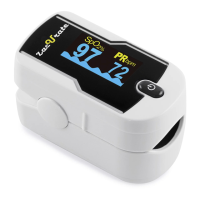
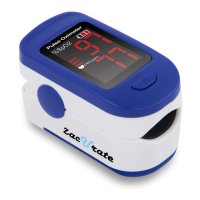
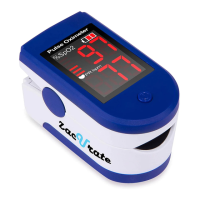
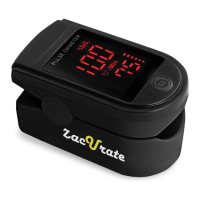
Zacurate® 500DL
Finger Pulse Oximeter
User Manual
Einstein Associates LLC
10101 Stafford Centre Drive Suite B
Stafford, TX 77477
http://www.beyondmedshop.com

Questions and Answers

  • G
    georgecarrollJul 28, 2025
    How to fix ZacUrate 500DL oximeter when it does not display blood oxygen saturation levels?
    • M
      meganlongJul 28, 2025
      If your ZacUrate Medical Equipment oximeter isn't showing blood oxygen or pulse rate, ensure your finger is correctly placed between the sensor and LED lights. Also, check that nothing is restricting your blood flow, as low blood flow can prevent accurate measurements.
  • L
    Laura CooperAug 4, 2025
    What to do if SpO2 or Pulse Rate reading is unstable on ZacUrate 500DL?
    • P
      Patricia MillerAug 4, 2025
      If the SpO2 or pulse rate reading on your ZacUrate Medical Equipment is unstable, make sure your finger is inserted deeply into the chamber. Avoid excessive body movement during measurement. If your pulse is weak, try warming your finger or switching to another finger.
  • C
    Christina ShepherdAug 11, 2025
    Why ZacUrate Medical Equipment oximeter cannot be powered on?
    • B
      Brian HunterAug 11, 2025
      If your ZacUrate Medical Equipment oximeter won't power on, first replace the batteries, as they may be drained. If that doesn't work, check that the batteries are correctly installed according to the ‘Battery Installation’ instructions. If problems persist, contact the distributor because the oximeter might be defective.
  • P
    Philip HarperAug 18, 2025
    What to do if ZacUrate 500DL display screen turns off suddenly?
    • F
      Francisco JenningsAug 18, 2025
      If the display screen of your ZacUrate Medical Equipment oximeter turns off suddenly: * This is normal if no signal is detected for more than 8 seconds; simply turn the oximeter on again. * Alternatively, the batteries may be drained; try replacing them.

Summary

Chapter 1 Precautions, Warnings and Symbol

1.1 Precautions

Key safety guidelines for device usage and user care.

1.2 Warnings

Critical safety alerts regarding environmental hazards and misuse.

Chapter 2 About This Product

2.3 Intended Use

Specifies the target users and application for the device.

Chapter 3 Operation Instructions

3.3 Taking SpO2 and Pulse Rate Readings

Detailed steps for performing measurements with the oximeter.

3.4 Tips to getting a good reading

Advice for achieving accurate and reliable measurement results.

Chapter 5 Maintenance and Troubleshooting

5.2 Troubleshooting

Solutions for common problems encountered with the oximeter.

Chapter 6 Technical Description and Safety Type

ZacUrate 500DL Specifications

General IconGeneral
BrandZacUrate
Model500DL
CategoryMedical Equipment
LanguageEnglish

Related product manuals