In case of the high water softener setting, it may occur
also in the middle of the programme, before the rinse
(twice during a programme). Regeneration initiation has
no impact on the cycle duration, unless it occurs in the
middle of a programme or at the end of a programme
with a short drying phase. In that cases, the
regeneration prolongs the total duration of a programme
by additional 5 minutes.
Subsequently, the rinsing of the water softener that lasts
5 minutes may begin in the same cycle or at the
beginning of the next programme. This activity
increases the total water consumption of a programme
by additional 4 litres and the total energy consumption
of a programme by additional 2 Wh. The rinsing of the
softener ends with a complete drain.
Each performed softener rinse (possible more than one
in the same cycle) may prolong the programme duration
by another 5 minutes when it occurs at any point at the
beginning or in the middle of a programme.
All the consumption values mentioned in
this section are determined in
accordance with the currently applicable
standard in laboratory conditions with
water hardness 2.5mmol/L according to
the 2019/2022 regulation (water
softener: level 3).
The pressure and the temperature of
water as well as the variations of the
mains supply can change the values.
The rinse aid level
The rinse aid helps to dry the dishes without streaks
and stains. It is automatically released during the hot
rinse phase. It is possible to set the released quantity of
rinse aid.
If the drying results are satisfactory while using multi-
tablets only, it is possible to deactivate the dispenser.
However, for best drying performance, always use rinse
aid.
To deactivate the rinse aid dispenser, set the level of
rinse aid to 0.
End sound
You can activate an acoustic signal that sounds when
the programme is completed.
Acoustic signals sound also when a
malfunction of the appliance occurs. It is
not possible to deactivate these signals.
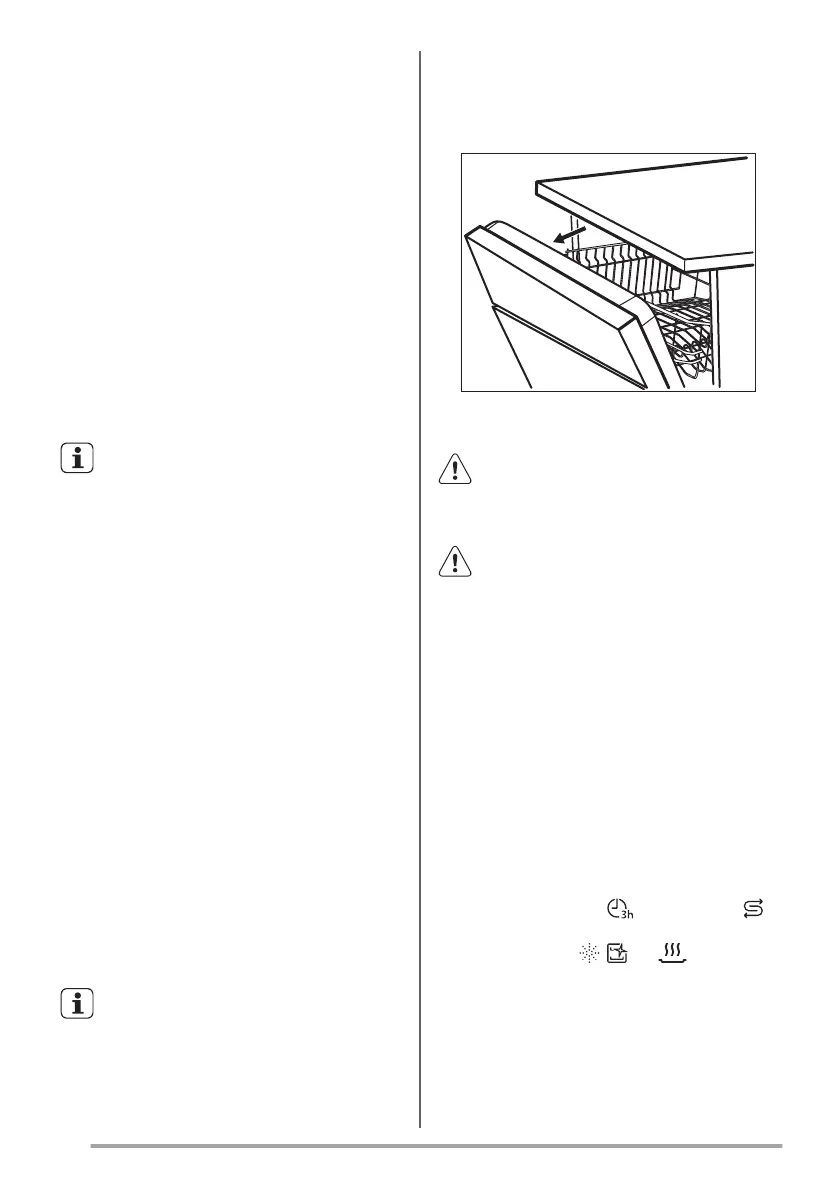
AirDry
AirDry improves the drying results. The appliance door
opens automatically during the drying phase and
remains ajar.
AirDry is automatically activated with all programmes
other than Pre Rinse.
Caution! Do not try to close the
appliance door within 2 minutes after
automatic opening. This can cause
damage to the appliance.
Caution! If children have access to the
appliance, we advise to deactivate
AirDry. The automatic opening of the
door may pose a danger.
Key tones
The buttons on the control panel make a click sound
when you press them. You can deactivate this sound.
Setting mode
How to enter setting mode
You can enter setting mode before starting a
programme. You cannot enter setting mode while the
programme is running.
To enter setting mode, press and hold simultaneously
30min and ECO for about 3 seconds.
• The light related to and the indicator
flash.
• The indicators , and are on.
• The lights related to the programme buttons
are on.
How to navigate in setting mode
You can navigate in setting mode using programme
buttons.
32


 To Next Page
 Loading...