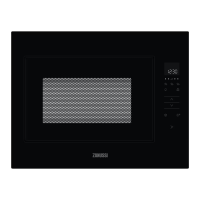
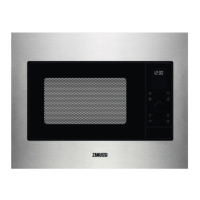
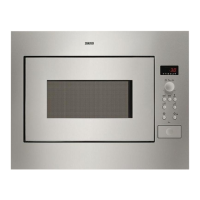
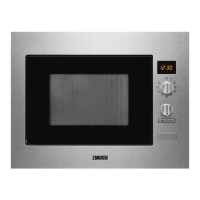
This document is a user manual for a Zanussi microwave oven, model ZMBN4S, designed for household and similar applications. It provides essential information for safe operation, installation, usage, and maintenance of the appliance.
Function Description
The Zanussi ZMBN4S is a microwave oven primarily intended for heating food and beverages. It offers various power levels and cooking modes to accommodate different types of food preparation. The appliance is equipped with a digital display and a control panel that allows users to select specific functions, adjust settings, and monitor cooking progress.
Key functions include:
- Microwave Cooking: Heats food and beverages using microwave energy. Different power levels (90W, 270W, 450W, 630W, 900W) are available for various cooking needs, from gentle defrosting to fast cooking and reheating.
- Quick Start: Allows direct initiation of cooking at 900W for 30 seconds with a single press, and additional time can be added by pressing the start key again.
- Auto Defrost: Automatically calculates the correct cooking mode and time based on the weight of the food. It includes menus for meat/fish/poultry and bread.
- Favourites: Stores up to three user-defined recipes (Soften Butter, Melt Chocolate, Mug Cake) for quick access. These pre-set recipes have fixed power levels.
- Kitchen Timer: Functions as a standalone timer, independent of cooking operations, useful for general kitchen timing.
- Child Safety Lock: A safety feature that prevents accidental operation of the oven by children. When activated, all keys except the STOP key are disabled.
- Standby (Economy Mode): The oven automatically enters standby mode after 5 minutes of inactivity to conserve energy.
Usage Features
The microwave oven is designed for user-friendly operation with clear controls and indicators.
- Control Panel: Features digital display indicators for power levels, favourites, auto defrost, kitchen timer, more/less keys, start/confirm/quick start key, stop key, and door open key.
- Setting the Clock: Upon first plug-in, users can set the 24-hour clock. The clock can also be turned off if not desired.
- Adjusting Cooking Time: Cooking time can be adjusted even while the oven is running, by pressing the START key to add more time.
- Adjusting Power Level: In microwave cooking mode, the power level can be adjusted by pressing and holding the POWER LEVEL key until the desired setting is highlighted.
- Pause Function: Cooking can be paused by pressing the STOP key or opening the door, allowing for up to 5 minutes of pause before resuming.
- Mute Function: The audible sound of the oven can be turned on or off through the kitchen timer settings.
- Turntable: The appliance includes a turntable and turntable support to ensure even cooking. It is crucial to use these accessories and ensure they are correctly placed.
- Cooking Charts: The manual provides detailed cooking charts for various foods, including favourites, mug cake recipes, auto defrost guidelines, and general heating/defrosting instructions, specifying quantities, power levels, times, and procedures.
- Food Preparation Advice: Offers hints and tips on microwave-safe cookware and general microwave cooking advice, such as stirring, turning, rearranging food, and standing times for optimal results. It also warns against heating certain items like sealed containers or eggs in their shells.
Maintenance Features
Regular cleaning and proper care are essential for the longevity and safe operation of the microwave oven.
- Door Cleaning: Both sides of the door, door seals, and sealing surfaces should be regularly cleaned with a soft, damp cloth. Abrasive cleaners or sharp metal scrapers should be avoided to prevent scratching the glass.
- Oven Interior Cleaning: Splatters and spills should be wiped with a soft, damp cloth or sponge after each use while the oven is warm. For heavier spills, mild soap can be used. The waveguide cover should not be removed. Spray cleaners are not recommended for the interior.
- Oven Exterior Cleaning: The outside of the oven can be cleaned with mild soap and water, ensuring the soap is wiped off with a moist cloth and dried with a soft towel.
- Control Panel Cleaning: The control panel should be cleaned with a cloth dampened with water only, after opening the door to deactivate it. Excessive water, chemical, or abrasive cleaners should be avoided.
- Turntable and Support Cleaning: The turntable and its support are removable and can be washed in mild soapy water or in a dishwasher. It's important to allow the turntable to cool before cleaning with water and to avoid placing hot foods on a cold turntable or vice versa.
- Regular Cleaning Importance: The manual emphasizes cleaning the oven at regular intervals and removing food deposits to prevent deterioration of surfaces and potential hazardous situations.
- Warnings Against Specific Cleaners: Users are explicitly warned against using commercial oven cleaners, steam cleaners, abrasive, harsh cleaners, or any products containing sodium hydroxide or scouring pads on any part of the microwave oven.
- Professional Repair: In case of damage to the door or door seals, or if the appliance requires service or repair involving the removal of covers that protect against microwave energy exposure, it must be repaired by a competent person.


 To Next Page
 General
 Weight and Dimensions