EasyManua.ls Logo

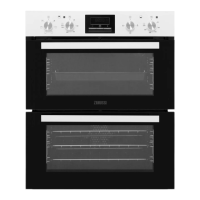
Zanussi ZOF35601WK - User Manual

Zanussi ZOF35601WK
28 pages
Print Icon
To Next Page IconTo Next Page
Loading...
GETTING
STARTED?
EASY.
User Manual
ZOF35601WK
ZOF35601XK
EN User Manual
Built-In Double Oven

Questions and Answers

  • M
    Martin BellAug 6, 2025
    What to do if my Zanussi ZOF35601WK does not heat up?
    • P
      perrypatriciaAug 6, 2025
      If your Zanussi Oven isn't heating up, there could be several reasons: * The oven might be deactivated, so ensure you activate it. * The clock may not be set; in this case, set the clock. * The settings might be incorrect; double-check and correct them. * A fuse could be blown. Verify if the fuse is the problem. If the fuse blows repeatedly, it's recommended to contact a qualified electrician.
  • R
    Robert JohnsonAug 10, 2025
    Why is my Zanussi Oven not heating up?
    • S
      Steven TurnerAug 11, 2025
      If your Zanussi Oven isn't heating up, there are several potential causes. First, ensure that the oven is activated. Also, check if the clock is properly set. Verify that all necessary settings for your cooking task are correctly configured. Finally, inspect the fuse to see if it has blown. If the fuse continues to blow repeatedly, it is recommended to contact a qualified electrician.
  • J
    Jacob SuttonAug 14, 2025
    Why does my Zanussi ZOF35601WK display '12.00'?
    • P
      Patricia LoweAug 14, 2025
      The display on your Zanussi Oven showing '12.00' usually indicates there was a power cut. To resolve this, simply reset the clock.
  • G
    gregorymyersAug 19, 2025
    What to do if I cannot activate my Zanussi ZOF35601WK and it shows error code 400?
    • J
      John MayAug 19, 2025
      If you cannot activate or operate your Zanussi Oven and the display shows “400” accompanied by an acoustic signal, it might be due to incorrect electrical supply connection. Check if the oven is correctly connected to the electrical supply, referring to the connection diagram if available.
  • M
    Michael DoughertyAug 23, 2025
    What to do if I see steam and condensation in my Zanussi ZOF35601WK?
    • W
      William ZunigaAug 25, 2025
      If you notice steam and condensation settling on the food and inside your Zanussi Oven, it's likely because you've left the dish in the oven for too long after cooking. Avoid leaving dishes in the oven for more than 15-20 minutes after the cooking process has ended.
  • T
    timothytownsendAug 27, 2025
    How to fix a Zanussi ZOF35601WK Oven lamp that does not operate?
    • K
      Kelly ReidAug 27, 2025
      If the lamp in your Zanussi Oven isn't working, it's likely that the lamp is defective and needs to be replaced.
  • J
    Julian BarnesSep 1, 2025
    What to do if I cannot activate or operate my Zanussi ZOF35601WK and the display shows '400'?
    • J
      Jennifer JacksonSep 1, 2025
      If you're unable to activate or operate your Zanussi Oven, and the display shows '400' accompanied by an acoustic signal, it suggests that the oven is incorrectly connected to the electrical supply. Check if the oven is correctly connected to the electrical supply, referring to the connection diagram if available.

Summary

Appliance Safety Guidelines

Children and Vulnerable People Safety

Safety guidelines for children and vulnerable individuals.

General Safety Precautions

General safety precautions for appliance use and installation.

Installation Safety

Installation Requirements

Instructions and requirements for installing the appliance correctly.

Electrical Connection Requirements

Appliance Usage Guidelines

Care and Cleaning Procedures

Oven Product Overview

Control Panel

Explanation of buttons and display functions for operating the oven.

Initial Setup and Preparation

Setting the Clock

Step-by-step guide to setting the oven's clock time.

Everyday Oven Operation

How to Set: Heating Function

Guide on selecting heating functions and temperatures for cooking.

Setting Oven Clock Functions

How to Change: Time of Day

Step-by-step guide to setting the oven's clock time.

How to Set: Duration

Step-by-step guide to setting the cooking duration.

How to Set: End Time

Step-by-step guide to setting the automatic shut-off time.

How to Set: Time Delay

Step-by-step guide to programming a delayed start.

Top Oven Baking Recipes

Advanced Baking Guides

Moist Baking Settings

Roasting Guides and Meat Tables

Roasting Tips and Meat Settings

Advice for roasting and recommended settings for meats.

Roasting, Game, Poultry, and Grilling

Grilling and Defrosting Procedures

Defrosting and Cleaning Instructions

Oven Door Maintenance

Removing and Installing the Oven Door

Step-by-step guide to safely remove and reinstall the oven door.

Lamp Replacement and Troubleshooting

Common Troubleshooting Issues

Solutions for problems like oven not operating or heating.

Zanussi ZOF35601WK Specifications

General IconGeneral
Energy Efficiency ClassA
Oven TypeElectric
Number of Functions8
Weight30 kg
Oven SizeLarge
Number of Ovens1
Energy Consumption (forced convection)0.81 kWh
ColourWhite
Cleaning SystemCatalytic
DoorDouble Glazed
Oven Capacity71 L

Related product manuals