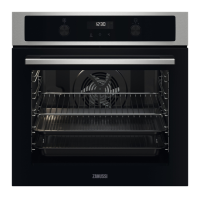
4. PRODUCT DESCRIPTION
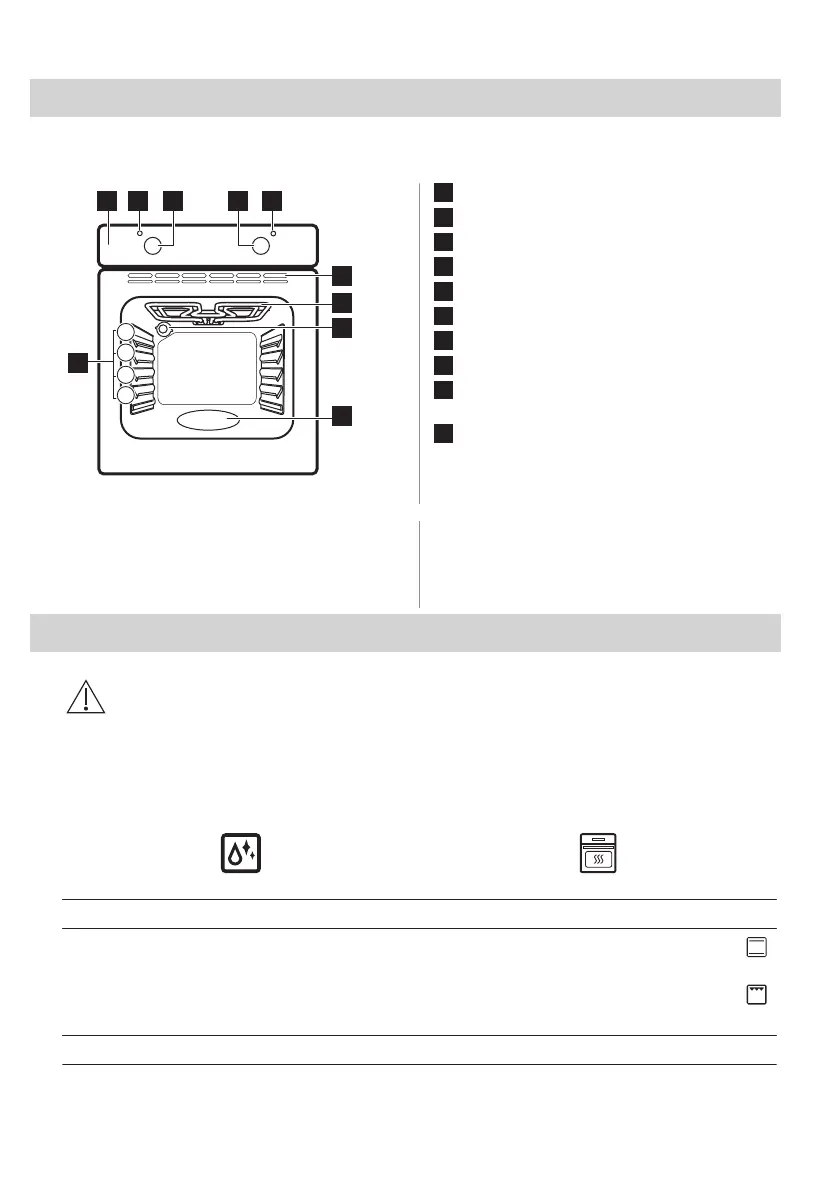
4.1 General overview
1
Control panel
2
Power lamp / symbol
3
Knob for the heating functions
4
Control knob (for the temperature)
5
Temperature indicator / symbol
6
Air vents for the cooling fan
7
Heating element
8
Lamp
9
Cavity embossment - Aqua cleaning
container
10
Shelf positions
4.2 Accessories
• Wire shelf
For cookware, cake tins, roasts.
• Baking tray
For cakes and biscuits.
5. BEFORE FIRST USE
WARNING!
Refer to Safety chapters.
5.1 Before first use
The oven can emit an odour and smoke during preheating. Make sure that the room is
ventilated.
Step 1
Step 2
Clean the oven Preheat the empty oven
1. Remove all accessories from the oven.
2. Clean the oven and the accessories only with a mi‐
crofibre cloth, warm water and a mild detergent.
1. Set the maximum temperature for the function: .
Time: 1 h.
2. Set the maximum temperature for the function: .
Time: 15 min.
Turn off the oven and wait until it is cold. Place the accessories in the oven.
8 ENGLISH



 To Next Page